 Onwe Damian Chukwuemeka
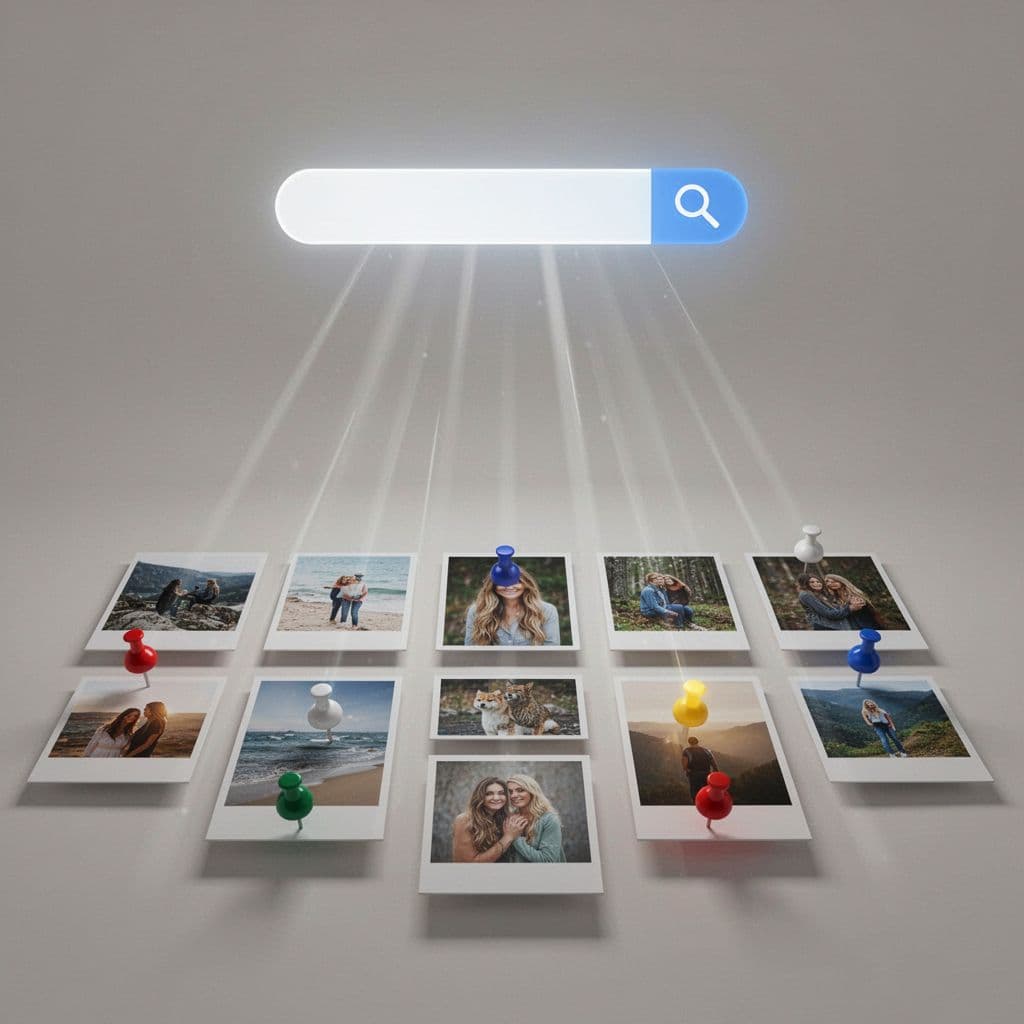
Most people treat Pinterest as a social media app, but that is a mistake. It is actually a visual search engine where users go to find specific answers and inspiration. Understanding this distinction is the secret to moving beyond casual browsing and starting to drive website traffic from Pinterest.
Pinterest SEO is the simple practice of matching your content to the terms users type into the search bar. When you align your pin titles, descriptions, and boards with these search terms, you help the platform show your work to the people who are ready to click. Even small, deliberate changes to your metadata can turn your account into a reliable source for long-term traffic, saves, and clicks.
In the following sections, you will learn how to apply these straightforward hacks to your own profile to grow your reach starting today.
How Pinterest search works in plain English
Pinterest is fundamentally a discovery engine. While social media platforms prioritize who you follow or what your friends are doing, Pinterest focuses entirely on what you want to find. When a user opens the app, they arrive with a specific intent, whether that involves planning a kitchen remodel, searching for a vegan dinner recipe, or gathering inspiration for an upcoming trip.
The platform functions as a bridge between a user’s question and your content. It uses sophisticated models, including visual recognition and language analysis, to index your pins and serve them to the right audience. By viewing your profile as a database of solutions rather than a timeline of personal updates, you align your strategy with how the system actually processes information.
Why Pinterest acts more like Google than Instagram
The primary difference between Pinterest and traditional social networks is the goal of the user. On social media, engagement is often passive, based on the desire to stay connected with a community or be entertained. On Pinterest, engagement is active and utilitarian. Users search with a goal, and they expect the results to help them move closer to achieving it.
Because of this, Pinterest behaves much like a search engine. It catalogs billions of images and text-based data points to determine which results provide the most relevant answer to a query. While a social feed prioritizes recency and social currency, Pinterest prioritizes relevance and long-term utility. A pin you publish today can continue to generate traffic months or even years later if the platform deems it the best answer for a specific search term.
The signals Pinterest uses to rank content
To determine which pins deserve a top spot in search results, the platform evaluates several distinct signals. Think of these as a digital footprint that helps the system understand the context and authority of your work. The algorithm reviews these primary factors:
- Keywords: These are the bread and butter of your discovery strategy. The system scans your pin titles, descriptions, and text overlays to match your content with user search queries.
- Board relevance: Your boards provide necessary context. When you save a pin to a board with a clear, keyword-rich title, you help the system categorize your content more accurately.
- Visual clarity: Pinterest uses AI to scan the imagery itself. It assesses the subject matter to ensure the visuals align with the text, creating a consistent experience for the user.
- Link-page match: The destination matters. Pinterest monitors whether the page linked in your pin delivers the information or product promised in the pin itself. If the link leads to an irrelevant or broken page, the system may suppress your reach.
What freshness means in 2026
Freshness is a core component of the platform’s ranking system. It doesn’t mean you must constantly delete and re-upload the same images. Instead, Pinterest favors new, unique creatives. A fresh pin is simply a new image or video that the system hasn’t seen before, even if it points to a URL you have promoted in the past.
When you create a new design to represent an existing article, you signal to the algorithm that you are providing updated or additional value. This approach keeps your account active and expands your reach to different segments of the audience who might respond better to one visual style over another. By focusing on varied, high-quality designs, you effectively maximize your chances of appearing in multiple search results without needing to produce entirely new content for every single pin. Learning essential SEO steps for new content is a smart way to ensure your efforts result in lasting visibility.
Mastering keyword research for Pinterest search
Success on Pinterest starts with understanding what your audience types into the search bar. Many creators waste time targeting massive, generic terms that offer little chance of visibility. Instead, the most effective strategy relies on finding specific phrases that match exactly what users want to find. If you want to refine your approach, you can learn more about effective keyword research for Pinterest bloggers.
Find simple, specific phrases, not broad topics
When you choose keywords, think like a person searching for a solution. Broad terms like “food” or “home decor” are too competitive and fail to tell the algorithm what your content is about. People rarely search for one-word terms because those results are too scattered to be useful.
Instead, look for long-tail phrases that clearly define the intent behind a search. These specific terms act as a bridge between your content and the person looking for it. For instance, rather than trying to rank for “food,” aim for “easy weeknight dinner recipes” or “healthy gluten-free meal prep.” If your content is about interior design, replace “home decor” with “small bedroom organization ideas” or “modern minimalist living room decor.”

Specific phrases work better because they reach an audience that already knows what they need. A user searching for “small bedroom organization ideas” is ready to click and save your pin, whereas someone searching for “decor” is likely just browsing. You can discover how to research keywords by using the search bar autocomplete feature to see exactly what combinations people suggest.
Place your main keyword in the right spots
Once you have identified your specific phrases, you need to place them where the algorithm expects to find them. Consistency is key, but avoid repeating the same phrase until it sounds robotic. The system scans your entire account to build context, so spreading your keywords naturally across different fields is a smart move.
Start with your profile name and bio, which serve as the foundation for your account’s authority. Your board titles and board descriptions should also feature these terms, as they help Pinterest categorize your collections. For individual pins, place your primary keyword in the pin title and a natural, descriptive pin description.
Remember that each location serves a specific purpose. Your profile sets the overall theme, while individual boards and pins provide the granular detail the algorithm uses to rank your work. Use these spaces to describe the value you provide, not just to stack terms that feel disconnected from your imagery.
Use related words to help Pinterest understand the topic
Keywords are only part of the equation. To build a stronger connection, include related terms and close variations in your metadata. This practice, often called semantic search, helps the platform understand the full scope of your content without needing you to repeat your main keyword dozens of times.
Think of related words as the secondary details that provide context. If your pin is about “easy weeknight dinner recipes,” your description might naturally include terms like “quick meal ideas,” “healthy cooking tips,” or “family-friendly menus.” These variations help your pin appear in a wider range of searches, even when someone uses slightly different language.
The goal is to sound helpful and clear, not stuffed with keywords. When you write for the reader first, you naturally include the variations that matter most. This approach helps the system recognize your pin as a high-quality, relevant answer, ultimately driving more meaningful traffic to your site as you continue to monetize your Pinterest account.
Make your profile and boards easy for Pinterest to understand
Your profile acts as the central hub for your content, and the platform uses every detail to decide who should see your pins. When you align your account structure with clear search terms, you help the system categorize your work accurately. This organization is a foundational step in your overall strategy.
Write a profile name and bio with clear search terms
Your display name and bio are prime real estate for keywords. Many users miss an opportunity here by sticking to their business name alone. Instead, blend your brand name with a descriptive term that potential followers search for. This simple addition tells the algorithm exactly what your account offers.
For instance, if your business name is “Bright Studio,” try updating your profile name to “Bright Studio | Home Decor Tips.” This format keeps your brand recognizable while adding a searchable phrase. It signals to Pinterest that your account is a source for specific content.
Your bio should follow a similar approach by answering who you help and what they can expect. Write a few sentences that naturally incorporate your primary keywords. If you focus on meal prep, mention that you share “easy dinner recipes” and “time-saving cooking tips.” This text helps the platform match your entire profile with relevant search queries. You can see effective keyword research for Pinterest bloggers to find the best terms for your specific niche.
Rename vague boards so they match what people search for
Generic board names act as a barrier to discovery. If you name a board “Projects” or “My Favorites,” you provide the algorithm with zero context about the content inside. Pinterest favors boards that clearly define the topic for the user.
Replace those vague titles with specific, keyword-rich names. Think about what a user types when they want a solution. Instead of “Food,” use “Healthy Lunch Recipes.” Swap “Bedroom Ideas” for “Budget Bedroom Decor.”
This clarity improves performance for two main reasons. First, it helps the algorithm index your pins in the right search results. Second, it builds user trust. When a visitor lands on your profile, they immediately know if your boards contain the specific answers they need. High-quality board titles rank higher in search because they directly mirror user intent.
Add board descriptions that support the main topic
Board descriptions are a frequently overlooked area for keyword placement. They offer a short space to provide extra context that reinforces the theme of the board. Pinterest uses this text to confirm the relevance of the pins you save.
Keep your descriptions concise and natural. Write two or three sentences that explain what users will find in the collection. Include your primary board keyword and a few related terms. If you have a board named “Vegan Meal Prep,” your description could mention “simple plant-based snacks, gluten-free lunch ideas, and quick meal planning strategies for the week.”
This supporting text helps the platform connect your pins to the correct audience. It prevents what some experts call topic drift, where pinning unrelated content confuses the system. By keeping your board content focused and adding these descriptive sentences, you help your account maintain a clear, authoritative signal for every topic you cover.
Write pin titles and descriptions that earn clicks
Your pin is a digital storefront, and your title and description are the primary windows into that store. When users scroll through search results, they decide whether to click based on how quickly they can identify a solution to their problem. If your text is confusing or generic, they will move on. Focus on clarity and value to capture attention immediately.
Use titles that match the topic fast
A great title tells the reader what the pin is about in a second or two. You have limited space before the platform truncates your text, so you must get to the point. Place your primary keyword at the very start of the title to ensure it is visible, then add a specific benefit.
Generic titles are invisible in a crowded feed. Compare these two examples:
- Weak: “My Kitchen Ideas 2026”
- Strong: “Small Kitchen Organization Hacks for Tiny Homes”
The strong version works because it identifies the audience and the specific problem solved. It tells the user exactly what to expect before they even look at the image. Keep your titles under 100 characters to ensure the full message appears on mobile devices. If you want to refine your strategy for writing clickable headlines for better traffic, apply these same principles to your Pinterest pins.
Write descriptions that sound helpful, not robotic
Once a user stops to look at your pin, the description serves as the closer. Think of it as a bridge between the visual hook and your website. It should be punchy and focused on the value you offer. Answer what the pin is, who it helps, or why someone should care in just one or two sentences.
Avoid keyword stuffing, which makes your text feel cold and unnatural. Instead, write as if you are explaining the content to a friend. Use a natural tone that naturally incorporates related search terms. A good description also includes a clear call to action.
- Weak: “Healthy food recipes healthy dinner easy quick fast delicious yum.”
- Strong: “Looking for easy weeknight dinners? These 15-minute recipes are healthy, gluten-free, and perfect for busy families. Click through to grab the full meal plan.”
The second version provides context and encourages a specific action. According to Pinterest Pin Description Best Practices 2026, staying within the 100 to 500 character range is ideal for maintaining engagement without losing the reader’s interest.
Add hashtags only as a small extra signal
In previous years, creators used long strings of hashtags to gain visibility. That strategy is outdated. Today, the algorithm focuses more on the semantic meaning of your titles and descriptions than on a list of tags at the end of your post.
Using a few relevant hashtags can still serve as a secondary signal to categorize your content. Stick to three or four specific tags that describe the core topic, such as #mealprep or #kitchenorganization. Do not treat hashtags as a primary discovery method. Keep them balanced and brief so they do not distract from your main message. Focus your energy on creating a strong title and a helpful description, as those remain the most significant factors for your long-term reach.
Create fresh pins that Pinterest wants to show more often
Pinterest prioritizes new content to keep the user experience dynamic and engaging. When you upload a pin, the algorithm evaluates it for novelty and relevance. Providing a steady stream of original visual content signals that your account is active and helpful. This strategy is essential for maintaining consistent visibility in 2026.
What counts as a fresh pin and what does not
A fresh pin is any new image or video that the platform has not indexed before. Even if you link to a URL you have promoted in the past, a unique creative design qualifies as a fresh pin. The algorithm recognizes this as new value for users searching for answers.
Reposting the exact same image to multiple boards or at different times does not qualify as fresh content. The system identifies these duplicates and often limits their reach because they do not offer new visual information. Instead of recycling old pins, create variations of your best-performing content.
You can create multiple versions of a single blog post by changing:
- The primary background photo or illustration.
- The text overlay, font style, or color palette.
- The specific angle or problem-solving benefit highlighted in the headline.
Use clear, vertical images that tell the story fast
Pinterest is a visual medium, so your images must grab attention immediately. Use a 2:3 vertical aspect ratio, such as 1000 pixels wide by 1500 pixels tall, to take up the maximum amount of space in the mobile feed. This formatting ensures your content is not cut off or awkward to view on smaller screens.
Visual clarity is non-negotiable. Avoid cluttering your images with too many elements or tiny text that is difficult to read on a phone. The main subject should be obvious, and your text overlays should be large enough to read at a quick glance. Users often scroll through results rapidly; if your image doesn’t clarify the topic in under two seconds, they will keep moving.
High-quality photography or clean, graphic-based designs perform best. If you write about recipes, show a close-up of the final dish. If you provide organizational tips, use a bright, tidy photo that represents the outcome. When your image matches the search intent of the user, the likelihood of a click increases significantly. For those wondering about the best timing for these visuals, learning about finding your Pinterest posting rhythm can help ensure your fresh designs reach an active audience.
Match the creative to the promise of the post
Consistency between your pin and your website is vital for building trust. If your image promises “10-minute meal prep,” but the linked page focuses on slow-cooker recipes, users will leave your site immediately. This bounce signals to the algorithm that your content is not a reliable answer for that specific search query.
Your pin title, visual message, and destination URL should all tell the same story. This alignment creates a seamless experience that encourages users to save your content and explore your site further. Think of the pin as a preview of the value found on your website. When these elements match, you strengthen your account authority and improve your long-term reach in search results. To see what counts as a fresh pin, compare how subtle changes in design can impact your distribution while keeping the core message clear.
Align every pin with the page it sends people to
Pinterest SEO does not end when someone clicks your pin. The journey from the search feed to your website is the most critical part of the user experience. If your pin generates curiosity but your landing page fails to deliver on that specific promise, users will leave immediately. This behavior, known as a bounce, tells Pinterest that your content is not a helpful answer, which eventually leads to lower rankings.

Keep the promise between pin and page the same
The content on your landing page must directly reflect what the pin suggests. If a pin features a headline about “10-minute vegan breakfasts,” the very first thing a visitor should see upon clicking is that exact recipe or a clear guide matching that premise. Do not make users hunt for the information they were promised.
When you fail to match the pin to the page, you break trust with the reader. For example, if a pin promises a free printable checklist but the landing page is a dense, five-paragraph introduction to a broader topic, the user feels misled. A quick alignment ensures that your visitors stay longer, read more, and take the action you intended, such as signing up for a newsletter or clicking through to related content.
Make the landing page easy to skim on mobile
Most Pinterest users browse from their phones, so your landing page must prioritize a mobile-first design. A page that works well on a large desktop monitor often becomes a disaster on a small screen. Keep your headlines short, use simple formatting, and avoid large, heavy images that stall your load time.
You can improve the reading experience by following a few standard design principles:
- Single-column layouts: Avoid multiple columns that force users to pinch, zoom, or scroll sideways to read your content.
- Larger font sizes: Use a base size of at least 16 pixels to ensure readability without needing constant adjustments.
- Generous line height: Increased spacing between lines makes text easier to process on a small, backlit screen.
- Fast loading times: Compress images and defer heavy elements so the core content appears instantly for the reader.
If you struggle with high bounce rates, you can check your site for mobile usability issues that might be driving visitors away. You should also refer to best landing page design practices to ensure your buttons are easy to tap and your layout remains clean on any device.
Use content depth to build trust over time
Helpful pages do more than just capture a single click; they build authority with both the user and the Pinterest algorithm. When you provide a comprehensive answer that genuinely solves a problem, readers are more likely to save your pin, explore your site, and return later. This ongoing engagement signals to Pinterest that your domain is a reliable resource.
Over time, this trust helps your content rank for more competitive keywords. You do not need to create massive, exhaustive reports for every topic, but you should ensure your pages provide enough substance to satisfy the user’s intent. If you have older pages that are not providing value, consider pruning underperforming content to strengthen the overall authority of your site. Consistent, high-quality answers create a sustainable feedback loop where your best content earns more visibility, leading to more traffic and higher long-term growth.
Conclusion
Success on Pinterest relies on treating the platform as a search engine rather than a social network. Your reach grows when you align your metadata with user intent and provide clear, helpful solutions. By focusing on specific long-tail keywords, descriptive board titles, and high-quality visuals, you build a foundation that connects your content to the people looking for it.
The most effective strategy is to ensure your pin imagery, title, and description deliver on the promise of your landing page. When these elements match, you strengthen your account authority and encourage long-term traffic to your site. This consistency transforms your profile from a collection of random images into a reliable resource for your audience.
You can start improving your performance today with a few simple steps. Update your profile and board names to include specific search terms that match your niche. Then, create three new pin designs for an existing high-performing blog post to test which visual style earns the most engagement. Remember that Pinterest rewards those who remain helpful and consistent, so keep refining your approach based on what your audience clicks and saves most.
Save the pin for later

- How I Make Money on Pinterest Pinning in 2026 - June 23, 2026
- How to Research Pinterest Keywords for Blog Posts In 2026 - June 23, 2026
- How to Set Up Google Search Console for a Blog - June 23, 2026