 Onwe Damian Chukwuemeka
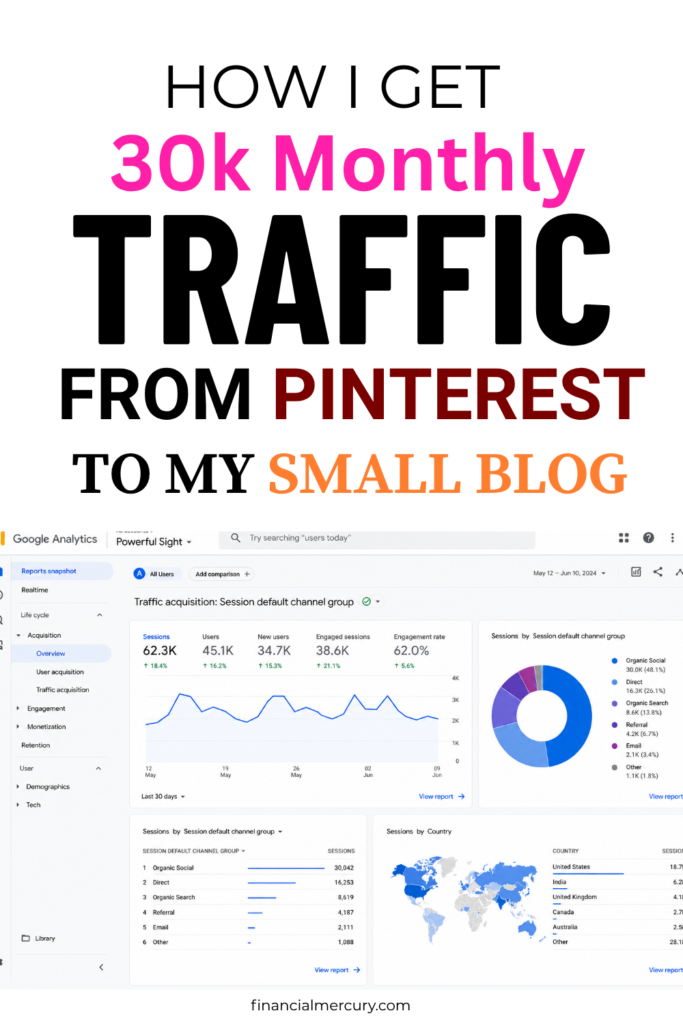
What if I told you I grew my Pinterest account without getting a single course from anyone? Would you believe me?
I started blogging in 2018 with no clear direction, and one of my biggest struggles was traffic. I learned everything by trial and error, and it took me 1 year and 6 months to earn my first $100 from Google AdSense.
That slow start can make you doubt yourself, especially when your posts feel invisible. Pinterest later became one of the traffic sources that changed things for me, because it works differently from social platforms and can send steady visitors to your site long after you publish.
Before I finally became consistent on Pinterest, I used to get 1 or 2 visitors from Pinterest. Although, I never believed I would start getting massive traffic from Pinterest until I gave it my all. You can follow my main Pinterest account here.
I know you may be having the same doubt about getting traffic from Pinterest simply because you’ve tried and failed. But I am here to tell you today that you can grow your blog traffic using Pinterest.
If you want a practical way to grow Pinterest traffic and turn a Pinterest audience into revenue, this will show you how to get traffic from Pinterest to your website without guessing your way through it.
Helpful video: How To DRIVE TRAFFIC FROM PINTEREST To Your BLOG Or Website (STEP BY STEP)
Save the pin for later
Why Pinterest Is So Powerful for Driving Blog Traffic
Pinterest works differently from most platforms. People don’t open it just to scroll and kill time; they open it to find something useful, beautiful, or inspiring. That one difference is a big reason it can send strong blog traffic, even if your account is still small.
I learned this after years of struggling for views. On Pinterest, a good pin can keep bringing visitors long after you post it, which makes it one of the most practical traffic sources for beginners who want steady results.
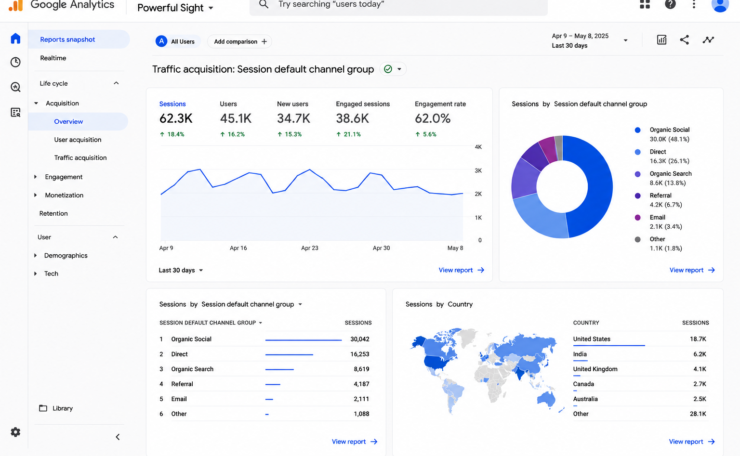
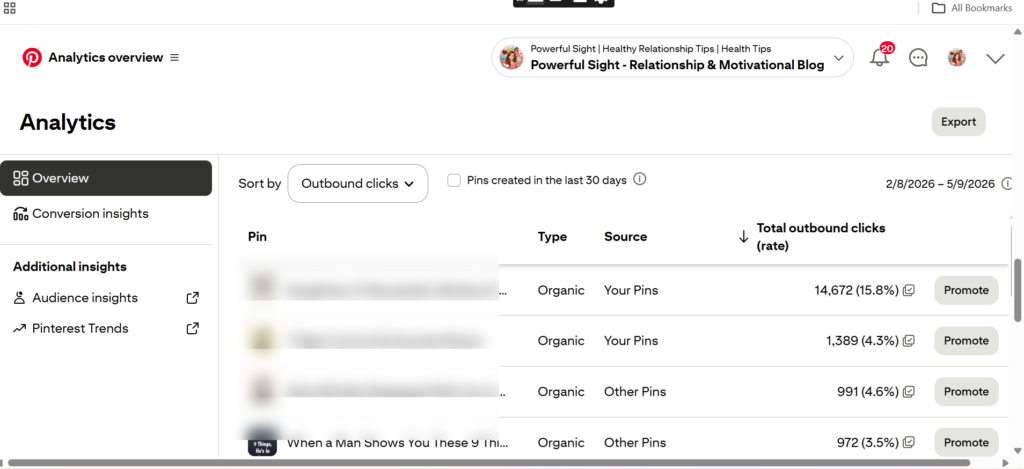
Below is a screenshot of one of my accounts and the outbound clicks. The traffic here has reduced because my account was hit by the latest Pinterest update, but we’re bouncing back.
How Pinterest users search with intent
Pinterest users usually arrive with a purpose. They want ideas, solutions, tutorials, checklists, recipes, outfit ideas, or room inspiration. That makes Pinterest feel more like a visual search engine than a social app, because people are already looking for something specific. For a simple breakdown of how Pinterest search intent works, this Pinterest SEO guide for blog traffic explains the behavior well.
That intent matters because it leads to clicks. Someone scrolling a feed on another platform may be passing time, but someone searching Pinterest is often planning a meal, a trip, a home project, or a purchase. When your pin promises the exact answer they want, your blog post feels like the next logical step.
Common Pinterest searches often look like this:
- Ideas for something they want to create or buy
- Tutorials that show them how to do it
- Solutions to a problem they want fixed
- Inspiration they can save for later
That is why Pinterest traffic often feels warmer than random social traffic. The visitor already has context, so your content does not have to work as hard to get their attention.
So, before you pin that wonderful pin or post on Pinterest, ask yourself, what is the intent behind this keyword? I will explain more about search intent later in the article.
Grab my E-book to learn Pinterest marketing in 2026.
Why Pinterest traffic lasts longer than social media traffic
Pinterest has a much longer shelf life than most fast-moving platforms. A post on Instagram or X can fade in hours, but a pin can keep circulating for months. In many cases, one strong pin can bring visitors long after you forget about it. That long runway is one reason Pinterest content lasts longer than social media.
I like Pinterest because it rewards patience. You do the work once, then the platform keeps testing your pin with new people over time. That means your blog post can keep pulling traffic while you’re writing new content, fixing old posts, or even taking a break.
This is a big deal for beginners, because it gives you room to grow. You do not need to go viral overnight. You need pins that stay useful, stay clear, and stay searchable.
One good pin can keep working long after the post is published.
What kind of blogs can grow with Pinterest
Getting traffic from Pinterest is not possible for every kind of blog. Before you conclude that Pinterest is not working, ask yourself this simple question: Is my niche popular on Pinterest? Am I doing keyword research the right way? Am I pinning when I am supposed to? etc.
Pinterest works best for blogs that solve problems or show ideas visually. If your content helps people make decisions, plan something, or improve something in their lives, you have a strong chance of growing there. A lot of the best Pinterest niches are already familiar to most bloggers, including profitable Pinterest topics like food, DIY, and travel.
Some of the strongest blog niches for Pinterest include:
- Blogging and online income, especially how-to content and beginner guides
- Food and recipes, because people search for meals, snacks, and seasonal ideas
- Home and DIY, since before-and-after visuals do well
- Personal finance, when the content is practical and easy to act on
- Lifestyle, because readers want tips they can use right away
- Beauty, especially tutorials, routines, and product roundups
- Travel, since people love saving trip ideas and itineraries
- Relationships
- Parenting/Pregnancy, etc.
If you write about money or earning online, Pinterest can still work. Content like how to make money online in 2025 fits the platform when it is packaged in a clear, useful way.
The best part is that you do not need a massive blog to start. If your niche helps people search, plan, or solve a problem, Pinterest can become a real traffic source for your site. That mix of intent, longevity, and evergreen reach is what makes Pinterest so powerful for bloggers.
How to Get Traffic From Pinterest to Your Website
Step 1. Set Up Your Pinterest Account the Right Way
Before you start pinning, get your account in shape. A clean setup makes your profile easier to trust, easier to find, and easier to connect to your website. If you want to learn how to get traffic from Pinterest to your website, this step matters more than most beginners think.
A rushed profile can still post pins, but it often looks incomplete. A proper setup helps Pinterest understand your content, and it helps people see that your account is active, clear, and worth following.
To properly set up your Pinterest account for SEO and to get traffic from Pinterest, consider doing the following:
1. Switch to a Pinterest Business account
A Pinterest Business account gives you access to analytics, website tools, and features that a personal account does not offer. It also looks more professional, which matters when someone lands on your profile from a pin and decides whether to click through to your site.
Pinterest explains the setup and benefits in its Business account help guide. The process is free, and you can keep your existing boards and pins.
Here’s the simple setup path:
- Open Pinterest and go to your profile.
- Open settings or account management.
- Choose the option to convert to a business account.
- Add your business name, website, and category.
- Save the changes.
Once you switch, you can track what people save, click, and respond to. That data helps you spot which pins bring real Pinterest traffic, instead of guessing.
The business account also makes it easier to connect your website later. That connection is important because it adds trust and gives Pinterest more context about your content.
2. Write a bio that tells Pinterest what your site is about
Your bio should make your niche obvious in a few seconds. Use simple keywords that match what you write about, but keep the sentence natural. You want a bio that sounds human, not stuffed with search terms.
Your profile name matters too. If your blog is about budgeting, recipes, or home decor, include a clear hint in the name when it fits your brand. For example, “Mia | Budget Tips” is easier to understand than a vague personal name alone.
Your description should tell people three things:
- what your blog covers
- who it helps
- why they should follow you
A short example could look like this:
“I share simple budgeting tips, frugal living ideas, and money-saving strategies for busy women who want to grow their savings.”
That line feels natural, but it still gives Pinterest useful signals. You can also add one soft call to action, such as inviting readers to visit your blog or save your posts.
Your profile image matters too. Use a clear headshot if you are building a personal brand. If you run a more brand-style site, use a clean logo that is easy to recognize on mobile. Small images get seen fast on Pinterest, so keep them simple.
For more ideas on profile clarity, the Pinterest profile checklist from Tailwind is a helpful reference.
A clear profile does not just look better. It tells people, and Pinterest, exactly what to expect.
3. Verify your website and turn on Rich Pins
Website verification is one of the best trust signals you can add. It shows Pinterest that you own the site, and it connects your content to your profile in a cleaner way. That matters when you want consistent traffic from Pinterest, because verified accounts often look more credible to users.
Rich Pins go one step further. They pull extra details from your site, such as your post title, description, or product information, so your pins stay more accurate. Pinterest’s Rich Pins help page explains how this works.
If you blog often, Rich Pins help because they make your content feel more polished. Instead of a bare pin, people see useful details right away. That can improve click-throughs because the pin looks more complete and trustworthy.
A simple way to handle setup is this:
| Step | What to do |
|---|---|
| Verify your site | Add your website in Pinterest settings and confirm ownership |
| Add the required tags | Use Open Graph or Schema tags on your pages |
| Enable Rich Pins | Apply through Pinterest after your site is verified |
| Test a post | Use one blog post first to make sure the data pulls correctly |
If you use WordPress, plugins like Yoast SEO or Rank Math can help you add the right metadata without touching code directly. After that, Pinterest can read your page data and display it in richer pin formats.
The biggest win here is trust. A verified site and Rich Pins make your pins look more official, and that helps readers feel more comfortable clicking through to your blog.
Step 2. Use Pinterest SEO to Help the Right People Find Your Content
Pinterest SEO works best when you stop guessing and start matching real searches. If someone types a phrase into Pinterest, that search already tells you what they want, how they think, and what kind of content they are ready to save or click.
That matters because Pinterest traffic is driven by intent. When your pin, board, and profile all point to the same topic, Pinterest has a much easier time placing your content in front of the right people. That is one of the simplest ways to improve how to get traffic from Pinterest to your website without chasing trends that never fit your blog.
If you have not mastered Pinterest SEO, I recommend this Pinterest course or Pin Cash Mastery for a well-detailed course about Pinterest marketing.
Before you can get people to find your content on Pinterest, there are a few things you need to do.
1. Do keyword Research with Pinterest search suggestions
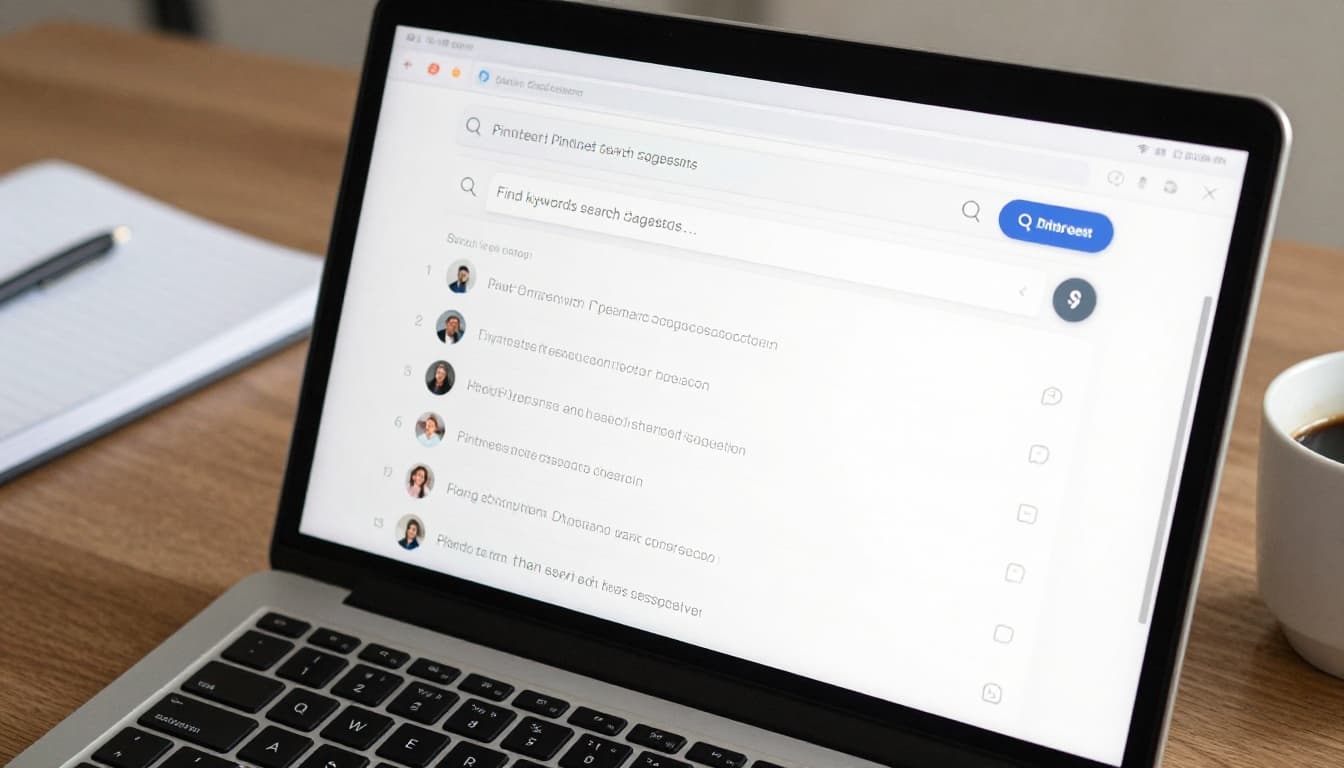
There are many ways to do keyword research on Pinterest. One of them is Pinterest search suggestions. This is located at the Pinterest homepage, where you will search for a particular keyword in the search bar.
All you need to do is to type the keyword you want to write or pin on Pinterest. Start by typing a broad topic into Pinterest search and watch the auto-suggested phrases appear. Those suggestions are not random. They show what people are already looking for, which makes them far more useful than a guess.
For example, if you type “meal prep,” Pinterest may suggest phrases like “meal prep ideas,” “meal prep for weight loss,” or “meal prep on a budget.” Each one gives you a clearer angle for a pin or blog post. That is the kind of search behavior you want to follow. A simple step-by-step approach is also covered in this Pinterest SEO guide for bloggers.
Use the suggestions to build a list of phrases that sound like real reader language. Then check whether your blog post or pin can match that exact need. The goal is not to invent a clever term. The goal is to show up for the words people already type.
If a keyword sounds like something a reader would type, use it.
A few quick ways to make this work:
- Start broad, then narrow the phrase with Pinterest suggestions.
- Look for wording that matches your blog topic exactly.
- Choose phrases that fit a pin title, not just a blog headline.
- Avoid words you would never say out loud to a reader.
When you build from search suggestions, you stop creating in the dark. You are using Pinterest as a map, and that makes every pin more likely to attract the right click.
However, I must tell you the truth. There are some keywords that have a lot of search volume that you will not find at the search bar. I discovered this secret when I decided to try one of my competitors’ keywords after searching for it on the Pinterest search bar but didn’t get a suggestion from the search bar, and I went on to write the keyword. After some days, boom! I started getting traffic to the post.
This is a keyword research secret you will not find anywhere on the internet. That is why I only share these secrets with my students.
You can enroll here or contact me for a one-on-one consultation and live check of your Pinterest account.
2. Place keywords in the places that matter most
Once you know what people search for, put those phrases where Pinterest looks first. That includes your pin titles, pin descriptions, board names, board descriptions, and profile bio. Each one gives Pinterest a clue about your content, so they should all work together.
The key is to keep the wording natural. Keywords should help readers understand the topic, not make your profile feel stuffed or awkward. If a phrase reads like a sentence you would say to a friend, you are on the right track.
Focus on these spots first:
- Pin title: Put the main phrase near the front so the topic is clear fast.
- Pin description: Add supporting words that explain what the reader will get.
- Board name: Use a focused topic instead of a vague label.
- Board description: Add a short summary with related terms.
- Profile bio: Tell Pinterest who you help and what you post about.
For example, a title like “Easy Budget Dinner Ideas for Busy Families” is much better than “Dinner Inspiration.” The first one gives Pinterest and the reader a clear subject.
This also helps with Pinterest SEO because the platform can connect your account to a specific niche. If you want a deeper look at how pin text and board context work together, this Pinterest SEO for blog traffic guide breaks down the basics well.
Step 3. Create boards that support your blog topics
Your boards should match the main categories on your blog. If you write about money, food, travel, or home projects, build boards around those themes and keep them focused. A board that tries to cover everything usually helps no one.
Strong board names make your content easier to find. “Food Ideas” is too broad, but “Quick Weeknight Dinner Recipes” gives Pinterest a clearer signal. That same logic helps readers too, because they know exactly what kind of content they will find on the board.
Board descriptions matter just as much. Use a short paragraph that tells Pinterest what the board covers, who it is for, and what kind of pins it includes. A focused description helps your board show up for better searches, which can bring more consistent Pinterest traffic over time.
If your blog leans toward side income or handmade products, a related post like profitable strategies for selling crafts online can help you build a board around one clear topic instead of a wide, messy category.
A good board strategy usually looks like this:
- Choose one main topic for the board.
- Name it with search-friendly wording.
- Write a short description with related phrases.
- Add pins that stay close to the same topic.
- Avoid mixing unrelated ideas in one place.
That focus makes your account easier for Pinterest to understand. It also makes your blog feel more organized, which helps readers trust what they click. When your boards support your blog categories, every pin has a stronger path back to your site.
Step 4. Design Pins People Actually Want to Click
A good Pinterest pin has one job, get attention fast enough to earn a click. That sounds simple, but it changes how you design everything, from the size of the image to the words on it.
When I started paying attention to pin design, I saw a big shift in results. The pins that worked best were usually the clearest ones, not the prettiest ones. People scroll fast, so your design has to speak before they move on.
It is not about designing pins or using already made templates. Most of you just copy and paste the title of your post on your pin design, and you wonder why you’re not getting clicks.
You need to use a caption that will make people click on your pin.
For example, if you see a post about “how to make money online” and “how I earn 500 daily working on my phone,” which one are you likely to click on? The second one, I guess. That is because the second one is catchy and intriguing.
So, before you design, ensure your caption is catchy and will likely attract clicks.
It is of no use to get 1 or 10 million monthly views or impressions from Pinterest but zero outbound clicks. I get a lot of clients like that.
To get the best out of your pin design. do the following.
1. Choose the best pin size for Pinterest
Use the standard vertical format, 1000 x 1500 pixels with a 2:3 ratio. That size is the safest choice for most blog pins because it looks strong in the feed and gives your design enough space to breathe. Pinterest also recommends this vertical style in its own size guidance, and it matches what performs well on mobile, according to Pinterest Image Sizes & Pin Dimensions (2026).

Tall pins work well because they take up more screen space on a phone. That gives your pin a better chance to stop the scroll, which is exactly what you want when you’re trying to get traffic from Pinterest to your website.
A square pin can still work, but it often blends in. A vertical pin looks more natural in the feed and usually feels easier to tap.
If you want one default size, use 1000 x 1500 and build from there.
2. Make your pin easy to read in one second
Your pin should be clear before anyone zooms in. That means simple fonts, strong contrast, and short text overlays that get to the point fast. If the design feels busy, people skip it.
I like to use one bold headline, one supporting image, and very little else. That keeps the pin clean and makes the message easy to understand on a small screen.
A few design rules help a lot here:
- Use readable fonts that stay clear on mobile.
- Keep text short, usually a few words or a short phrase.
- Choose strong contrast so the words stand out from the background.
- Leave empty space so the pin does not feel crowded.
- Cut clutter, because too many icons, shapes, or lines lower clicks.
Clutter hurts clicks because it forces people to work too hard. On Pinterest, the winning pin often looks like a sign on a road, not a poster full of details. The message should land in a second, then the click should feel easy.
3. Create several pin versions for one blog post
One blog post should not rely on one pin. Different people react to different angles, so fresh versions give your content more chances to get seen. This is one of the simplest ways to improve Pinterest traffic without writing a new article every time.
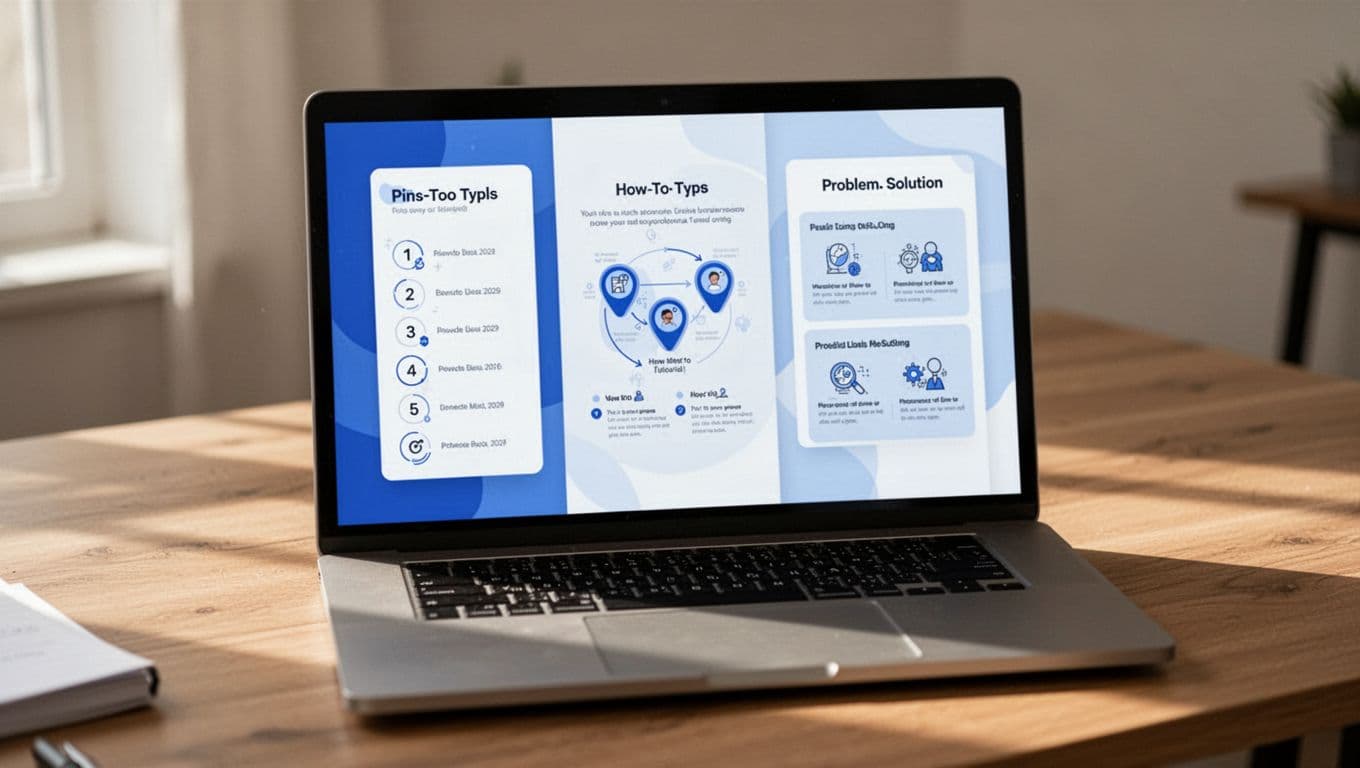
A single post can become several pin styles, and each one can speak to a different reader. For example, one person wants a quick list, another wants a step-by-step guide, and another wants a fix for a problem they already have.
| Pin type | Best angle | Why it works |
|---|---|---|
| List pin | “7 ways to…” or “10 ideas for…” | Easy to scan and often gets quick attention |
| How-to pin | “How to…” | Helps readers who want a clear next step |
| Problem-solving pin | “Fix this…” or “Stop doing this…” | Connects with pain points and urgent searches |
Try different headlines, images, and colors for the same URL. That gives Pinterest more than one way to test your content, and it helps you reach more people over time.
If one pin shows a bold promise, another can show the result. If one uses a clean lifestyle photo, another can use a graphic with text. Small changes matter more than most beginners think.
A good habit is to make at least a few fresh pin designs for every strong blog post. That keeps your content active, and it gives you more chances to earn clicks without repeating the exact same visual.
Step 5. Know How Often to Pin and What to Post
Pinning well matters more than pinning nonstop. When I was figuring out how to get traffic from Pinterest to your website, I learned that steady posting beats random bursts every time. A simple routine keeps you visible, gives Pinterest more data to work with, and keeps you from burning out.
How many pins to publish without burning out
If you are new, start small and stay consistent. A good beginner rhythm is 1 to 3 fresh pins a day, or even a few pins per week if that feels easier to manage at first.
The goal is to build a habit you can keep. If you try to post too much too soon, you will usually stop altogether. I would rather see you post three times a week for months than push hard for two weeks and disappear.
A simple routine could look like this:
- New bloggers: 1 to 3 fresh pins a day
- Growing bloggers: 3 to 5 fresh pins a day
- Busy creators: batch pins once or twice a week, then schedule them
Consistency matters more than speed. Pinterest likes a steady pattern, and your audience does too.
But I must tell you the truth. If you’re posting 1-3 times per day, growing faster will take time.
I have come to realize that pinning at least 15-20 times per day helps you grow faster.
One of my students, Thrive Personally, was struggling pinning 15-20 times per day, but the moment he started pinning 20 pins daily, his traffic skyrocketed.
Why fresh pins matter more than repeating the same design
Fresh pins give the same URL a new chance to reach new people. You can send several different pin designs to one blog post, and that helps your content show up in more feeds and search results.
Use different headlines, colors, images, or angles for the same link. One pin can focus on a benefit, another on a problem, and another on a quick result. That variety helps you reach readers who respond to different visuals and wording.
One blog post can become several strong pins, and each one can speak to a different reader.
This is where Pinterest really helps with traffic. You are not stuck with one post and one design. You can keep refreshing the same content without making it feel stale.
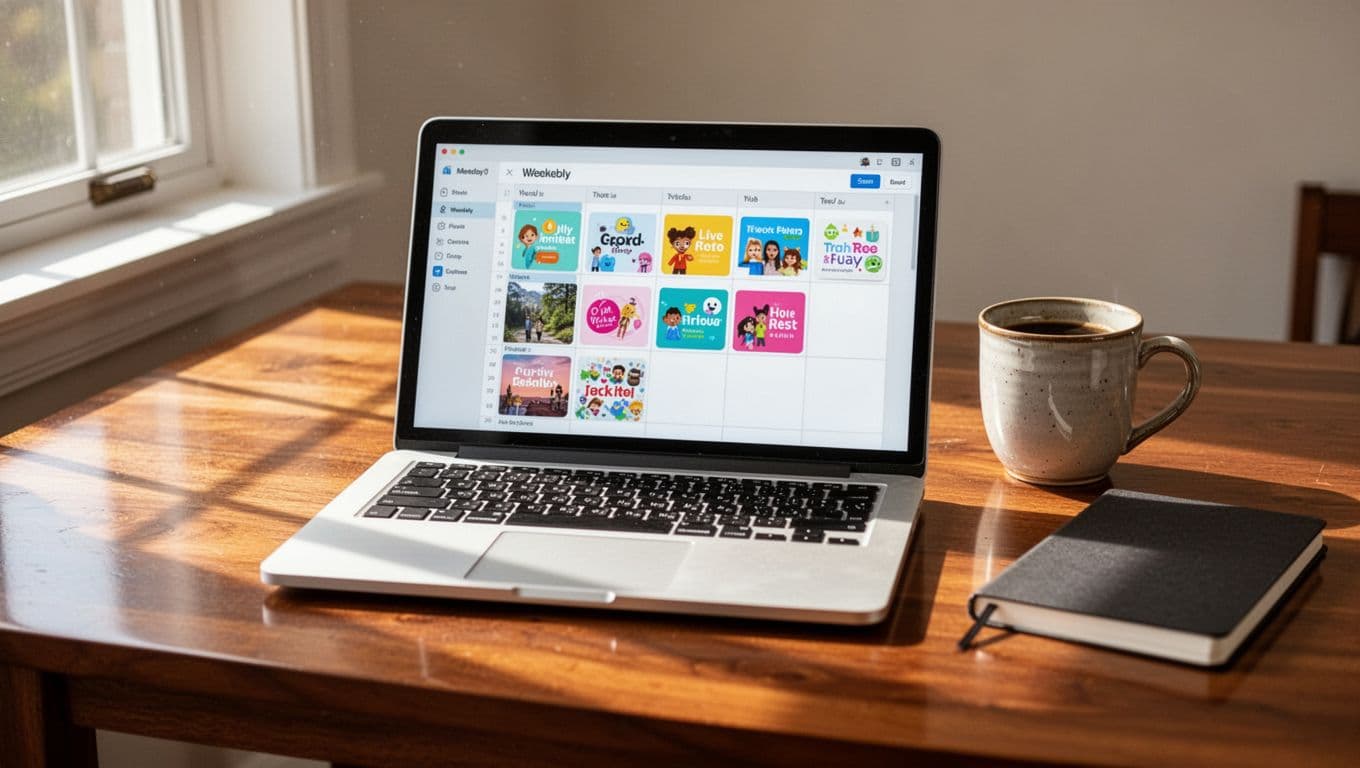
Step 6. Use scheduling to stay consistent
Batching makes Pinterest easier to handle. Set aside one block of time to write pin titles, create images, and queue everything in a scheduling tool. That way, you are not starting from zero every day.
It also helps to plan around content updates and seasonal topics. If you publish a post about holiday gifts, summer travel, or back-to-school ideas, schedule those pins early so they have time to gain traction. For a practical look at pin timing, Tailwind’s posting frequency guide is useful.
The simplest system is the one you can repeat. Create, schedule, review, then adjust based on what gets clicks. That rhythm keeps your Pinterest marketing for bloggers manageable and gives your site a steadier flow of traffic.
You can either use the native Pinterest scheduler (from the Pinterest website) or Tailwind App or Pin Generator. Never use any scheduler that is not approved by Pinterest. It will get your account banned.
Step 7. Write Pin Titles and Descriptions That Bring Clicks
Your pin copy does a lot of heavy lifting. A strong title gets attention fast, and a good description tells people why the click is worth it.
For Pinterest for bloggers, the goal is simple, make the topic obvious and the benefit easy to see. When your pin reads like a quick answer to a real search, it feels useful instead of pushy.
To make your title and description stand out, here are a few tips to follow.
1. Write titles that make the benefit obvious
Keep your titles short, clear, and specific. A reader should understand the promise in a glance, without having to guess what the pin is about.
The best titles usually lead with the main topic and add a clear payoff. That might be a result, a problem solved, or a quick outcome. Instead of sounding clever, sound useful.
Here are a few easy title patterns that work well:
| Weak title | Stronger title |
|---|---|
| Budget tips | Easy Budget Tips to Save Money Fast |
| Dinner ideas | 15 Quick Dinner Ideas for Busy Nights |
| Blog traffic help | How to Get More Pinterest Traffic to Your Blog |
| Home office setup | Small Home Office Ideas for Better Focus |
A title like “Easy Meal Prep Ideas for Busy Weeks” tells the reader exactly what they get. It feels more clickable because the benefit is clear.
You can also use small modifiers such as easy, quick, best, free, or simple. Those words help readers see the value faster, as long as they match the content.

Good pin titles do one thing well, they tell the reader what they gain by clicking.
2. Use descriptions to add context and interest
Your description should expand on the title, not repeat it word for word. Use it to explain the topic, add a few related terms, and give the reader one clear reason to click through.
A strong description often includes:
- the main topic in natural language
- a few supporting words that fit the post
- a simple benefit or result
- a soft call to action, such as read the full post or save this for later
For example, a pin for a blog traffic post could say: “Learn how to get traffic from Pinterest to your website with simple pin tips, keyword ideas, and design advice that helps your blog get more clicks. Save this post and try the steps today.”
That works because it sounds human. It also gives Pinterest more context without stuffing the description with the same phrase over and over.
A description should read like a useful snippet, not a sales pitch. You want clarity first, then just enough interest to earn the click. If you want a deeper look at title and description structure, Tailwind’s guide to Pinterest descriptions is a helpful reference.
3. Avoid the mistakes that make pin copy feel spammy
Keyword stuffing is one of the fastest ways to make pin copy feel fake. If your title repeats the same phrase too many times, people notice, and they move on.
Vague wording causes the same problem. A title like “Great Ideas for You” says almost nothing. So does copy that sounds pretty but never explains what the post actually covers.
Keep your pin copy aligned with the blog post too. If the pin promises one thing and the article delivers another, the click may happen, but the reader will leave quickly. That hurts trust and makes future clicks harder to earn.
A few habits help you avoid that:
- Use one main idea per pin.
- Write for a reader, not a keyword list.
- Match the title to the actual post.
- Keep the language plain and direct.
- Read the copy out loud before you publish it.
If you want a quick self-check, ask whether your title would make sense on a search results page. If it would, you are close to the right tone. If it sounds awkward or stuffed, rewrite it.
Pinterest rewards copy that feels clear, honest, and useful. When your titles promise a real benefit and your descriptions add just enough context, your pins have a much better chance of earning clicks that turn into website traffic.
Step 8. Turn Pinterest Views Into Real Website Visits
Pinterest views feel good, but views alone do not pay the bills. What matters is what happens after the click, because that is where a reader becomes a visitor, and a visitor can become a subscriber, buyer, or loyal reader.
I learned fast that Pinterest traffic works best when the pin and the post feel like one clear path. If the promise on the pin and the experience on the page do not match, people leave. If they match, readers stay longer, trust you faster, and are more likely to come back.
To achieve this, do the following:
1. Match the pin promise to the blog post
Your pin should set the same expectation your blog post delivers. If the pin says “easy meal prep ideas,” the article should open with easy meal prep ideas, not a long story that makes readers wait. That connection matters because it supports relevance and builds trust in seconds.
When the message feels consistent, visitors know they landed in the right place. That lowers bounce rate and makes your site feel dependable. I always aim for a smooth handoff, almost like a good handshake, where the pin introduces the idea and the post finishes the conversation.
A few simple ways to keep that alignment strong:
- Use the same topic angle in both the pin and the article.
- Repeat the main promise in your opening lines.
- Match the visual style to the content topic, when possible.
- Avoid clickbait phrasing that overpromises.
If you want the reader to click, the pin can be bold. If you want them to stay, the post has to deliver exactly what the pin suggested. That consistency is one of the easiest ways to turn Pinterest views into real website visits.
2. Make the blog post easy to read after the click
Once someone lands on your post, make the page easy to scan. Clear headings, short paragraphs, and strong opening lines help readers find value fast. Most Pinterest visitors are not looking to settle in for a long hunt. They want the answer now.
A clean layout helps them keep moving through the post. The same goes for visuals. Helpful images, charts, or examples give the eye a break and make the content feel easier to trust. I use a structure that feels calm and simple, because clutter can make a good post feel harder than it is.
A few things help keep readers engaged:
- Break text into short sections with clear H3s.
- Start each section with a direct sentence.
- Use visuals where they explain or support the point.
- Keep paragraphs short so the page feels open.
If the page is hard to read, the click is wasted.
This is where a lot of bloggers lose Pinterest traffic. The pin did its job, but the page did not. A readable blog post gives the click somewhere to go, and that is what turns interest into time on page. For a deeper look at traffic flow and conversion, this Pinterest traffic guide for bloggers breaks down what usually helps pins turn into visits.
3. Use calls to action that guide readers forward
A good call to action does not pressure people. It gives them a next step. That next step can be another post, a freebie, a newsletter signup, or a product page, depending on what makes sense for your site.
You do not need loud sales language here. Simple phrases work better because they feel natural and low-stress. For example, you might invite readers to read a related post, download a checklist, or save the guide for later.
Some gentle ways to move readers forward include:
- Link to a related blog post that expands the topic.
- Offer a free printable, checklist, or mini guide.
- Invite them to join your email list for more tips.
- Suggest a product, service, or resource that solves the next problem.
If your blog teaches money tips, a related post on earning money from online platforms can be a useful next click. That keeps the reader in your world without pushing too hard.
A strong CTA feels like help, not pressure. It gives the visitor a next step while the topic is still fresh. That is how Pinterest traffic becomes more than a quick bounce, it becomes a path into the rest of your site.
Common Pinterest Mistakes That Keep Beginners Stuck
A lot of beginners do the hard work, then lose momentum because the basics are off. Pinterest can send steady traffic, but only if your account gives the platform a clear signal about who you are, what you post, and why people should click.
The biggest problems usually look small at first. Random pinning, weak design, and giving up too early can slow everything down. Recent beginner Pinterest mistake guides point to the same pattern, too much confusion and not enough consistency.
Below are a few mistakes that are hurting your Pinterest account and stopping you from getting traffic.
1. Posting without keywords or a clear niche
Random pinning makes your account harder to read. If one day you post recipes, the next day travel, then home decor, Pinterest has to guess what your account is about. That guesswork can hold your content back.
A clear niche helps Pinterest place your pins in the right search results and feeds. It also helps people understand your profile fast. When someone lands on your account, they should know what they will get next.

When your topics are scattered, your results usually look scattered too. You may still get saves, but traffic becomes harder to predict because Pinterest cannot connect the dots.
A better approach is simple:
- Pick one main topic or a tight group of related topics.
- Use the same kind of wording across pins, boards, and bio.
- Build around the problems your reader already wants solved.
That kind of focus helps Pinterest understand your content faster, which is a big step in learning how to get traffic from Pinterest to your website.
2. Using weak designs that get ignored
Pinterest is visual, so design matters a lot. If your pins are cluttered, hard to read, or too generic, people scroll past them without a second thought.
Low-quality images can hurt trust right away. So can tiny text, too many fonts, and bright shapes fighting for attention. A pin should feel clean and easy to scan, even on a small phone screen.
The strongest pins usually do less, not more. They use one clear idea, readable text, and a design that gives the eye room to breathe.
Keep these checks in mind before you publish:
- Can you understand the pin in one second?
- Does the text stand out from the background?
- Does the design match the topic, without feeling crowded?
If a pin looks messy, most people will never get far enough to read the offer.
This is where beginners lose clicks. The post may be useful, but the pin never earns attention. A simple, polished design gives your content a better chance to get seen and shared.
3. Expecting traffic too fast and quitting early
Pinterest rarely works like a switch. It acts more like a slow burn. Some pins take time to find the right audience, and new accounts often need patience before traffic starts to build.
That delay frustrates a lot of beginners. They post for a few weeks, see little movement, then assume Pinterest does not work for them. In reality, consistency often matters more than early results.

A better mindset is to treat Pinterest like a system, not a lottery ticket. You need time to test pins, refine titles, and see which topics pull the strongest clicks.
A few habits help you stay in the game:
- Post consistently, even if growth feels slow.
- Review what gets clicks instead of guessing.
- Keep creating fresh pin versions for your best posts.
- Give each topic enough time to build momentum.
Consistency matters because Pinterest rewards patterns. When you keep showing up with clear pins, useful topics, and steady activity, the platform has more chances to push your content forward.
If you stop too early, you cut off the part where results start compounding. That is why patience is part of the process, not a bonus.
How Long It Usually Takes to See Pinterest Traffic
Pinterest usually starts slowly, then builds in waves. In the first weeks, you may see very little movement. After a few months of consistent pinning, though, the numbers can start to stack up in a way that feels much more real.
That pace can be frustrating when you want traffic now. Still, Pinterest works more like a shelf than a feed, so new pins need time to get tested, saved, and found again. A 2026 timeline from Pinterest Solution matches what I see most often, early impressions first, then clicks, then steadier growth later.
Early Pinterest traffic is usually a trickle, not a flood.
What you might see in the first few weeks
The first few weeks are usually a setup phase. You are giving Pinterest signals about your niche, publishing fresh pins, and building enough history for the platform to understand your account. That means the numbers can stay low at first, even if your content is good.
This part can feel discouraging because you want proof right away. Instead, look for small signs of progress, like impressions rising a little, a few saves showing up, or one pin getting more reach than the others. Those early wins matter because they show Pinterest is starting to test your content.
Here is what the beginning often looks like:
- Low impressions at first, especially on a new account
- Very few clicks, since Pinterest is still testing your pins
- Small pockets of activity on one or two pins
- Slow profile growth, while your boards and content get indexed

I usually tell beginners to treat this phase like planting seeds. You do not see a garden on day one, but the work is still building toward something useful. If your pins are clear, your keywords match your topic, and your profile looks complete, you are laying the right base for later traffic.
What steady growth can look like after a few months
After a few months, Pinterest often starts compounding. More of your pins have had time to get indexed, more boards point to your topic, and more people have had a chance to save or click your content. That is when the platform starts to feel less random.
This is also when you may notice that one good pin can lift a whole post. A single strong pin can keep circulating while newer pins join in, which creates a slow but steady climb. A guide from Social Rails describes this same pattern well, steady pinning first, then stronger traffic over time.
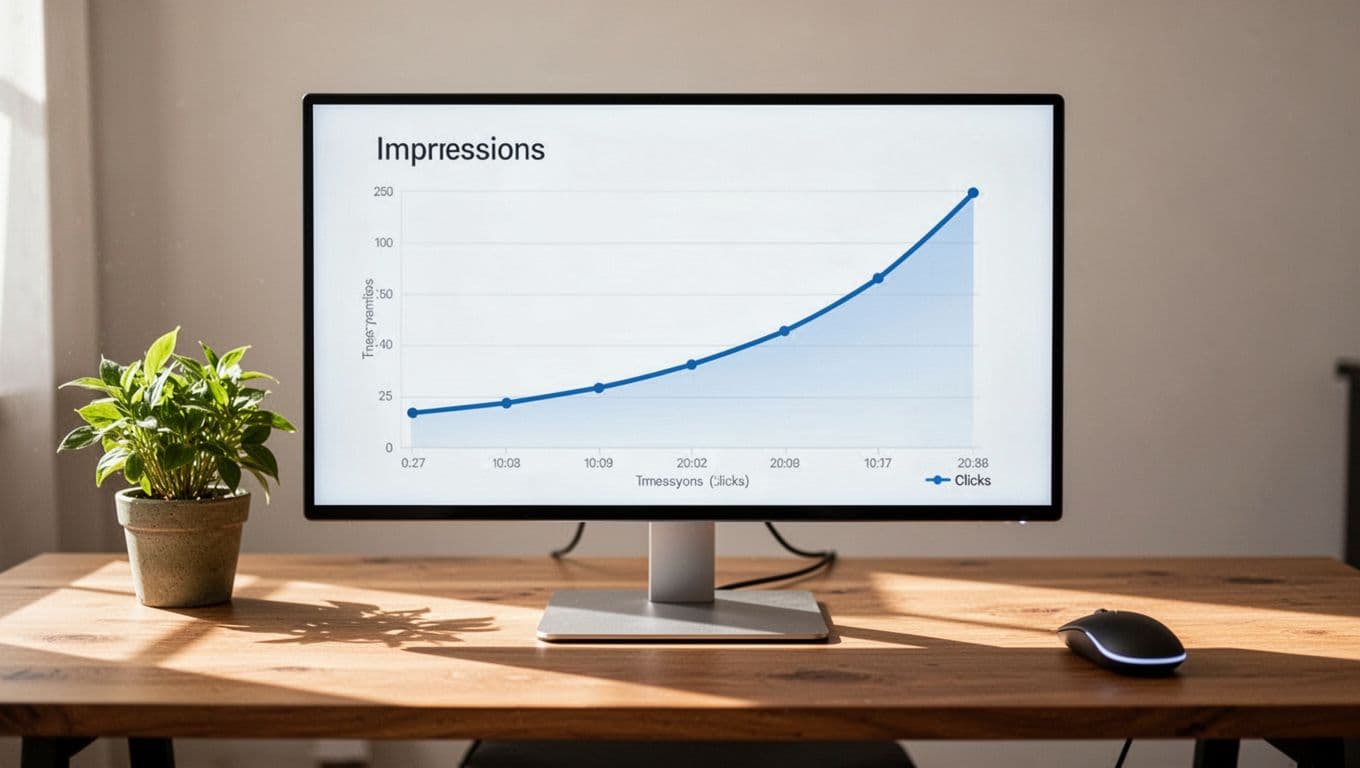
At this stage, growth can look like this:
- More impressions each week as Pinterest serves your pins to wider groups
- More saves, which can keep your content circulating
- More clicks, because your pins and posts start matching real searches better
- More steady referral traffic, instead of one-off spikes
The biggest shift is consistency. One week may still feel slow, but the overall trend starts moving up. That is the part many bloggers miss, because Pinterest often rewards patience more than speed. If you keep publishing, the platform keeps learning what your content should be shown for.
How to tell if your Pinterest strategy is working
You do not need huge traffic to know your strategy is working. You just need the right signals. Impressions, saves, clicks, and outbound traffic tell a story, and each one matters a little differently.
Use this simple check to read your results:
| Metric | What it tells you | What to watch for |
|---|---|---|
| Impressions | People are seeing your pins | A slow upward trend over time |
| Saves | People want to keep your pin | Saves that match your niche |
| Clicks | People want more than the pin gives | Clicks growing on your best designs |
| Outbound traffic | People are reaching your website | Real visits in your blog analytics |
If impressions rise but clicks stay flat, your pin may need a stronger title or clearer design. If saves look good but outbound traffic stays low, the problem may be the post itself or the match between the pin and the page. If all four metrics move in the right direction, your Pinterest marketing for bloggers is on track.
The best sign of progress is not a viral spike. It is a steady pattern that keeps repeating. When your content starts getting seen, saved, and clicked by the right people, you are no longer guessing how to get traffic from Pinterest to your website. You are watching the system work.
Pinterest Strategies That Worked for Me
What changed my Pinterest results was not one magic trick. It was a few small habits that made my account easier to understand and my pins easier to click. Once I stopped treating Pinterest like a place to post randomly, the traffic started to feel more steady and less confusing.
The biggest shift came when I focused on consistency, clarity, and repetition with purpose. You do not need a huge account to see progress. You need a simple system that keeps sending the right signals to Pinterest and the right promise to readers.

The simple habits that made the biggest difference
The easiest wins came from routines I could repeat without much thought. I checked Pinterest every day, but I did not spend hours there. I created pins in batches, saved them to the right boards, and kept my topics tight.
A few habits helped the most:
- Posting fresh pin designs regularly so the same blog post had more chances to get seen.
- Using the same core keywords across pin titles, descriptions, boards, and profile text.
- Reviewing analytics once a week to see which pins brought real clicks.
- Refreshing older blog posts with new pin versions instead of only chasing new content.
That weekly review mattered more than I expected. It helped me spot patterns fast, so I could double down on the pins that actually brought Pinterest traffic. When something worked, I repeated the format instead of starting over.
I also kept my process simple. If a pin design took too long, I would not make enough of them. If a board felt too broad, I split it into a more focused topic. Small changes like that made the whole account easier to manage.
The mistakes I made before things improved
I made the usual beginner mistakes, and they slowed everything down. My early pins were cluttered, my topics were too broad, and I expected results way too fast. I also thought one good pin would fix everything, which is a tough lesson to learn the slow way.
At first, I used designs that looked busy on a laptop but messy on a phone. That was a problem, because most people scroll Pinterest on mobile. I also mixed unrelated topics on the same board, which made my account feel unfocused.
Another mistake was treating every pin like a one-off. I would make one design, post it, and hope for the best. Once I started creating multiple versions for the same URL, my reach improved because I gave Pinterest more ways to test my content.
The biggest early mistake was patience, or the lack of it. I wanted fast traffic, but Pinterest usually rewards persistence. When I accepted that, the process got easier.
Another mistake I made and I see a lot of new pinners making is not being consistent on the platform.
Pinterest is not something you come to and pin for one or two weeks and then give up.
You need to continue showing up daily.
Before I grew my account, Powerful Sight, to over 1 million monthly views before the Pinterest update hit me, I was at 100k monthly views. Until I decided to stay consistent, that was when I started getting results.
The mindset shift that helped me keep going
The turning point was simple: I stopped expecting Pinterest to act like social media. Instead of chasing quick hits, I started seeing it as a long-term traffic source that grows with practice. That made the slow start easier to handle.
Like I have stated earlier, Pinterest will test your patience. Forget all the posts you see online that promise you viral traffic within 1 month of pinning.
If your account is new, you need patience and consistency to grow on Pinterest and start driving traffic to your blog. Anything short of that will not work.
Pinterest is a skill. The more you write better titles, test better pins, and organize better boards, the stronger your results get. You learn what your audience clicks, what Pinterest indexes, and what kind of content keeps working after you publish it.
That mindset kept me going when the numbers were low. Even a small rise in impressions felt useful, because it meant I was learning something that would help later. If you stay with it, your account gets sharper over time, and your traffic does too.
The best part is that you do not need to be perfect. You just need to keep improving one pin, one board, and one post at a time.
Conclusion
Pinterest can feel slow at first, especially when you are starting with little traffic and big hopes. I’ve been there, and I know how discouraging that can be when your blog is not getting the attention it deserves.
The good news is that Pinterest still works when you stay consistent. Clear keywords, simple boards, and helpful pins give your content a real chance to get found, saved, and clicked over time.
If you keep showing up and keep your focus on useful pins, the results can build in a steady way. That is how Pinterest starts to help your website grow, one click at a time.
If you found this post helpful, save this pin for later and share it with others.

- How I Make Money on Pinterest Pinning in 2026 - June 23, 2026
- How to Research Pinterest Keywords for Blog Posts In 2026 - June 23, 2026
- How to Set Up Google Search Console for a Blog - June 23, 2026