 Onwe Damian Chukwuemeka
Programmatic SEO pages let SaaS companies publish hundreds of useful landing pages without writing each one by hand. That matters when your product already has patterns you can scale, like integrations, industries, comparisons, or templates.
Instead of chasing broad keywords, you can target long-tail searches that match real buyer intent. That makes this approach a strong fit for product-led growth, where the page itself can pull in traffic, answer a narrow need, and move people toward sign-up or demo.
The challenge is that these pages only work when they add real value, not thin copies with new keywords swapped in. The rest of this post shows how to build pages that rank, stay useful, and support growth.
Why programmatic SEO fits SaaS growth so well
SaaS companies are a natural match for programmatic SEO because their products already contain structured data. Features, use cases, plans, integrations, customer segments, cities, and competitor comparisons can all become useful page groups.
That structure matters because buyers rarely search in broad terms alone. They search with a problem, a filter, or a comparison in mind. Programmatic pages let you meet those searches at scale, without building every page from scratch.

The kinds of searches SaaS pages can target
SaaS buyers use repeatable search patterns, and that makes them easy to map to page templates. A page can target “best software for” searches, like “best payroll software for startups” or “best CRM for solo agents.” It can also target industry searches, such as “software for dentists” or “project management tools for nonprofits.”
Comparison-driven searches are just as valuable. Pages built for “[tool] alternatives” or “[tool] vs [tool]” catch people who are already shortlisting options. Integration pages work well too, because searches like “Slack integration” or “HubSpot integration” usually come from users who already know what they need. Template pages, such as “invoice template” or “social media calendar template”, attract users who want a ready-made solution and often sit close to a purchase decision.
The best SaaS programmatic pages do more than swap a keyword into a template. They answer a specific buying question, then guide the visitor toward the next step.
Why long-tail keywords matter more than ever
Long-tail searches are usually easier to rank for because they are more specific and less crowded. They also reveal clearer intent. Someone searching “HR software for construction companies” is much closer to a buying decision than someone typing “HR software.”
That matters because the traffic adds up. One page may bring only a small number of visits, but 100 or 500 pages can create a steady flow of qualified visitors. A strong programmatic SEO system works like a net with many small openings. It catches the searches that broad pages miss.
Long-tail traffic is often the traffic that converts best, because the searcher already knows what they want.
For SaaS brands, that means more organic growth with less dependence on paid acquisition. It also helps lower customer acquisition costs over time, since each useful page can keep attracting buyers long after it goes live. For a deeper look at how these pages are structured in practice, see this B2B SaaS programmatic SEO guide.
Start with the right data before you build any pages
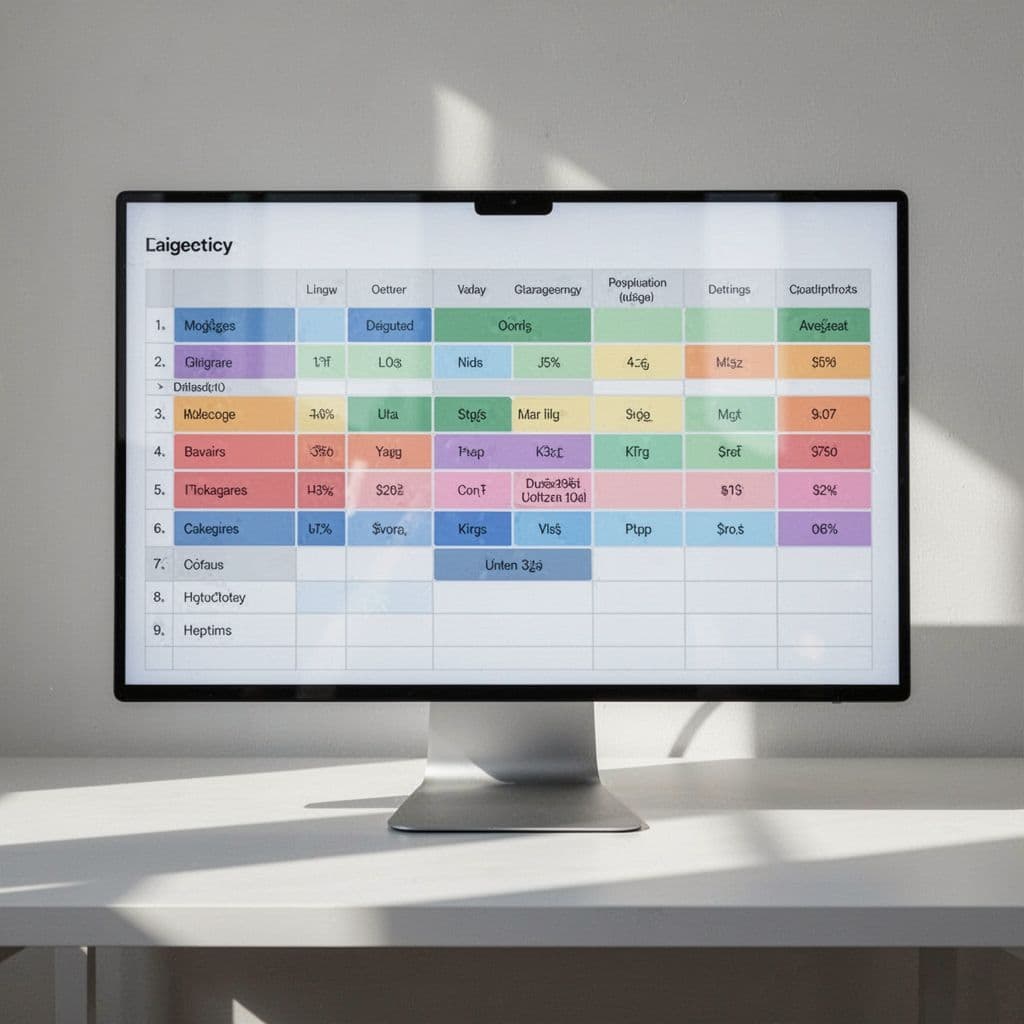
Programmatic SEO works best when the data is already doing real work. Templates matter, but they only turn strong when the inputs are clean, specific, and complete. If the data is weak, the pages will look thin fast, and search engines notice.
Before anyone writes copy or designs a layout, the team should define the page type, the source of truth, and the fields that make each page different. That keeps the build focused and saves you from publishing dozens of near-duplicates that all say the same thing in a new wrapper.
Pick one page type before scaling to the next
Start with one format and build a system around it. Integration pages, industry pages, alternatives pages, and use-case pages each need different data, different filters, and different search intent. If you try to launch all four at once, the structure gets messy and the pages lose focus.
A single page type gives you a clear test. You can see which fields matter, which sections improve clicks, and which pages actually convert. Once that version works, expand to the next format with the same discipline.
For SaaS teams, this usually means picking the page type that matches the strongest product signal. If your product has many connectors, integrations are a natural start. If buyers search by vertical, industry pages may be a better first move. A good reference point is the way structured datasets support scalable page groups in programmatic SEO SaaS strategy examples.
One strong page type beats five half-built ones.
Choose data fields that create real page value
Every field in your dataset should help the page do a job. Start with the basics, then add only the data that makes the page more useful than a generic template.
Useful fields often include:
- Product features so visitors can compare fit quickly
- Pricing so buyers don’t have to hunt for it
- Supported tools so integration pages feel complete
- Use cases so the page speaks to a real need
- Outcomes so the benefit is clear, not vague
- Customer segment so the copy fits the right audience
- FAQs so common objections get answered on-page
The goal is not to pack in more data for its own sake. It is to make each page feel specific. A page about payroll software for startups should not read like a recycled version of a page for enterprise finance teams. The fields should change the story.
Clean structure also matters here. Use consistent names, formats, and values across the dataset. If one row says “$50-$100” and another says “50 to 100 dollars,” the system starts to break. Good data looks boring in a spreadsheet, and that is a strength.
Find where your competitors are ignoring demand
Once the data structure is set, look for the gaps. Search your main themes, then compare what ranks with what users actually want. Weak competitor pages often reveal the easiest wins because they cover the keyword but miss the buying intent.
Focus on three simple checks:
- Search the target keyword and scan the results.
- Look for pages with thin copy, vague headings, or outdated data.
- Note repeated questions, missing comparisons, or awkward pages that do not answer the query well.
Those weak spots show where demand exists but content is underserving it. Search themes like “best for startups,” “alternatives to [tool],” or “integrates with [tool]” often have room for better pages because many competitors only scratch the surface. Google has long emphasized that helpful pages should match the intent behind the query, and that starts with knowing what people want before you write the template.
The easiest way to miss this step is to build from internal assumptions alone. The better move is to map keywords, page type, and data fields together before launch. That gives you a cleaner backlog, fewer rewrite cycles, and pages that can grow without falling apart.
Build page templates that feel useful, not automated
A strong programmatic SEO template does more than repeat a layout. It gives each page a clear job, a useful flow, and enough room for page-level details to feel real. That balance matters because buyers can spot shallow pages fast, and search engines can too.
The goal is simple: build pages that can rank and convert. If a template only helps you publish more pages, it is doing half the job. The best pages feel specific to the search, answer the question quickly, and still leave space for proof.

Use a repeatable structure that still leaves room for uniqueness
A useful template follows the same broad flow on every page, but the details shift with the data. That structure usually works best when it includes a headline, a short value statement, proof, key features, comparisons, FAQs, and a clear next step.
Each section should change based on the page data. An integration page might lead with compatibility and workflow value. An industry page should speak to the buyer’s daily pain points. A comparison page needs sharper contrast, while a template page should show how the asset gets used in practice.
A simple structure often looks like this:
- Headline that matches the search intent and the page type.
- Short value statement that explains why this page matters.
- Proof block with numbers, logos, or product facts.
- Key features or details tied to the specific topic.
- Comparisons or alternatives when the query calls for it.
- FAQs that answer the last-mile questions.
- Next step that points to demo, signup, or a related resource.
The trick is not to lock every page into the same words. The template should stay stable, but the content inside each block should come from the data. For example, a “best CRM for nonprofits” page should surface nonprofit-specific needs, while a “best CRM for startups” page should show speed, cost, and setup effort. That difference is what makes the page feel written for the searcher.
If every page says the same thing in a new wrapper, the template is too rigid.
Good template planning also leaves room for flexible blocks. Some pages may need a pricing snapshot, while others need a feature matrix or a use-case section. A strong system allows those inserts without breaking the page flow. For examples of template patterns that keep pages useful, see these high-converting programmatic SEO formats.
Write copy that answers the search query fast
People do not want to hunt for the answer. They land on a page, scan the first few lines, and decide whether it is worth their time. Your copy should show relevance immediately, then move into the detail.
That starts with a direct intro. State what the page covers, who it helps, and what the visitor can do next. Then make the benefit concrete. If the page is for a software alternative, say how it compares. If it is for an integration, explain what the connection lets the user do.
Specific examples help here because they make the page feel grounded. A line like “Connect your support inbox to Slack and route urgent tickets faster” tells the reader more than a vague promise about productivity. The same logic applies to every page type. Clear beats clever.
A good intro section often includes:
- The query match, so visitors know they are in the right place.
- The main benefit, stated in plain language.
- One concrete example, so the page feels real.
- A quick path forward, such as a comparison, demo, or feature list.
This is also where many programmatic pages fail. They bury the answer under generic filler, then ask the reader to keep scrolling. That adds friction. Instead, make the opening paragraph do real work. It should confirm the search intent and reward the click right away.
Search intent matters here, too. A page built for “best invoicing software for freelancers” should sound different from a page built for “invoice template for clients.” The first one should compare tools and benefits. The second one should focus on the template itself, how it works, and why it saves time. That match between query and copy is what keeps the page useful.
Add trust signals that help people convert
Bottom-funnel pages need more than keyword fit. They need proof. When visitors are close to a decision, they look for signs that your product or page is credible, current, and worth their attention.
That is where trust signals do the heavy lifting. Testimonials, stats, logos, screenshots, and feature proof all reduce doubt. They also make the page feel less automated, because they show evidence from the product or customer base instead of recycled copy.
A few trust elements do a lot of work:
- Testimonials that speak to a specific outcome, not a vague compliment.
- Stats that show usage, growth, time saved, or results.
- Logos that signal who already trusts the product.
- Screenshots that prove the feature exists and looks usable.
- Feature proof that ties the page promise to the product reality.
- Simple calls to action that tell the reader what to do next.
These details matter most on pages that sit near the end of the funnel. Someone comparing tools or evaluating a solution wants reassurance, not more fluff. They need to see that the page is based on real product value. A screenshot of the workflow, a customer quote with context, or a small stat near the CTA can move the page from “informative” to “convincing.”
The best calls to action are easy to understand. “Start free,” “See pricing,” and “Book a demo” work because they are direct. Pair them with nearby proof, and the page feels complete instead of pushy.
A useful programmatic page does not try to hide that it is templated. It uses a template well, with sections that adapt to the data, answer the query fast, and back up the promise with real proof. That is how you scale without turning the site into a pile of thin pages.
Which programmatic page types work best for SaaS brands
The best programmatic page type depends on where your product already has strength. Some SaaS brands have a deep integration list, so compatibility pages make the most sense. Others sell into a narrow vertical, so industry pages will pull more qualified traffic. The right choice comes down to your product, your audience, and the data you can publish with confidence.
A good programmatic plan does not try to cover every possible page type at once. It starts where the search demand is clear and the page can do more than rank. It should answer a real buying question, support the next step, and fit the way people already search.
Integration pages that match real product use
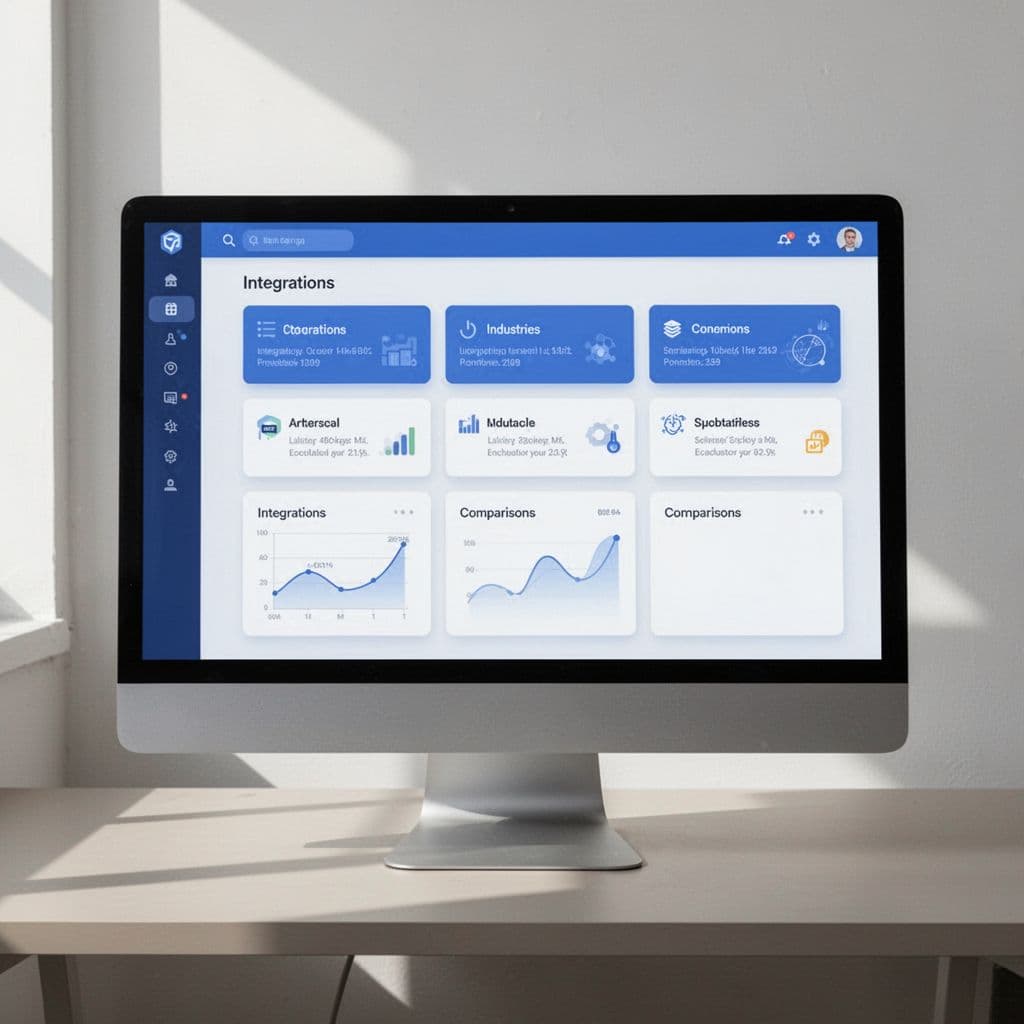
Integration pages work especially well for SaaS brands with many connected tools. They capture searches from people who already know what they need, such as “Slack integration,” “HubSpot integration,” or “connect Stripe to [product].” That makes them high-intent pages, because the searcher is usually close to setup or purchase.
These pages also fit the way SaaS products work in real life. Buyers rarely want your software in isolation. They want it to fit into their stack, and integration pages show that fit in plain language. A strong page can explain what syncs, what the connection does, and how it helps the user save time.
The best versions include:
- Supported tools so the visitor can confirm compatibility fast.
- Setup steps so the page feels practical, not vague.
- Use-case details so the integration feels useful in daily work.
- Screenshots or proof points so the page feels tied to the product.
When these pages are done well, they feel like a shortcut. The user gets the answer they searched for, and your product gets a qualified visit. For a strong example of how SaaS teams organize these page families, see this SaaS programmatic SEO strategy guide.
Integration pages work best when the value is obvious in the first scan, not buried in copy.
They are a smart first choice for products with APIs, app marketplaces, or lots of native connections. If your product connects to the tools your buyers already use, this page type often earns traffic and conversions quickly.
Industry pages that speak to niche buyers
Industry pages work when your product solves problems that change by vertical. A healthcare team, a real estate brokerage, and a marketing agency all use software differently. If you speak to each group in its own language, the page feels relevant right away.
These pages are useful because they match how niche buyers search. Someone typing “CRM for real estate agents” wants different proof than someone searching “CRM for law firms.” The pain points shift, the terms change, and the objections change too. Industry pages let you address those differences without rewriting your whole site.
Strong industry pages often include:
- The main challenge that industry faces.
- The features that solve that challenge.
- The workflows that matter most to that audience.
- The proof, case study, or metric that builds trust.
- A clear CTA tied to the next step.
The language matters here. A page for agencies should talk about client reporting, team handoffs, and margin pressure. A page for healthcare should focus on compliance, coordination, and reliability. That kind of detail makes the content feel grounded, not generic.
Industry pages also help SaaS brands build topical authority. When search engines see a useful set of pages across one vertical, it becomes easier to connect your product with that market. The key is to use real customer data, not broad assumptions. If you don’t have proof that a vertical is a fit, the page will feel thin no matter how polished the template looks.
Comparison and alternatives pages that catch high-intent searches
Comparison pages and alternatives pages are some of the strongest bottom-funnel assets in SaaS. People searching for “[product] vs [product]” or “[competitor] alternatives” are already evaluating options. They do not need a broad product intro. They need help choosing.
That is why these pages often convert well. The visitor already has intent, and your page can meet it with direct, useful information. A fair comparison builds trust faster than a hard sell. It also gives you a chance to show where your product fits better, without sounding defensive.
Useful comparison pages usually cover:
- Who each product is for so the reader can self-select.
- Key feature differences so the tradeoffs are obvious.
- Pricing or packaging differences when that information is public.
- Strengths and limits so the comparison feels honest.
- A clear recommendation based on user type or use case.
Fairness matters more than polish here. If the page only flatters your own product and ignores the other option, readers will leave. Good comparison pages help the user decide, even if that means admitting the other tool is better for some buyers. That honesty makes the page more credible.
A strong comparison page can also answer the searcher’s hidden question: “Is this worth switching to?” If you address migration effort, feature gaps, and fit by team size, you help the buyer move forward. The page becomes a decision aid, not just a keyword target.
Use case and template pages that help users get started
Use case pages and template pages sit closer to the action. They work well when users search around tasks, workflows, or outcomes, like onboarding, scheduling, reporting, or document creation. These pages help people do something useful right away, which makes them a natural fit for product-led SaaS.
Use case pages show how your product solves a job to be done. Template pages give the user a starting point they can apply immediately. Both page types are strong when buyers need practical help before they commit. They want to see the workflow, not just the feature list.
These pages often work best for searches like:
- Onboarding templates
- Reporting templates
- Invoice templates
- Meeting scheduling workflows
- Document creation examples
The advantage is simple. These pages attract users who want speed and structure. A well-built template page can show the asset, explain when to use it, and connect it back to your product. A use case page can show the pain point, the workflow, and the outcome in one place.
They also open the door to conversion later in the funnel. Someone who lands on a scheduling or reporting template may not be ready for a demo yet, but they are now inside your ecosystem. If the page is useful, it can lead them to sign up, explore the product, or download a related resource.
For SaaS brands with strong content operations, these pages can become a repeatable library. They work best when the product naturally produces templates, outputs, or repeatable workflows. If your SaaS does not create reusable assets, this format may be harder to scale well.
The strongest programmatic page types all share one trait, they match real search intent and real product value. Pick the one that fits your data first, then expand only when the first page family proves it can rank and convert.
How to keep programmatic pages safe for SEO and useful for people
Programmatic pages work when they solve a real search need and stay different enough to matter. If they only swap keywords in a template, they become thin fast. Search engines and AI search systems both reward pages that answer a specific question with useful detail, clear structure, and real value.

Avoid thin pages and repeated copy
Thin pages usually look fine at first glance. The problem shows up when you scan a batch of them side by side and realize they all say the same thing with a different keyword inserted.
That is the first test to run. Open ten pages from the same template and compare the first paragraph, feature section, and CTA. If the wording barely changes, the pages need more than cosmetic edits. They need different data, different intent, or removal.
The fastest fix is to add more useful inputs, not more filler. A page for “CRM for nonprofits” should pull in nonprofit-specific workflows, funding concerns, or donor management details. A page for “CRM for startups” should focus on speed, budget, and setup time. When the data changes, the page becomes worth keeping.
Sometimes the right move is to cut the page. If you don’t have enough distinct information to make a page useful, it should not be indexable. A smaller set of strong pages beats a large set of weak ones. For a helpful reference on quality rules at scale, see programmatic SEO quality rules.
If a page cannot add something new, it probably should not exist as its own URL.
A simple audit helps. Flag pages that share the same intro, body sections, and FAQs, then ask whether each one deserves its own search result. If the answer is no, merge the pages or remove the weakest versions. That keeps the site tighter and protects stronger pages from being dragged down by repetition.
Use internal links to connect related pages
Programmatic pages should not sit alone like islands. They work better when they support each other and help visitors move through the site in a way that makes sense.
Internal links do two jobs at once. They help people find related pages, and they help search engines understand which pages matter most. A strong cluster might link from an industry page to a relevant integration page, then from that page to a comparison page or feature guide. That path keeps the reader moving and spreads authority across the pages that need it most.
The best links feel natural inside the copy. For example, a page about invoicing software for freelancers can point to a related freelancer invoicing guide if that page helps the same audience. A comparison page can also link to a product or feature page when a reader wants more detail before deciding.
Use links to support the next step, not to clutter the layout. A few strong links in the right places are better than a long list at the bottom. You want the reader to move with purpose, not wander through the site without a clear route.
That structure also helps your best pages gain more visibility. When related pages point toward a key product or category page, they reinforce its importance. Over time, that can improve crawl flow, make discovery easier, and keep your strongest pages closer to the center of the site.
Decide which pages should and should not be indexed
Index control keeps low-value pages out of the search results. That matters because not every page that can exist should be indexed. Filters, near-duplicate variations, internal search results, and weak combinations often create more noise than value.
A good rule is simple. If a page does not offer unique information or a clear search purpose, it should not compete in the index. Some variations still help users inside the site, but that does not mean search engines need to rank them. Controlling that split keeps crawl budget focused and reduces duplicate signals.
Use a clear set of index rules for each page type:
- Index pages with unique intent and enough data to stand on their own.
- Noindex pages with near-duplicate content or thin filter combinations.
- Block low-value internal search pages that only repeat existing content.
- Merge overlapping pages when two URLs answer the same query.
- Keep parameter-heavy URLs out of the index unless they add real value.
That kind of control matters because search engines do not want to sift through endless copies. They want the strongest version of a page, not every variation. Google’s own guidance on helpful content matches that logic, and the same pattern appears in AI search systems that summarize or retrieve pages for answers. A page built only for volume has little chance of being selected.
For a broader look at how low-value pages get filtered, see programmatic SEO without spam.
When you manage crawl and index paths well, the whole site gets cleaner. Search engines spend more time on pages that matter, and users land on pages that actually help them. That is the standard to keep in mind, each page should exist because it answers a real need, not because the template made it easy to publish one more URL.
Measure results and improve the pages after launch
Launching a batch of programmatic SEO pages is only the start. The pages need a review cycle, because search behavior changes, product details shift, and some templates will perform better than others. If you treat launch as the finish line, you miss the pages that could turn average traffic into real pipeline.

The goal after launch is simple: find what attracts qualified visitors, then make those pages easier to find, easier to trust, and easier to convert. That means watching search data, user behavior, and revenue signals together. Traffic alone can look good while the business result stays flat.
Track the metrics that show real business value
Organic traffic is useful, but it does not tell the full story. A page can bring visits and still fail if nobody clicks, signs up, or requests a demo. That is why programmatic SEO needs a wider scorecard.
Start with the metrics that show how searchers move through the funnel:
- Clicks show whether the page earns attention in search results.
- Impressions show whether Google is surfacing the page at all.
- Rankings show how well the page competes for the target query.
- Conversions show whether visitors take the next step.
- Trial signups show product interest with clear intent.
- Demo requests show stronger buying intent.
- Assisted revenue shows whether the page helps close deals later in the journey.
Each metric tells a different part of the story. For example, high impressions with low clicks usually point to weak titles or meta descriptions. Strong traffic with poor conversion rates usually means the page matches the query, but not the buyer’s intent.
Traffic without conversion is just activity. Revenue-linked metrics tell you if the page is doing its job.
Set up your reporting so you can see performance by page type, cluster, and template. That makes it easier to tell whether integration pages, comparison pages, or industry pages are pulling their weight. If you need a benchmark for how SaaS teams tie search performance to outcomes, this programmatic SEO for SaaS guide gives a useful breakdown of the core metrics.
Use search data to find pages worth improving
Google Search Console is one of the fastest ways to spot fixes. Look for pages with high impressions and low clicks, because those pages are already showing up in search but failing to earn the visit. In many cases, a sharper title, better meta description, or stronger heading can lift clicks without changing the whole page.
Next, look for pages that get traffic but convert poorly. Those pages often have a copy problem, a CTA problem, or a mismatch between search intent and the page angle. If visitors keep leaving without taking action, test the lead section, move the CTA higher, or add proof closer to the fold.
A simple review process helps:
- Find pages with lots of impressions but weak CTR.
- Find pages with traffic but weak trial or demo conversion.
- Compare those pages against your best performers.
- Test one change at a time, then review the result.
The cleanest wins often come from small edits. A more specific heading, a clearer first paragraph, or a CTA that matches the buyer’s stage can make a real difference. Search data shows you where the friction is, so you don’t have to guess.
Engagement metrics matter too. If people land on a page and leave quickly, the content may be too thin, too generic, or too far from the search term. That feedback is useful because it points to pages that need a better answer, not just a prettier layout. For a broader view on tracking SaaS page performance, this SaaS programmatic SEO playbook lays out how teams connect rankings, engagement, and conversion data.
Refresh templates as your product and market change
Programmatic SEO pages get stale faster than most static pages. Your product changes, your pricing changes, and your integrations list changes too. If the template never changes, the pages start to drift away from the product they are supposed to support.
Update pages when major product shifts happen. New features should show up in relevant templates, especially if they solve a common objection or make the product more competitive. New integrations need fresh copy, screenshots, and internal links so the page reflects current compatibility. Pricing changes should also trigger a review, since outdated pricing can hurt trust fast.
Search behavior changes as well. A keyword set that worked six months ago may not match how buyers search today. If a page is losing clicks or falling in rankings, check whether the title, headings, or supporting sections still fit the query. Sometimes the page needs a fuller rewrite. Other times, a few targeted updates are enough.
Keep a simple refresh checklist for each page group:
- Review feature mentions against the current product.
- Update integrations and partner references.
- Recheck pricing language and plan details.
- Add new proof, such as customer quotes or usage stats.
- Adjust headings if search intent has shifted.
The best teams treat this work as a maintenance loop, not a one-time fix. They audit, test, and improve pages in batches, then feed the results back into the next template version. That habit keeps the site useful and protects the lift you worked hard to create.
Conclusion
Programmatic SEO can be a strong growth engine for SaaS companies when it starts with useful data, not page volume. The best pages match real search intent, use a clear template, and give each visitor a reason to stay.
The pattern is simple. Build page types that fit how buyers search, keep the content specific, and cut anything that feels thin or repeated. That is how quality at scale turns programmatic SEO into traffic that also converts.
Save pin for later


- How I Make Money on Pinterest Pinning in 2026 - June 23, 2026
- How to Research Pinterest Keywords for Blog Posts In 2026 - June 23, 2026
- How to Set Up Google Search Console for a Blog - June 23, 2026