 Onwe Damian Chukwuemeka
A site with scattered posts rarely ranks well for long. A topical map for SEO gives your content a clear structure, so one main subject and its related subtopics support each other instead of competing for attention.
When you plan your pages this way, you make it easier for search engines to see what your site is about and easier for readers to find the next useful piece. That can strengthen rankings, build trust around a core topic, and turn a messy content plan into something people can follow without getting lost.
If you’re trying to build authority on a subject, the work starts with a map, not random article ideas. The next step is learning how to break one topic into the right cluster pages and connect them with purpose.
What a topical map is and why it matters for SEO
A topical map is a content plan built around meaning, not just phrases. It starts with one broad subject, then breaks that subject into related pages that cover the main ideas, questions, and subtopics people expect to find.
That matters because search engines do better with clear structure. When your pages connect in a logical way, they can understand your site’s focus faster and see that you cover a subject with real depth. A well-built topical map also helps readers move through your content without hitting dead ends.
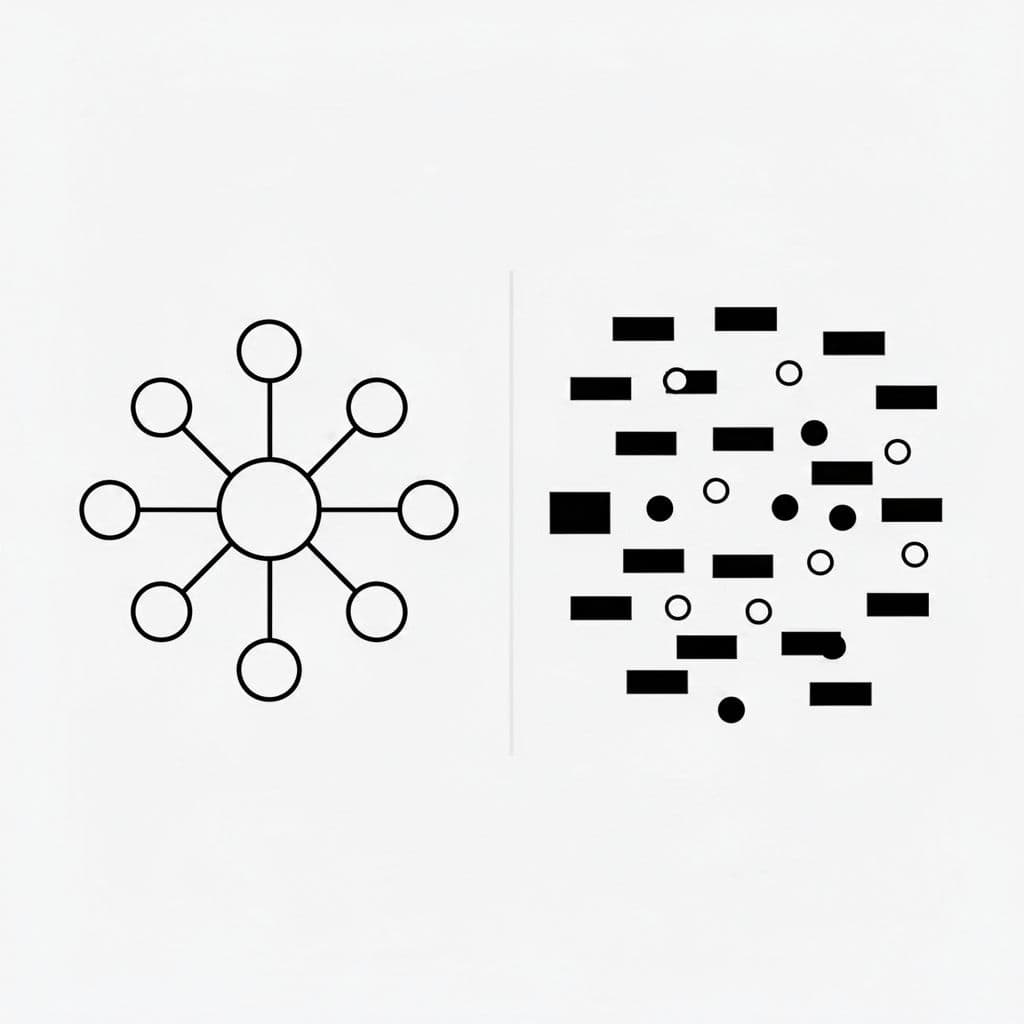
A strong topical map supports three things at once:
- Topical authority, because your site covers a subject in full.
- Internal linking, because each page has a clear place in the bigger structure.
- User experience, because visitors can find the next answer without guessing.
Search systems also reward organized coverage because it looks more trustworthy. Google has long pushed creators to focus on helpful, people-first content, and that usually means answering a topic well instead of publishing isolated posts. For a useful reference on that idea, see Google’s guidance on helpful content.
How a topical map is different from a keyword list
A keyword list is just a pile of phrases. A topical map groups those ideas by subject, intent, and relationship.
For example, a keyword list might include “topical map SEO,” “internal links,” “pillar page,” and “content cluster.” A topical map would place them in order, with one core page about topical maps, supporting pages about clusters and internal links, and related pages that answer narrower questions.
That structure gives your content a path. Instead of chasing disconnected terms, you build a system that helps each page support the others.
Why search engines reward organized topic coverage
Search engines want pages that answer a subject fully. When related pages are linked together and organized clearly, they create a stronger signal that the site knows the topic well.
That also helps depth show up in a way crawlers can read. A focused hub page, supported by useful subpages, is easier to trust than a scattered set of unrelated articles.
Better structure does not just help rankings, it helps people find what they need faster.
The role topical maps play in AI search and LLM visibility
AI search systems rely on context as much as keywords. They look for topic relationships, clear headings, and content that explains a subject in a connected way.
That means structure matters more than ever. If your pages are mapped well, AI tools can read the hierarchy, understand how ideas fit together, and pull answers from a site that looks complete instead of fragmented.
Choose the main topic your site should own
The strongest topical map starts with one clear subject. That subject should fit your business goals, match what your audience wants, and sit inside an area where you have real knowledge or experience. If the topic does not connect to your offer, the map may bring traffic, but it won’t bring the right traffic.
A good core topic feels broad enough to support a full content plan, yet focused enough that you can explain it well. That balance matters. Pick something too loose, and your pages drift in different directions. Pick something too tight, and you run out of useful subtopics before the map has room to grow.

Check whether the topic matches your audience and offer
Start with your audience, then work back to the topic. Ask whether the subject connects to a product, service, or expertise you can actually support. If you sell SEO services, a topic around content planning makes sense. If you run a finance site, a subject tied to budgeting or investing is a better fit than a vague “business growth” angle.
That connection keeps the map useful. Every page should point back to something your site can help with, teach, or sell.
A simple test helps here:
- Does the topic fit your audience’s problems?
- Can your business speak about it with authority?
- Does it lead to content that supports your goals?
When those answers line up, you have a topic worth building on.
Look for topic depth before you start mapping
Before you commit, check whether the subject has enough branches to support a full structure. A strong topic can split into many useful pages without feeling stretched. For example, a topic like “local SEO for dentists” can expand into location pages, service pages, content around reviews, maps, appointments, and common search questions.
One useful benchmark is whether you can quickly list 10 or more distinct subtopics. If you can, the topic likely has room. If the ideas feel repetitive after a few pages, the topic may be too thin.
For a useful comparison of topic size and depth, see this topical authority guide. It shows why a good core topic needs enough room to grow without becoming vague.
Avoid topics that are too broad to cover well
Big umbrella topics look attractive, but they usually cause trouble. A massive category can split into so many unrelated subjects that the content plan loses focus. Then your pages start competing with one another, and the site feels scattered.
Focus makes planning easier. It also helps readers understand what your site is about in a few seconds. Start with one main area, cover it well, and expand only after the structure feels complete. That approach gives your topical map a clear center, which makes every supporting page easier to place.
Find the subtopics that belong under your main theme
Once you have a main topic, the next job is to break it into smaller ideas people actually care about. This is where many topical maps get too loose. The best subtopics come from search behavior, not guesswork, so your plan stays grounded in real demand.
Start by collecting questions, phrases, and pain points around the topic. Then sort those ideas into clear groups so each one has a place in the map. That gives you a structure that feels complete, but still focused enough to manage.

Use search results to spot real questions people ask
Google search pages are one of the fastest ways to find subtopics because they show what people already want answered. Scan the results for repeated questions, common phrasing, and angles that appear more than once. If several pages cover the same concern, that concern probably deserves a place in your map.
Pay close attention to People Also Ask, autocomplete, and related searches at the bottom of the page. These areas often reveal the exact wording people use, which is more useful than broad assumptions. For a practical example of this process, this topical map guide shows how keyword tools and search results can work together.
Also look for pain points hidden inside the results. If multiple pages talk about cost, time, mistakes, or comparisons, those are strong signs of subtopics worth covering.
Group ideas by intent, not just by similar words
Similar wording can hide very different goals. A person searching for “best project management software” wants comparisons, while someone searching for “how to use project management software” wants instructions. The words are close, but the intent is different.
Sort your ideas into three broad groups:
- Informational, for questions, explanations, and how-to content.
- Commercial, for comparisons, reviews, and “best” style searches.
- Transactional, for pages tied to signups, pricing, or direct action.
This keeps your map clean. It also helps you avoid stuffing one page with mixed intent that leaves readers unsure what to do next. Search engines use intent signals too, so matching the page type to the search goal matters.
Pick subtopics that can each support a page
A good subtopic is big enough to stand on its own. If an idea needs only a paragraph or two, it probably belongs inside a larger article instead of becoming a separate page. You want pages that can hold real value, not thin content that repeats what another page already says.
Keyword tools help here because they show related terms and search patterns around each idea. Competitor sites help too, since they reveal which angles already have enough demand to justify a page. As you compare options, look for topics that can support a full article, a detailed guide, or a dedicated section.
If a subtopic can answer a distinct user need, keep it. If it feels too small, fold it into a broader cluster and move on. That keeps your topical map sharp, usable, and easy to expand later.
Turn your research into a clean topic structure
Once you’ve gathered your ideas, the next step is to sort them into a map that actually makes sense. A strong topical structure has layers. It starts with one main page, then branches into deeper pages, then fills the gaps with smaller supporting articles.
That order matters because it keeps the topic easy to follow. Readers can move from the big picture to the details without feeling lost, and search engines can see how each page fits into the whole. A pillar-and-cluster structure works well because it gives every page a clear job.
The goal is simple. Give each topic one place to live, connect related pages with purpose, and avoid overlap that makes your content compete with itself.
Build one pillar page around the main subject
Your pillar page is the center of the map. It should cover the main topic at a high level, explain the core ideas, and point readers toward deeper pages when they want more detail.
Keep this page broad and clear. It should answer the main question, define the subject, and show the major branches of the topic without trying to cover every angle in depth. That way, the page stays useful as an overview instead of becoming a cramped long-form article with no structure.
A good pillar page does three jobs:
- It introduces the main subject in plain language.
- It links to the most important cluster pages.
- It gives readers a path to follow next.
If your topic is “how to build a topical map for SEO,” the pillar page would explain the full process at a glance. Then it would link out to deeper pages on research, mapping, internal linking, and content grouping.
Create cluster pages for the biggest subtopics
Cluster pages are the main branches under the pillar. Each one should cover a large subtopic that deserves its own page because it has enough depth, search demand, or user value to stand alone.
These pages go deeper than the pillar, but they still stay connected to it. They should answer one major part of the topic well, then link back to the pillar so the whole structure stays tied together.
A simple way to judge a cluster topic is this, can it hold a full article without feeling thin? If the answer is yes, it probably belongs as a cluster page.
Add supporting articles for narrow questions
Supporting articles cover the smaller questions that fit under the larger pages. These are the pages that fill gaps, answer one clear problem, or handle search queries that are too specific for the pillar or main cluster pages.
They help your map feel complete. They also catch long-tail searches that often bring in readers with a very specific need.
Use supporting articles when a topic is narrow but still useful. For example, a page about “how many cluster pages you need” or “how to choose anchor text” can support the larger structure without repeating it.
When these layers work together, your topic map feels organized instead of scattered. The pillar gives it a center, the clusters give it depth, and the supporting articles fill in the space between.
Map keywords to pages without creating overlap
A strong topical map only works when each page has a clear job. If two pages chase the same search intent, they start competing with each other, and both usually lose ground. The fix is simple in concept, but it needs discipline in practice: choose one primary phrase, give it one page, and use related terms to support that page instead of splitting the focus.

A clean map reads like a set of lanes, not a pileup. Each page should cover one main search goal, while the rest of the terms stay in the background where they belong.
Assign one page to one main intent
Start by picking the primary phrase for each page, then match it to one main intent. If the searcher wants a guide, create a guide. If they want a comparison, build a comparison page. That keeps the page focused and helps readers get the answer they expected.
This rule also makes your map easier to manage. When every URL has one clear purpose, you can spot gaps, avoid duplicate coverage, and plan new pages with less guesswork. Google’s own guidance on helpful content points in the same direction, since pages work better when they solve one problem well, not several at once. For a useful reference, see Google’s helpful content guidance.
A simple way to check intent is to ask whether the page would still make sense if you removed the extra angles. If the answer is yes, the page is probably focused enough.
Use related terms to support the page, not replace it
Once the main phrase is set, add related terms that fit the same intent. These can include close variations, common questions, and supporting ideas that help the page feel complete. Used well, they add depth. Used badly, they turn the page into a repeat loop.
A practical example is a page about topical maps that also covers content clusters, pillar pages, and internal linking. Those terms support the main subject because they explain how the system works. They should not replace the main focus or pull the page into a second topic.
If a related term changes the page’s main purpose, it belongs on a different URL.
This is also where a simple content brief helps. Yoast recommends assigning the target topic, intent, and supporting points before writing, which keeps pages from drifting into overlap. Their keyword cannibalization guide is a solid reference for that planning step.
Know when to merge similar topics
Some ideas are too close to separate cleanly. If two pages would answer almost the same question, one stronger page is better than two thin ones. That approach gives readers a fuller answer and prevents your site from splitting its authority across near-duplicates.
A quick test helps here:
- Compare the search intent for both topics.
- Check whether the same outline would fit both pages.
- Merge them if the overlap is high.
- Use one page as the main version, then redirect or fold the weaker angle into it.
This is where a site content audit can reveal duplication patterns before they spread. If a topic already exists in a usable form, update that page instead of creating a new one. If the angle is truly distinct, give it its own page and keep the boundary clear.
When you map keywords this way, your site stops competing with itself. Each page earns its place, supports the next one, and keeps the structure easy to follow.
Plan your internal links before you start writing
Internal linking works best when you plan it early. If you wait until the end, you usually add links where they fit on the page, not where they help the reader or the structure. A topical map needs a clear path, so each page should know where it sends readers next and where it receives them from.
That path also helps search engines. Clear links show which page is the main hub, which pages go deeper, and which articles support each other. Google uses those signals to understand relationships across your site, and readers use them to keep moving through the topic without getting stuck.

Link from the pillar page to the most important cluster pages
Your pillar page should point readers to the pages that go deeper on the biggest subtopics. That keeps the main page useful as an overview while giving people a clear next step when they want more detail.
Place those links where they feel natural in the flow of the copy. For example, if you explain keyword grouping, link to the page that breaks that process down. If you mention anchor text, send readers to the deeper guide that covers it well. The pillar page is the front door, but it should also open into the rest of the house.
Link cluster pages back to the pillar page
Every cluster page should point back to the pillar. That return link keeps the structure tight and tells both readers and search engines that the page belongs to the same topic family.
This creates a simple hub-and-spoke model. The pillar is the hub, and the cluster pages are the spokes that add depth around it. Search engines can then see that the main subject sits at the center, while each supporting page reinforces it. For more on that structure, this pillar-first internal linking guide explains how cluster pages and hub pages work together.
Connect related supporting pages where it makes sense
Supporting pages should also link to each other when the connection is real. If one article explains internal linking and another covers anchor text, a cross-link makes sense because the reader may need both pieces.
Use those links sparingly and only when they improve the path forward. Search engines read those connections too, which helps them map topic relationships more clearly. A good rule is simple, if the reader would benefit from one more useful page, add the link. If the link only fills space, leave it out.
That planning step keeps your map clean before the first draft is even written.
Build your topical map in a spreadsheet or simple document
A topical map gets easier to manage when you put it in one place. A spreadsheet or simple document gives you a clear view of the whole plan, so you can spot gaps, overlaps, and weak spots fast. You do not need fancy software for this. You need a system that stays readable.
Use one row for one page or one content idea. That keeps the map clean and makes it easy to scan later. As the plan grows, the structure should still feel like a working list, not a puzzle.

Track the main topic, subtopic, and page type
Start with columns that show the big picture. The most useful ones are topic, subtopic, page type, search intent, target page, and status. Together, they tell you what the page covers, why it exists, and where it sits in the site structure.
For example, one row might be:
| Topic | Subtopic | Page type | Search intent | Target page | Status |
|---|---|---|---|---|---|
| Topical maps | Internal linking | Cluster page | Informational | New article | Planned |
That format keeps every idea tied to one page. It also stops you from stuffing several topics into one row, which makes the map hard to use. If a page idea needs a long note, put it in a separate comment column instead of crowding the main fields.
Add notes for intent, priority, and status
A few short notes can save time later. Add a column for priority, another for notes, and a simple status label like draft, in review, published, or updated. That way, you can see what needs attention without opening every page plan.
This is especially helpful when you review old content. A quick scan shows which pages need refreshes, which ideas are still pending, and which topics are ready to publish. For a simple template approach, this spreadsheet-based topical map guide shows how clean fields can support both planning and updates.
A good map tells you what to publish next and what to fix first.
Keep your map flexible as your site grows
Your topical map should change as the site changes. New pages get added, search behavior shifts, and business goals move over time. So revisit the sheet often, prune weak ideas, and add new rows when a fresh subtopic deserves its own page.
A clean system makes that easy. It turns planning into a live process, not a one-time task, and that matters when you build topical authority over time.
Conclusion
A strong topical map gives your site a clear path, but it only works when the content matches the plan. That means choosing one main topic, finding related subtopics, grouping them by intent, and assigning each one to a page that serves a real purpose.
Once the structure is in place, internal links tie it together and help readers move through the subject with less effort. The result is a site that feels organized, covers the topic more completely, and gives search engines a cleaner picture of what you want to rank for. The real win is clarity, because clarity makes good content easier to plan and easier to trust.
If you follow the process carefully, How To Build A Topical Map For SEO becomes less about guessing and more about steady content planning. That makes every new page easier to create, easier to find, and more useful for the people reading it.
Save pin for later


- How I Make Money on Pinterest Pinning in 2026 - June 23, 2026
- How to Research Pinterest Keywords for Blog Posts In 2026 - June 23, 2026
- How to Set Up Google Search Console for a Blog - June 23, 2026