 Onwe Damian Chukwuemeka
A Pinterest post, or Pin, is a visual bookmark that helps people discover ideas, products, or inspiration. Writing these posts effectively matters because your title and description determine whether your content appears in search results. When you write for the platform, your goal is to create clear, keyword-rich language that helps users find your content fast.
Unlike traditional social media, Pinterest functions more like a search engine than a chronological feed. Because of this, you don’t need to post constantly to stay relevant. Instead, you should focus on providing specific, useful details that solve a problem or answer a question. By driving website traffic using Pinterest, you can turn your ideas into a long-term source of clicks and saves.
What makes a Pinterest post work in search
Pinterest operates as a visual search engine rather than a chronological feed. Because of this, the success of your content depends on its discoverability. A pretty image might stop someone from scrolling, but search optimization ensures that your pin reaches the right audience at the right time. To thrive here, you must bridge the gap between aesthetic appeal and search functionality.

Why Pinterest rewards clear topics
Pinterest needs to understand exactly what your pin offers within seconds of scanning your metadata. When your title, description, and board category align, the platform assigns your content to relevant search topics. This clarity is the foundation of how Pinterest search and discovery works because it helps the algorithm match your post to the specific queries users type into the search bar.
Vague or overly clever titles often confuse the system. If you name a pin “Sunday Vibes” but the content is actually about organizational tips for a home office, the algorithm struggles to categorize it. Instead, use descriptive language that tells the user—and the search engine—what the benefit is. When you provide clear context, you allow the platform to serve your content to users who are actively searching for those solutions.
Consider how these elements work together to build trust with the platform:
- Keyword placement: Use natural search terms in your pin title and description.
- Topic consistency: Save your pin to a board that strictly matches the theme of your content.
- Visual signals: Ensure the text on your image confirms what the pin title states.
By keeping your message direct, you stop the algorithm from guessing. This consistency helps build a track record for your profile, which can lead to higher visibility over time. If you follow an SEO checklist for blog content when you create your pins, you will naturally include the descriptive details necessary to support this discovery process.
How search intent shapes a strong post
Every successful pin answers a specific user need. People do not come to Pinterest just to browse randomly; they arrive with a goal in mind. Whether someone wants to learn a new skill, plan a dinner menu, or find inspiration for home renovation, your content must satisfy that specific desire. Aligning your post with this intent is how you move from getting impressions to earning saves and clicks.
Think about the different ways users look for information on the platform:
- Discovery intent: Users are looking for broad ideas, such as “kitchen organization tips,” and are open to various solutions.
- Instructional intent: These users need a clear step-by-step process, such as “how to paint wood furniture.”
- Comparison intent: People are weighing options, such as “best budget-friendly vacuum cleaners,” before making a final decision.
If your pin promises a solution, the landing page it links to should deliver on that promise immediately. When a user clicks through and finds exactly what they expected, their engagement signals to Pinterest that your content is valuable. This cycle of finding your audience’s peak Pinterest hours and fulfilling their search intent is what builds a sustainable traffic source. Focus on solving a specific problem in every pin to ensure you attract high-quality, interested visitors.
How to build a pin that captures attention
Your Pinterest success relies on how well you communicate the value of your content to the algorithm and your audience. When you create a pin, every element should serve a specific purpose. By focusing on one main idea rather than trying to cover too much, you help users find exactly what they need while signaling to the search engine where your content belongs.
Start with a keyword people would actually search
Effective Pinterest marketing begins with the language your audience uses. Avoid clever titles or creative puns that no one types into a search bar. Instead, use natural, descriptive phrases that mirror real user queries. If you want to rank for organizational advice, use a term like “small pantry organization ideas” rather than a vague title like “kitchen bliss.”
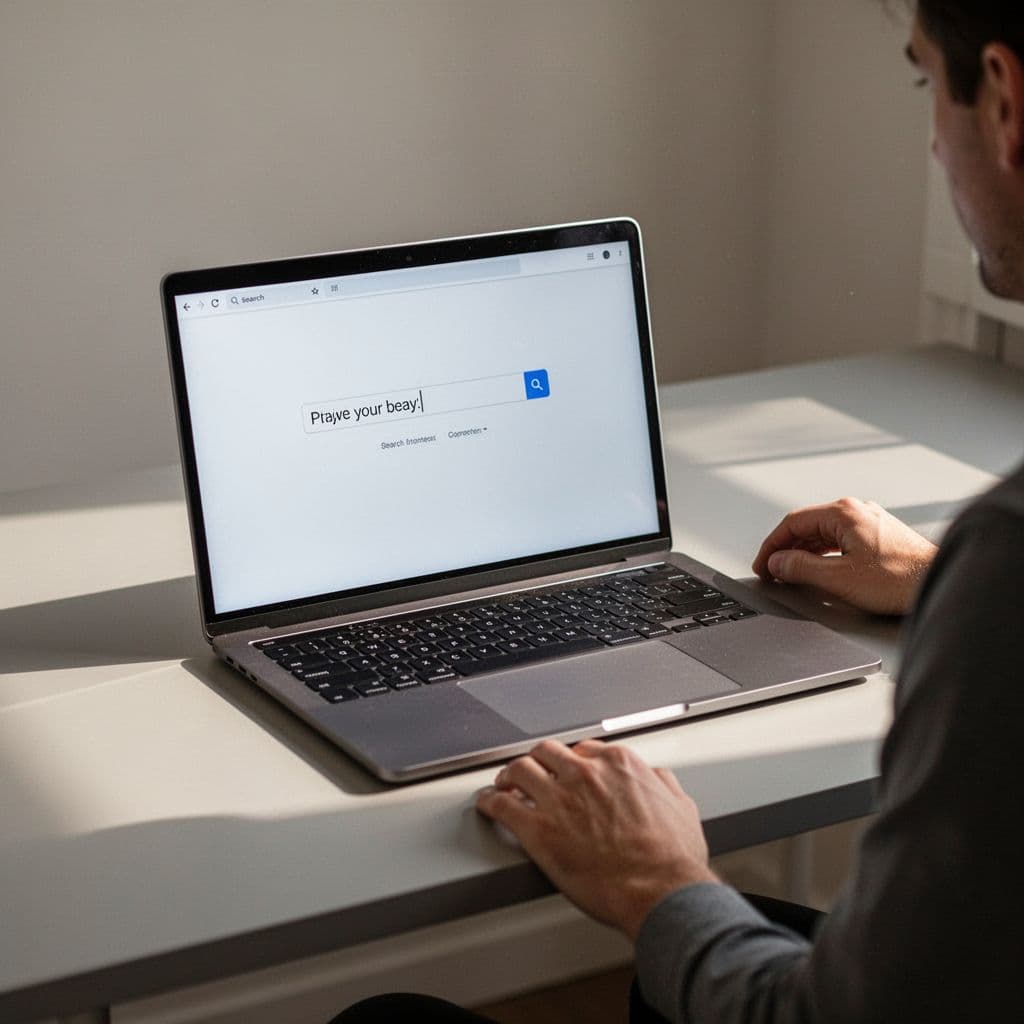
When you choose a keyword, test it by typing it into the Pinterest search bar. Watch the autocomplete suggestions. If the platform shows your phrase, real people are searching for it. For a more detailed breakdown of this process, see the complete guide to ranking pins. A strong keyword looks like a direct answer to a question. It is specific, easy to understand, and tells the user exactly what to expect when they click.
Make the topic specific enough to stand out
Broad topics often get buried in the crowded Pinterest feed because they lack focus. When you try to cover every aspect of a subject in one pin, you struggle to reach any particular audience. Narrowing your focus increases clarity and encourages more clicks because the user knows you possess the specific solution they want.
Compare these two approaches to see the difference in effectiveness:
- Broad approach: “Home Decor Ideas” is too generic. It attracts people looking for everything from rugs to paint colors, meaning your pin likely isn’t what they want.
- Specific approach: “Boho living room decor on a budget” targets a narrow group with a clear intent.
Specific topics stand out because they solve a precise problem. When you create content that narrows the scope, you become the authority for that particular niche. This precision helps you build a loyal audience that trusts your pins to deliver on their promises every time.
Match the topic to the page it links to
Every pin acts as a promise. When a user clicks, they expect the landing page to provide the exact information your pin advertised. If your pin features a recipe but the link leads to a general lifestyle blog, you damage user trust and likely lose the visitor. High bounce rates signal to Pinterest that your content is not useful, which hurts your long-term visibility.
Consistency keeps users engaged and moving through your site. Whether you are turning Pinterest traffic into revenue through an affiliate offer or guiding them to a helpful blog post, the bridge between the two must be clear. Align your headline, visual text, and the final destination to create a reliable path for your audience. When the user finds what they expected, they are much more likely to save your content and return for more in the future.
Write a title that says exactly what the Pin delivers
Your Pinterest title is the most critical element for search performance. When you describe your content accurately, you help the platform connect your post with the people who need it. A strong title functions like a promise to the user. It tells them exactly what they will find when they tap your pin.

Use a keyword plus a benefit
Effective titles follow a simple, repeatable formula. Start with the main keyword that your audience is searching for, and then immediately attach a clear benefit or outcome. This structure signals to the algorithm what the topic is while showing the user why they should care.
A good formula looks like this: Primary Keyword + Specific Benefit or Outcome. For example, instead of just using “Pantry Organization,” try “Easy Pantry Organization Ideas for Small Spaces.” This approach works because it hits the search term while promising a solution for a specific problem. You can apply this logic to almost any content type, such as “Healthy Breakfast Recipes for Busy Mornings” or “Budget Living Room Decor for Renters.” By leading with the keyword, you ensure the most important search term is visible instantly.
Keep the wording plain and easy to scan
Pinterest users often browse on mobile devices while they are on the go. If your title is overly long or complicated, it will likely get cut off on a smaller screen. Short, direct titles are much easier to scan at a glance. They allow users to process the information quickly and decide whether to engage with your pin.
You should aim for brevity without losing context. A title between 40 and 80 characters is usually the ideal length. It fits well on most screens and provides enough space to include your primary keyword and a brief modifier. If you find your title drifting toward 100 characters, it is time to cut the fluff. Focus on the core value proposition. If the title is clear and concise, you increase your chances of capturing a click before the user scrolls past.
Avoid vague or trendy language
It is tempting to use clever puns or abstract phrases to grab attention. However, these tactics often fail on Pinterest because they do not match how people search for solutions. If a user types “summer outfit ideas” into the search bar, a pin titled “Golden Hour Magic” will not show up. You lose the opportunity to reach that person because your title is too vague.
Clarity beats cleverness every single time on this platform. If you hide your meaning behind a creative hook, you confuse the algorithm and the audience. You want to be the literal, helpful result that users find when they search for specific information. If you find yourself using words like “vibes,” “aesthetic,” or “inspiration” alone, rethink your approach. Instead, pair those terms with a concrete descriptor so the search engine knows exactly what you are offering.
Writing effective Pinterest descriptions
A great description acts as the bridge between your visual content and the search results that bring users to your site. While your title grabs attention, the description provides the context the algorithm needs to categorize your post correctly. When you write these sections, focus on telling a story that remains helpful and honest. By balancing human-readable text with strategic keywords, you maximize the chances of your content appearing in relevant searches and earning genuine clicks.

Place the main keyword early when it feels natural
You should work your primary keyword into the first sentence of your description to signal the topic immediately. The platform scans this opening text to determine relevance, so front-loading your core phrase gives your pin an advantage in search rankings. You do not need to force the keyword if it makes the sentence awkward. Instead, frame your opening statement to naturally include the phrase as if you were explaining the post to a friend.
When you write in this way, the first sentence reads like normal, helpful copy while still satisfying the technical requirements for optimizing your Pinterest titles and descriptions. If your pin is about “minimalist bedroom ideas,” your description could start with, “These minimalist bedroom ideas help you create a calm space for better sleep.” By weaving the keyword into a complete, active sentence, you create a smooth experience for the reader and the search engine.
Add related phrases that fit the topic
Supporting words help the platform understand the depth and purpose of your pin. These terms often include specific materials, styles, or intended audiences that clarify the broader topic. When you include these naturally, you provide extra context that helps Pinterest match your content with more specific user queries. Avoid repeating the same phrase multiple times, as this feels repetitive and distracts from the value you offer.
Think about the unique qualities of your content that someone might search for alongside your main keyword. If you are sharing a recipe, include mentions of the cooking method, dietary preferences, or prep time. If you write about home organization, add details about the specific room, the furniture style, or the budget level. These additional details act as helpful signals that broaden your reach to interested users. As you develop your strategy for writing great Pinterest descriptions, remember that clarity and variety are your strongest assets for building authority in your niche.
End with a reason to click
Your closing statement should provide a clear, helpful next step for the reader. This is your opportunity to turn casual browsers into engaged visitors. Frame your call to action as a benefit or a promise of what they will discover on your landing page. Instead of using pushy commands, focus on the value the user gains by following the link.
You might encourage them to see a full list of steps, view a tutorial, or browse a collection of similar items. For instance, you could end a description by saying, “Click through to read the full guide and download our free checklist.” This approach works because it manages expectations and rewards the user for their interest. By providing a logical conclusion to your description, you increase the likelihood of driving more traffic to your website through intentional, well-guided clicks. A thoughtful ending makes your content feel complete, trustworthy, and worth the extra time to explore.
Make the Pin image easy to understand at a glance
Visuals carry as much weight as your written title. While keywords help the algorithm find your content, the image convinces a human to stop scrolling and click. Most people browse Pinterest on phones, so your design must communicate value in under one second. If a user needs to squint to understand your point, they will move on to the next pin.
Keep on-image text short and readable
A few powerful words always outperform a wall of text. Long sentences shrink your font size and make the message blurry on mobile screens. Your image text should support the title, not repeat it word-for-word. Use the image to highlight the primary benefit or the result of your content.
Big, bold fonts are your best friend here. If you choose a thin or script-style typeface, you force the reader to work too hard to decipher your message. Stick to clean, sans-serif fonts that remain legible even when the pin appears as a small thumbnail in a crowded feed. According to visual best practices for pins, keeping your text count between 3 and 6 words ensures that the message stays prominent and easy to digest.
Use design that matches the topic
Your visual style builds trust before the user reads a single word. If you post a recipe, the photography must look appetizing and professional. When you share business advice, the design should feel organized and clean. Topic mismatch creates a confusing experience that turns users away.
Think of your design as a preview of your brand. Use high-quality imagery that clearly shows the subject matter. Avoid using generic stock photos that look artificial or detached from your specific goal. Instead, use images that place your product or advice in a real-world setting. Effective pin design tips suggest that focusing on the outcome rather than just the features helps users immediately understand why they should click.
Avoid clutter that hides the message
Too many elements compete for attention and dilute your message. Limit your design to a few simple colors, one or two fonts, and a primary focal point. Extra shapes, icons, or borders often distract the eye from the most important part of the pin. A clean layout allows the user to identify the content and make a decision instantly.
If you struggle to keep your design simple, try these steps:
- Remove secondary text: If it is not vital, move it to the description box instead.
- Limit your palette: Use two or three colors that complement each other rather than a rainbow of shades.
- Increase whitespace: Give your text room to breathe so it does not feel cramped or buried by the background.
Designers often find that the most successful creative practices emphasize a singular, clear path for the user’s eye. When you strip away the noise, your message becomes the only thing the user sees. This clarity leads to higher engagement because users appreciate pins that respect their time and provide immediate answers.
Create a Pinterest post that feels fresh, not recycled
Fresh content remains a core requirement for growth on Pinterest in 2026. The algorithm favors new signals, which means you gain more traction by introducing unique pins than by recycling old ones. You do not need to generate a new blog post for every pin you share. Instead, learn to repackage your existing work to meet the platform’s demand for fresh assets. This practice saves time while keeping your profile active and visible to new audiences.

Change the title angle when you reuse a link
You can direct the same URL to different segments of your audience by shifting your focus. A single blog post often contains multiple takeaways, and each one deserves its own headline. If you write a comprehensive guide, your first pin might target beginners, while your second pin speaks to more experienced users.
For example, a post about kitchen organization could support several distinct titles:
- “5 Simple Steps to Organize Your Kitchen for Beginners”
- “How to Maximize Counter Space in Small Apartments”
- “Professional Kitchen Storage Ideas That Save Time”
Each title attracts a different type of searcher. By rotating these angles, you expand your reach across various search queries. Always ensure your title reflects the specific value the user will find on the page. You can read more about how to create fresh pins from existing content to refine your own strategy.
Test different images and text overlays
Visual variety acts as a powerful tool to re-introduce your content to the feed. Pinterest users scan through hundreds of images daily; a new design gives them a reason to pause. When you create new pins for the same link, change more than just the color scheme. Swap your background imagery, experiment with different crop styles, or adjust your text placement to create a completely different impression.
If your original pin used a lifestyle photo, try a flat-lay design or a close-up detail shot for your next version. If you relied on a minimalist layout, introduce a bold, high-contrast design to see how it performs. You should also update the text overlays. Small changes to your font choice or word count can alter the entire aesthetic of the pin. For additional insights on maintaining visual appeal, see how to post on Pinterest in 2026.
Keep the promise honest and consistent
Freshness should never come at the expense of honesty. Every pin acts as a digital promise to your audience, and you must deliver on that expectation. If your pin headline offers a “quick DIY hack,” the landing page should not force the reader to scroll through thousands of words before they find the solution. Misleading tactics, often called clickbait, hurt your reputation and lead to high bounce rates.
Pinterest monitors user behavior after the click. If people visit your site and leave immediately, the algorithm recognizes that your content fails to satisfy their search intent. Keep your branding consistent across all designs so users recognize your authority as they encounter your pins across different boards. When your visuals and titles provide an accurate preview of the page, you build the trust required to earn repeat visits and consistent saves.
Use boards and posting habits to support your Pin
Your Pinterest boards act as the primary filing system for the platform’s algorithm. When you save a pin, you are not just tucking it away for safe keeping; you are providing the platform with a clear signal about what that content represents. By managing your boards and posting rhythm with care, you help the search engine categorize your work and display it to the right people.
Put each Pin on the most relevant board first
Pinterest uses the context of your boards to interpret your pins. If you pin a recipe for chocolate cake to a board titled “Kitchen Decor,” you confuse the algorithm. It will struggle to identify whether your content is about baking or interior design. By saving your pin to the most specific, relevant board, you ensure the platform connects your post to the right search queries.
Think of each board as a dedicated category for your expertise. When a pin aligns perfectly with the other items on a board, you reinforce the topic of your profile. This internal alignment helps the platform build a stronger understanding of your account. You can enhance your discoverability simply by keeping your pins grouped with like-minded content. This small habit saves the algorithm time and helps your content appear in relevant search results sooner.
Use board names that match real searches
Board names are more than labels; they are keywords that help users find your profile. If you name your boards creatively—like “My Happy Place”—you miss a chance to rank for specific terms. Searchers are looking for solutions, not vague inspiration. By choosing titles that mirror the language people actually type into the search bar, you make your entire collection of pins more discoverable.
Researching your niche before naming a board is a good way to see what terms your audience uses. For example, “Healthy Weeknight Dinners” attracts the specific audience searching for quick meal options. A board titled “Yummy Food” is too broad and provides little value for search. When you think like a searcher, you select titles that act as reliable landmarks for your audience. Optimized boards can impact your SEO strategy by providing consistent, keyword-rich entry points for new visitors.
Stay consistent with one content theme
Posting across a dozen unrelated niches makes it hard for the algorithm to categorize your account. If you post about gardening, then fitness, then tax advice, you fail to build authority in any single area. Consistency allows Pinterest to recognize your profile as a reliable source for a specific topic. Over time, this reliability helps your pins gain visibility because the platform trusts your content to satisfy users looking for that subject.
Focusing on one theme does not mean you cannot vary your pins. It simply means your content should remain within a clear, recognizable category. When you stick to a theme, you help the system build a profile of your expertise. This focus is a core part of the guide to brand discovery on the platform. Regularly sharing high-quality, on-topic content builds long-term signals that prove to the algorithm that your pins deserve a higher ranking in the feed.
Conclusion
Successful pins rely on a consistent framework that connects your content to the right user. Start by selecting one clear, searchable topic that solves a specific problem. Write a strong, descriptive title and support it with a useful description that explains the value of your link. Finally, ensure your image design is clean and directly matches the landing page destination.
Keep your writing clear, specific, and useful. You now have the tools to turn your ideas into a reliable source of traffic and engagement. Stick to these steps, stay steady with your posting habits, and let the platform work for you.
Save the pin for later

- How I Make Money on Pinterest Pinning in 2026 - June 23, 2026
- How to Research Pinterest Keywords for Blog Posts In 2026 - June 23, 2026
- How to Set Up Google Search Console for a Blog - June 23, 2026