 Onwe Damian Chukwuemeka
Your homepage is often the first place a new visitor stops to decide if your content is worth their time. It acts as the front door to your site, so it needs to clearly communicate who you are and why your writing matters to them.
Most casual readers will leave within seconds if they cannot figure out what you offer. You want to grab their attention immediately by explaining your value and making it easy for them to join your email list. Building a hub that turns one-time visitors into loyal subscribers requires a focus on clarity and intentional design.
If you are looking to turn your site into a reliable source of revenue, understanding how to monetize your online presence is essential for long-term growth. When your homepage design aligns with your goals, you create a path that makes subscribing or exploring your best work a natural next step for every visitor.
Crafting a Clear Hero Section That Grabs Attention
Your hero section is the digital equivalent of a handshake. It sets the tone for your entire site and tells visitors whether they should stay or keep looking elsewhere. Because most people decide in seconds if a page is relevant, this top area needs to work hard. Avoid using auto-playing sliders, as they often distract visitors and hide your primary message. Instead, focus on a static, high-impact design that centers your core value proposition.

Writing Headlines That Promise Real Value
The headline is the most important piece of text on your homepage. It must tell the reader exactly what they get from your blog without any fluff. Avoid vague industry jargon that sounds impressive but explains nothing. If a reader cannot identify the benefit of your content within five seconds, you lose them.
Be honest and direct about your topics. If your blog helps people save money, say exactly that. Tell them the problem you solve or the transformation they can expect after reading your work. This level of clarity helps target the right audience immediately.
Keep these principles in mind when writing your headline:
- Focus on the reader: Use words that center on their needs, such as “you” or “your.”
- State the outcome: Describe what the reader gains, such as saving time, increasing revenue, or learning a specific skill.
- Cut the jargon: Use plain language that anyone can understand, regardless of their experience level.
Effective headlines act as a filter. They welcome your target readers while gently signaling to others that your site might not be what they need. This honesty creates a higher-quality audience that is genuinely interested in your perspective.
Making Your Main Call to Action Impossible to Miss
Once your headline grabs attention, your call to action (CTA) must provide a clear next step. A weak CTA gets ignored, but a strong one drives meaningful action. Place your primary button directly below your headline and sub-headline. It should be the first thing a visitor sees after reading your value proposition.
Design is key to visibility. Use a bright, contrasting color for your CTA button that stands out against the rest of your page background. If your site uses a white background, a bold blue, green, or orange button usually performs well. This visual contrast helps the eye find the button without effort.
Ensure your button text is action-oriented and specific. Instead of using generic terms like “Submit” or “Click Here,” try phrases that describe the benefit. Examples include “Start Saving Today,” “Get My Best Advice,” or “Join the Newsletter.” These labels tell the visitor exactly what happens when they click, which reduces uncertainty and improves your conversion rates.
Keep the surrounding area clean. Plenty of white space around your button prevents it from competing with other elements. When your CTA is simple, high-contrast, and clear, you provide a frictionless path for your visitors to become subscribers or loyal readers.
Building Trust Through Social Proof
People are naturally wired to look for cues from others before making decisions. When a visitor lands on your site, they scan for signals that tell them you are reliable. If they see that others already trust your work, they feel more comfortable doing the same. This behavior, often called the bandwagon effect, happens because humans assume that popular choices are safe and high quality.

Why Visitors Follow the Crowd
Following the crowd is a mental shortcut that saves time. Instead of researching every detail of your background, a visitor notices that hundreds of other people signed up for your newsletter. Their brain processes this count as a stamp of approval, which lowers their hesitation. If everyone else is reading your content, it must be worth their time too.
You can use this to your advantage by highlighting numbers and experiences that show your reach. By showcasing testimonials for trust building, you provide concrete evidence that your advice produces results for real people. When potential subscribers see these indicators, they stop wondering if you are legitimate and start focusing on the value you offer.
Ways to Validate Your Authority
You do not need massive numbers to start building authority. You can use several simple design elements to show new visitors that you are an established voice in your niche.
- Subscriber counts: If you have a decent list, state it clearly. A line like “Join 5,000+ readers” helps visitors feel they are part of a community.
- Testimonials and quotes: Short, specific feedback from readers or clients acts as powerful validation. If someone has had a positive outcome from your work, ask if you can feature their words.
- Trust signals and logos: If you have been featured on well-known sites or have worked with reputable brands, display their logos in a grayscale bar. This visual association instantly transfers a portion of their credibility to your own blog.
- Social share numbers: If your posts perform well on social media, showing the share counts can encourage new readers to join the conversation.
If you want to grow effectively, remember that using social proof to establish business trust is a strategy that pays off over the long term. Start small by adding one or two of these elements to your homepage. As your audience grows, you can update these numbers to reflect your continued progress. For more advanced strategies on how to display these indicators effectively, check out how to leverage social proof on your blog. By creating a space that shows you are already valued by others, you make it easy for new visitors to trust your brand immediately.
Guiding Visitors with Organized Content
Your blog is a library of information. Without a clear system, your best work remains buried under a mountain of recent posts. Visitors arrive with specific questions, and they expect immediate answers. When you organize your site into intuitive paths, you turn a chaotic archive into a helpful resource. This structure lowers friction, encourages exploration, and keeps readers on your page longer.

Using Categories to Sort Your Best Work
Categories act as the primary map for your blog. When you group similar posts together, you help new visitors understand the breadth of your expertise. Instead of forcing them to scroll through a chronological feed, you offer them broad buckets of interest. This approach lets readers quickly decide which part of your site aligns with their needs.
Keep your category list lean to avoid overwhelming new guests. If you have five core pillars of content, create five corresponding categories. Use best practices for blog categories to ensure your structure stays logical as you grow. Assign each post to only one or two categories to keep the taxonomy clean and meaningful.
Beyond simple labels, treat these category pages as destination hubs. Add a unique paragraph at the top of each page that summarizes what a reader learns in that specific topic area. This improves your site’s relevance for search engines while confirming to the user that they found the right place. If you wonder how to organize your profitable side hustle ideas alongside your core tutorials, think of categories as the logical filing system for your specific areas of focus.
Setting Up Search Bars for Quick Access
A search bar is a necessity for any blog that has more than a dozen posts. While categories help people browse, search lets them hunt for specific answers. If a visitor remembers reading something about a specific strategy months ago, they don’t want to dig through your archives manually. A functional search feature provides an instant shortcut to the exact content they need.
Position your search bar where eyes naturally travel. Most users expect to find it in the top navigation bar or clearly visible at the top of the sidebar. Keep the design simple with a clean text input field and a standard magnifying glass icon. When the search is easy to find, it acts as a safety net for anyone who gets lost in your site’s structure.
Modern users expect instant feedback as they type. If your platform supports it, enable live search results that show titles and snippets as the user enters their query. This reduces the time between a question and an answer, which improves the overall experience. For further guidance on optimizing how your site taxonomy works for search intent, Yoast has useful advice on category SEO that can help you structure your data for better results. When you combine clear categories with a robust search tool, you give your visitors total control over their journey through your blog.
Optimizing Your Page Speed and Mobile Experience
A beautiful design loses its impact if your site takes forever to load or breaks when viewed on a phone. Visitors today have little patience for laggy pages, and they expect your content to look perfect on any device. When your site is fast and reliable, you build instant credibility. If it feels broken or sluggish, readers often leave before your content even has a chance to shine.
Ensuring Your Site Looks Great on Smartphones
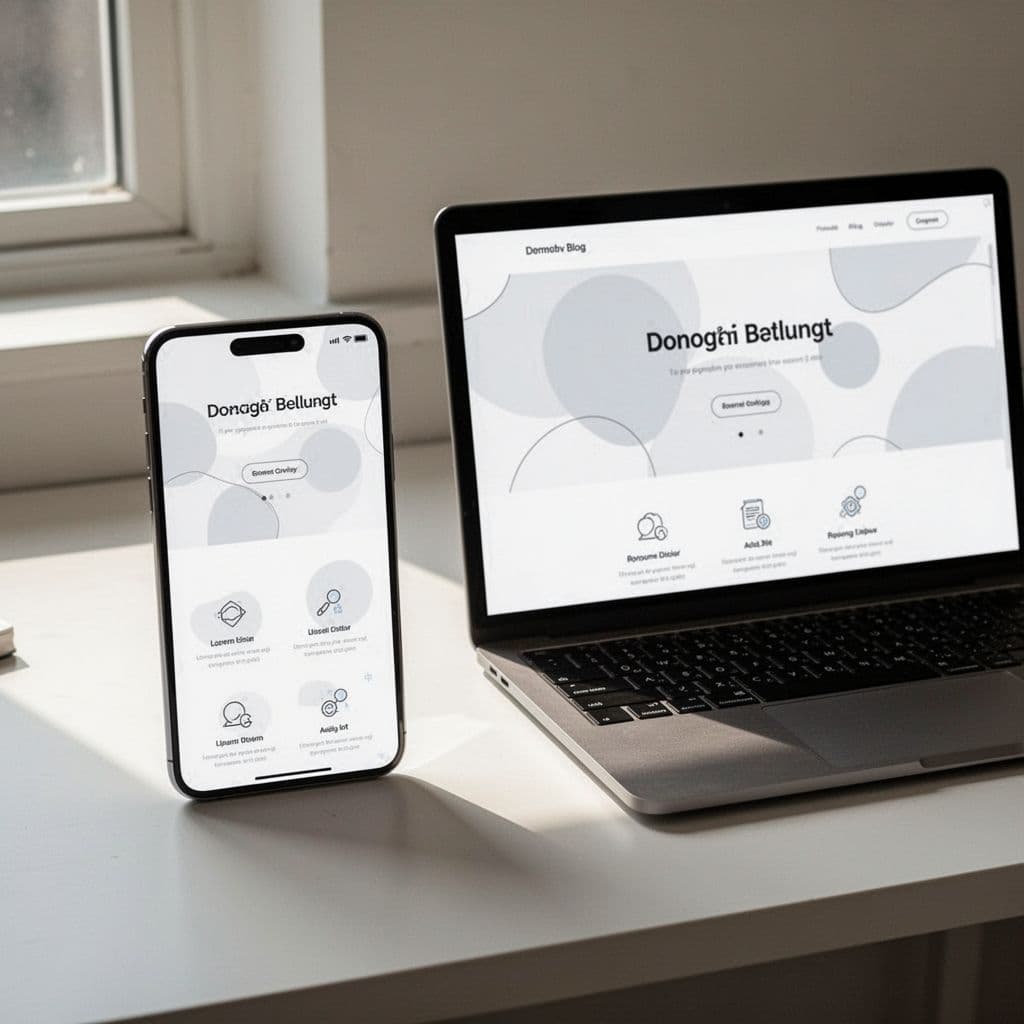
Mobile traffic is no longer a niche segment of your audience. For most blogs, mobile users represent the majority of daily visits. If your site requires users to pinch, zoom, or side-scroll to read your text, you are actively pushing people away. A responsive design adapts to every screen size, ensuring your layout, buttons, and text remain easy to interact with regardless of the device.
Test your site on different phones to identify issues early. Look for buttons that are too close together or text that runs off the edge of the screen. These small errors frustrate users and signal that your site is not professional. When you prioritize a smooth mobile experience, you make it much easier for readers to drive mobile traffic from Pinterest and engage with your content without friction.
Focus on clean typography and sufficient spacing. Large, readable fonts are essential for mobile viewing. Give your buttons enough padding so that a thumb can tap them without hitting a nearby link by mistake. When your layout is simple and adapts naturally, you create a comfortable environment that keeps visitors reading for longer periods.
Simple Ways to Speed Up Your Site Today
Speed is a pillar of conversion. Every second of delay leads to a drop in engagement and fewer signups. When your site is fast, the user experience feels snappy and professional. When it drags, visitors assume your content is not worth the wait.
Start by optimizing your images, as large file sizes are the most common cause of slow load times. Convert images to modern formats like WebP, which provide high quality at a fraction of the original file size. You should also ensure your images are appropriately sized before you upload them. For proven ways to improve mobile page speed, focus on removing unnecessary scripts that run in the background.
Use the following checklist to keep your blog fast:
- Audit your plugins: Delete any plugin you no longer use, as excess code can bog down your server.
- Use a caching plugin: This saves a static version of your site, allowing it to load instantly for returning visitors.
- Minimize CSS and JavaScript: Smaller files mean less data for the browser to process when someone visits your homepage.
- Lazy load content: Delay the loading of images further down the page until the user actually scrolls to them.
Implementing these changes often yields immediate improvements in your load times. To dive deeper into technical strategies, read about how to speed up WordPress for mobile to ensure your technical foundation supports your growth. Avoid adding heavy features or animations that don’t provide direct value to the reader. A fast, clean, and responsive site is the most reliable way to convert curious visitors into a loyal, growing audience.
Testing Your Design to See What Actually Works
Even the most thoughtful design is just a collection of guesses until you put it to the test. You might assume a bright red button or a clever headline works best, but your audience often surprises you with their preferences. A/B testing removes this guesswork by pitting two versions of a page against each other to see which one creates more subscribers.

Running Simple Experiments for Growth
The concept of A/B testing is straightforward. You take your original page, which is version A, and create a slightly modified version, known as version B. Your testing tool then sends half your traffic to the first page and half to the second. By tracking which version generates more clicks or signups, you identify exactly what your readers respond to.
You do not need an advanced marketing degree to start. Focus on testing one variable at a time so you know what causes any change in results. If you change both the headline and the button color at once, you will never know which factor drove the improvement. If you want a deeper look at the methodology, check out this beginner’s guide to A/B testing.
Elements That Often Drive Big Wins
Small adjustments frequently lead to noticeable growth in your conversion rates. When you decide to run an experiment, start with the elements that most directly influence your visitor’s next move.
- Button text and color: Changing “Click Here” to “Get My Free Guide” often shifts how many people click. The color should stand out, but the wording carries more weight.
- Headline variations: Test a focus on the primary problem you solve against a focus on the final benefit. You might find your audience prefers directness over curiosity.
- Sign-up form length: Does asking for a name and email perform better than just an email field? Testing helps you find the sweet spot between gathering data and keeping friction low.
- Image placement: Moving a photo or illustration above or below your primary text can change how long someone stays on the page.
If you are curious about the technical process of gathering valid results, read more about A/B testing basics and actionable data. Keep your goals clear before starting any test. You should define what “success” looks like, whether it is a button click or a completed form submission.
Consistency is a requirement for reliable data. Let your tests run long enough to gather a meaningful sample size, typically a few weeks. If you stop a test too early, you risk making decisions based on random fluctuations. By treating your homepage as a living project that always invites small improvements, you build a site that gets better at converting readers every single month. For those interested in how to structure these experiments effectively, exploring how to run a standard testing procedure will give you a solid foundation for long-term growth.
Conclusion
Your homepage is the anchor of your entire site. By clarifying your message and removing unnecessary distractions, you transform a simple landing page into a tool that works for you every day. A high-converting design doesn’t happen overnight; it is the result of intentional choices about layout, speed, and user experience.
Start by picking one area to improve today, such as sharpening your headline or testing a new button color. Small adjustments often yield significant results when you remain consistent. Patience is your best asset as you gather data and refine your approach.
If you find yourself searching for new ways to generate income from home, remember that a site built for conversions is the foundation for all your future growth. Keep testing, keep simplifying, and stay focused on the value you provide to your readers.
Save the pin for later


- How I Make Money on Pinterest Pinning in 2026 - June 23, 2026
- How to Research Pinterest Keywords for Blog Posts In 2026 - June 23, 2026
- How to Set Up Google Search Console for a Blog - June 23, 2026