
 Onwe Damian Chukwuemeka
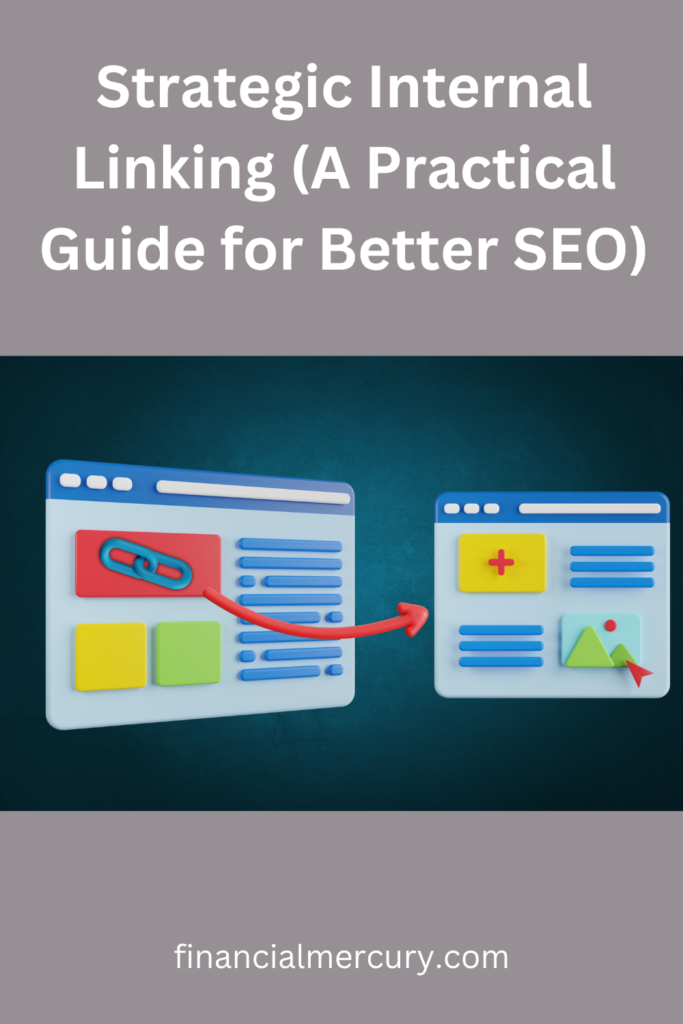
Think of your website as a sprawling city. Without clear signage, visitors get lost and eventually leave. Internal linking acts as the map for Google crawlers and the personal guide for your readers.
By linking to related content, you show search engines which pages hold the most importance. This strategy also distributes authority across your site and keeps visitors engaged by providing easy access to relevant resources.
When you organize your site structure effectively, you stop readers from bouncing and encourage them to explore more of your work. Getting this right is about creating clear pathways that make sense for both machines and humans. Whether you use Pinterest traffic strategies to increase your website traffic using Pinterest or link between detailed blog posts, your structure defines how well you rank. Let’s look at how you can build this framework for your own site.
How Internal Links Help Google Understand Your Website
Search engine crawlers, often called spiders, function like automated scouts. They traverse the web by following paths from one page to another. When a spider lands on your homepage, it analyzes the content and maps out every link it encounters. These links act as bridges that allow the crawler to discover the rest of your site. Without a clear trail of links, your pages remain isolated in the vast digital space. Understanding this mechanism is vital because Google only considers pages for search rankings once it successfully finds, crawls, and indexes them.

Helping Spiders Find Your Hidden Content
An orphan page is any content on your site that has zero incoming links. Because spiders rely on following paths to reach new URLs, they often never encounter these isolated pages. If your content remains unreachable, it cannot appear in search results, no matter how helpful or well-written it is. You effectively make that information invisible to your target audience.
Linking solves this problem by providing the necessary entry points. Every time you connect a new post to an existing, high-traffic page, you give the crawler a map. Think of your site like a city grid. If a road does not connect to a building, no one can reach it. By adding links, you construct the roads that lead Google directly to your most valuable work. For a better understanding of how these processes function, you can review how Google search works to see the technical side of discovery.
Passing Ranking Power Between Pages
Internal links do more than just guide spiders; they also transfer authority. This concept is often referred to as link equity. When a page has strong rankings and receives high traffic, it possesses significant authority. By linking from that popular page to a newer or less visible post, you pass a portion of that influence along. It is a way of saying to the search engine, “This page is also relevant and trustworthy.”
This strategy acts as a visibility multiplier. You effectively share the strength of your site across different sections rather than hoarding it in just a few locations. While a deep dive into what Googlebot is provides the technical background, the practical application is simpler. You simply need to identify your most established articles and link them to content that needs a boost. This practice ensures that no single page carries the weight of your entire domain alone, creating a balanced and healthy site structure that ranks more effectively.
Creating Content Hubs for Better Site Structure
Organizing your website by topic rather than simple chronology changes how users interact with your information. The hub-and-spoke model serves as the blueprint for this transformation. This strategy groups broad pillar content with specific, related articles to create a cohesive web of knowledge.
When you group content around a central theme, you prove your authority to search engines. A single page cannot cover every detail of a complex topic without becoming unreadable. Instead, you create a central hub that acts as a comprehensive guide, then build individual articles that answer specific questions. This architecture signals to search engines that your site possesses depth, helping you rank for both broad terms and specific, long-tail queries. Readers benefit as well, as they can easily move from a high-level overview to the specific details they need.

Defining Your Core Pillar Pages
To build an effective hub, you must first identify which pages should serve as your foundation. A pillar page is a broad, high-level guide covering a primary topic. It sits at the center of your hub-and-spoke model. If you try to make every page a pillar, your site structure loses focus.
Start by looking at your most popular or evergreen content. These pages already attract attention and cover subjects with enough breadth to support several subtopics. If a topic has multiple specific facets, it is a candidate for a pillar page. For instance, a site about gardening might have a pillar page on “Starting a Vegetable Garden” while using smaller articles for “Choosing Soil Types” or “Composting Basics.”
Use the following criteria to evaluate if a topic is ready to be a pillar:
- Breadth: The topic is broad enough to require several supporting articles to explain it fully.
- Search volume: The primary keyword for the topic has high monthly search interest.
- Existing content: You have already written or planned enough supporting content to surround the main hub.
If you are unsure where to begin, use Google’s guidance on search intent to determine if your prospective pillar page satisfies what users truly want to find. A well-defined pillar page should be authoritative, easy to read, and broad enough to serve as a destination for your supporting posts.
Connecting Supporting Articles to Your Hubs
Once you have your pillar page, the next step is building the connections. Every supporting article must point back to the pillar page to reinforce its authority. This internal link flow tells search engines that the smaller posts belong to the larger topic cluster.
Use descriptive anchor text when linking from your support articles back to the pillar. Instead of saying “click here,” use phrases that match the main topic of your hub page. This provides clarity for both the reader and the crawler. Conversely, your pillar page must link out to each supporting article. This creates a two-way street that keeps visitors engaged and allows them to navigate deeper into specific subtopics without leaving your site.
Consider these tactical approaches to improve your connection strategy:
- Contextual links: Embed links within the body text of your pillar page as you introduce new subtopics.
- Reference lists: Include a “Related Guides” section at the end of each supporting article to encourage further reading.
- Consistent navigation: Use consistent labels or categories to ensure your internal link structure remains logical.
This reciprocal linking structure distributes authority efficiently across your cluster. As each supporting article gains traction, it passes value back to the pillar, which in turn elevates the visibility of all connected content. If you want to see how these clusters function on a larger scale, you can review how to organize content hubs for more advanced structural tips. By keeping these connections clean and relevant, you provide a clear path for users to follow your expertise from top to bottom.
Writing Natural and Descriptive Link Text
Your link text acts as a signpost for both your readers and search engine crawlers. When you use generic phrases like “click here,” you waste a prime opportunity to provide context. Effective anchor text describes exactly what the reader will find on the destination page. This clarity helps search engines associate your content with specific topics, which improves your rankings over time.

Why Generic Anchor Text Fails
Generic phrases create confusion for visitors and search engines alike. When a user scans your page, their eyes look for clues about where a link might lead. If your link text says “click here,” the user must pause and read the surrounding paragraph to guess the destination. This friction discourages engagement and slows down the user experience.
Search engines also struggle with vague links. They rely on the words within the anchor text to determine the relevance of the target page. If you consistently use generic labels, you miss the chance to pass on semantic signals that define your site’s authority. For a deeper look at how to structure these signals correctly, review how to optimize your anchor text.
Crafting High-Quality Links
Strong anchor text matches the intent of the reader and the subject of the destination page. Before you insert a link, ask yourself if the chosen words accurately represent the content waiting on the other side. A good rule is to read the anchor text out of context. If it doesn’t make sense on its own, it likely needs more detail.
- Be specific: Instead of “read more,” use “learn our proven SEO tips.”
- Focus on action: Use verbs that clearly explain the outcome, such as “download the guide” or “view the comparison chart.”
- Vary your language: Mix exact keywords with partial matches to keep your internal linking natural and human-readable.
Consider the user’s journey when choosing your wording. If a reader is looking for ways to grow their business, strategies for earning income on Pinterest provides much more value than a generic link. This approach matches the reader’s needs and aligns your site structure with their goals.
Balancing SEO and Readability
You should never prioritize search engine rankings at the expense of a smooth reading experience. When your link text feels forced or stuffed with keywords, readers notice. Natural, descriptive language reads well and naturally contains the keywords that search engines use to index your work.
If you find that your anchor text feels stiff, try embedding the link in a full, descriptive sentence. For example, instead of linking the word “SEO,” link the entire phrase “how to improve your search engine rankings.” This adds immediate value and helps the reader understand the importance of the destination. If you want to refine this skill further, the complete guide to anchor text offers extensive advice on balancing these elements. Always keep the reader’s next move in mind, and you will build a site structure that remains both professional and effective.
Best Practices for Your Linking Routine
Maintaining a healthy site structure is a continuous process rather than a one-time setup. A consistent linking routine ensures your authority remains distributed correctly and your users always find relevant information. By establishing a standard workflow, you prevent your site from becoming disorganized as you publish new content.

Finding Opportunities in Old Content
Your older posts are hidden assets. Many sites contain high-quality content that has lost visibility over time simply because it lacks connections to newer, relevant articles. Revisiting these pages is one of the fastest ways to improve your site architecture.
When you publish a new article, take a few minutes to search your site for older pieces covering related topics. Adding links from these established posts to your new content gives your latest work an immediate authority boost. This creates a helpful bridge for readers while signaling to search engines that the new page is part of your broader expertise.
Periodically auditing your archive also allows you to update outdated information and improve internal navigation. You can identify pages that need more support by looking at your site analytics to see which posts are currently driving traffic. For a deeper look at managing these site-wide technical health checks, follow the internal link audit process to ensure your structure stays sound as your site grows.
Avoiding Common Linking Mistakes
Effective linking requires careful execution. A few common errors can undermine your efforts and create a frustrating experience for your visitors. Staying alert to these pitfalls keeps your site professional and search-engine friendly.
- Broken links: These lead to dead ends that frustrate users and signal poor maintenance to search crawlers. Periodically check your site for 404 errors to ensure every path remains active.
- Over-linking: Adding too many links in a single paragraph makes your content look cluttered and dilutes the importance of each individual link. Place links where they offer genuine value rather than trying to cram in as many as possible.
- Irrelevant linking: Connecting pages that lack thematic alignment confuses both users and search engines. Only link to content that expands on the current topic in a meaningful way.
- Redirect chains: Sending a visitor through multiple redirects to reach a single page slows down your site. Update your internal links to point directly to the current live URL.
Treat your site like a well-maintained library. If you find yourself frequently repeating poor habits, you might be falling into common traps that hinder your search rankings. Reviewing your site for internal linking issues helps you maintain a clean, efficient architecture. Furthermore, avoiding common money mistakes to avoid in your content management strategy is a simple way to protect your long-term organic growth.
Consistency is the key to a successful routine. Whether you dedicate time to auditing once a month or whenever you hit publish, these small, regular adjustments accumulate into a significant advantage over time. Keep your links intentional, your anchor text descriptive, and your path clear for every visitor who arrives at your site.
Conclusion
Internal linking is a foundational pillar of a healthy website. By creating clear pathways, you improve your site’s crawlability so that search engines find every page. You also boost the user experience by guiding visitors to helpful resources. Most importantly, this strategy spreads ranking authority across your domain and highlights your most important content.
You don’t need to overhaul your entire site at once to see results. Start by identifying one of your high-traffic articles today. Add two or three links from that page to newer content that needs more visibility. Small, intentional adjustments to your site structure build momentum over time.
Consistency matters more than perfection. As you publish new work, make it a habit to look for past posts that deserve a fresh link. This simple routine keeps your content fresh and ensures your site remains a useful resource for every visitor.
Save pin for later

- How I Make Money on Pinterest Pinning in 2026 - June 23, 2026
- How to Research Pinterest Keywords for Blog Posts In 2026 - June 23, 2026
- How to Set Up Google Search Console for a Blog - June 23, 2026