 Onwe Damian Chukwuemeka
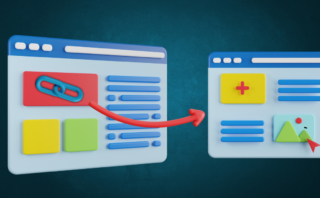
Large content sites can hide great pages in plain sight, and once that happens, both readers and search engines miss them. A strong internal linking strategy for large content sites helps fix that by creating clear paths to related content, pushing more traffic to the right pages, and giving important pages more authority.
That matters most when your site keeps growing faster than your structure. Old posts, new pages, and topic clusters can start pulling in different directions, which makes it harder for people to find useful content and harder for search engines to crawl the pages that matter most.
The good news is that you don’t need a complicated system to get this under control. The next sections break down how to organize links, where to place them, and how to keep large site structures working for both users and search visibility.
Start with a site structure that makes linking easier
A strong internal linking plan starts before you add a single link. If your site has a clear structure, every page fits into a logical path, and linking becomes much easier to manage. That matters on large sites, where random links create clutter fast and useful pages get buried.
The goal is simple: group related content, highlight the pages that matter most, and make it easy for readers to move through your site. When the structure works, your internal linking strategy for large content sites becomes cleaner, faster to maintain, and more useful for search visibility.
Map your main topics and subtopics
Start by sorting your content into broad themes. These are your main topic buckets, such as product guides, service pages, tutorials, or category hubs. Each theme should hold a clear set of supporting pages that answer narrower questions.
That structure gives your site a spine. Instead of linking pages at random, you create natural paths between a core topic page and its related subpages. For example, a broad guide can point to more detailed articles, and those articles can point back to the main guide.

A simple model helps:
- Main topic page: Covers the broad subject.
- Supporting pages: Cover specific subtopics in more detail.
- Cross-links: Connect related supporting pages when it helps the reader.
If every page belongs to a topic group, internal links stop feeling scattered.
This also makes pages easier to find. Readers can follow a path that feels natural, and search engines can understand how your content fits together. For a wider look at organizing content around topic groups, this guide on creating digital income content shows how topic-led pages can support a larger content plan.
Find orphan pages and weak spots
Orphan pages are pages with no internal links pointing to them. They often get published, then forgotten. On a large site, that creates real problems because useful content can sit outside the main structure and collect little visibility.
Weak spots show up in a few ways:
- Pages with very few internal links
- Important pages buried too deep in the hierarchy
- Older content that no longer gets linked from newer pages
These pages can still exist, but they are hard to discover and harder to support. If a page has no clear path in or out, it acts like a room with no doors. People and crawlers have to work too hard to reach it.
Use a site crawl, sitemap review, or analytics report to spot pages that get little internal attention. Then ask two questions: does this page matter, and can it be connected to a stronger topical group? If the answer is yes, add links from relevant pages and move it closer to the surface of the site.
This step is especially important on older sites, where content grows faster than structure. A page buried four or five clicks deep is easy to miss, even if it deserves traffic.
Decide which pages deserve the most support
Not every page needs the same level of internal linking. Some pages drive revenue, some attract search traffic, and some support trust or conversion. Those pages should get more links, stronger placements, and clearer paths from related content.
Focus on pages that matter most to your business goals. That usually includes:
- High-converting service or product pages
- Strong informational pages with search demand
- Pillar pages that organize a topic cluster
- Pages that support lead generation or sign-ups
This is where structure and priority work together. If you give every page equal treatment, your site becomes flat and unfocused. If you guide links toward the most important pages, you create a clear path for both users and search engines.
A useful reference point is Google’s advice on helpful content structure, which reinforces the value of clear page purpose and organized information. In practice, that means your strongest pages should sit near the center of your site structure, not off to the side.
You can also compare content by value and depth. A quick internal map helps you decide where to place more links and where to keep the structure lighter.
| Page type | Link priority | Why it matters |
|---|---|---|
| Pillar or hub page | High | Organizes a topic and passes relevance |
| Conversion page | High | Supports revenue or lead generation |
| Supporting article | Medium | Expands the topic and adds context |
| Low-value archive page | Low | Usually needs fewer internal links |
When you assign priority this way, your linking stops being guesswork. It becomes a planned system, which is exactly what large sites need.
For a broader example of content planning and page grouping, these online income strategies for 2025 show how a site can build around core topics without losing focus.
Use topic clusters to connect related content
Topic clusters give your internal links a clear job. Instead of scattering links across the site, you connect pages around one main subject, so readers can move through related content without losing the thread.
That structure also helps search engines see which page covers the broad topic and which pages add depth. In an Internal Linking Strategy for Large Content Sites, that clarity matters because large sites need order, not more noise.

Build pillar pages that act like hubs
A pillar page should cover a broad topic in one place, then point readers toward more detailed pages. It is the center of the cluster, so it needs to feel complete without trying to answer every small question.
That page should guide the user journey. A visitor can start with the big picture, then move into supporting articles that explain one part of the topic in more detail. When you do this well, the pillar page works like a well-marked map, not a dead end.
A strong pillar page usually does three things:
- Introduces the main topic in plain language.
- Summarizes the key subtopics at a high level.
- Sends readers to deeper pages for full answers.
This is also where topic structure and linking meet. For example, Google’s guidance on helpful content structure supports content that has a clear purpose and useful paths. A pillar page does exactly that when it stays broad and organized.
Link supporting articles back to the main page
Every cluster page should link back to the pillar page. That keeps the relationship clear for readers and search engines, and it prevents the cluster from feeling like a set of unrelated posts.
When a supporting article links back to the main page, it tells search engines which page is the central source for the topic. That helps define the hierarchy inside the cluster. It also gives users a simple next step if they want the bigger picture.
A good support page does more than mention the pillar once. It should link back in a place that feels natural, often near the top or in a section that connects the subtopic to the wider subject.
For a practical example of how related content can support a larger topic plan, how to improve your finances shows how a focused page can fit inside a broader content system.
Keep cluster links focused and easy to follow
Related pages should connect, but they should not create a mess of random links. If every page points to everything else, the cluster loses shape and readers have to work harder to find the right path.
Use links only when the pages truly belong together. A supporting article should connect to another page when it adds context, answers a next question, or expands the same topic. Otherwise, leave it out.
A simple rule helps here: if the link helps the reader continue the same topic journey, keep it. If it sends them sideways, skip it. That keeps your internal linking strategy for large content sites focused and easier to manage over time.
The best clusters feel connected, but not crowded. Each link should have a purpose, and each page should have a clear role inside the group.
Place links where readers will actually use them
Good internal links do more than move authority around your site. They help readers take the next sensible step while the topic is still fresh in their mind. That is why placement matters as much as the page you link to.
On large sites, the best links often sit right in the flow of the content. They feel useful, timely, and easy to click. When a link appears at the right moment, the next page feels like a natural continuation, not a detour.

Use contextual links inside the body copy
Links inside a sentence or paragraph usually perform better than links tucked into sidebars or footers. Why? Because the reader is already thinking about the exact subject when the link appears. That timing matters.
A contextual link should feel like the next logical move. If a paragraph explains one part of a topic, the link should point to the page that answers the next question. The surrounding text needs to do some of the work too, so the click feels natural and expected.
For example, if you are discussing financial habits, a sentence can guide readers toward simple steps for better money management without sounding forced. The link fits because the reader is already in that mindset.
Search Engine Land also notes that links in the main content tend to carry more value than links placed lower on the page, especially when they sit inside relevant text. You can read more in internal links and SEO best practices.
A strong contextual link usually has three parts:
- A clear reason to click
- Anchor text that matches the page
- Surrounding copy that points forward
If the link feels like a useful next step, readers are far more likely to follow it.
Add links early enough to be useful
Readers should not have to scroll for ages before they see a helpful path forward. If a page answers a broad question, place the most useful links while the topic is still open in their mind. That often means near the top, but not shoved into the intro.
This works best when the link supports the first real section of the page. The reader gets context, sees the direction, and can keep moving without hunting around. That small bit of guidance can make a big difference on a large site.
Think about what the page is trying to do. If it introduces a process, the early link should point to the next step. If it explains a concept, the early link should point to a deeper page that expands it. That keeps the page useful instead of making readers wait for the answer.
A practical example is linking a broad topic page to a related guide, like how to profit using Pinterest, when the page is already discussing traffic sources or content growth. The reader gets a useful path before they lose momentum.
The same idea applies to larger site systems. Moz’s overview of internal links SEO best practices makes the same point, contextual links work best when they help users continue the journey, not when they sit unused in low-attention areas.
Support key pages from your strongest traffic pages
Your best-performing pages can do real work for newer or weaker content. If a page already gets steady traffic, it can pass attention to important pages that need a boost. That helps readers discover more of your site, and it helps search engines find and understand the newer content faster.
This is one of the smartest moves in an Internal Linking Strategy For Large Content Sites. High-traffic pages already have visibility, so they are a natural place to support pages that need a lift. A strong page can act like a busy hallway that leads people into quieter rooms.
Use those pages to point toward:
- New articles that need discovery
- Important pages with few links
- Pages that support a broader topic cluster
- Pages that should rank but are still weak
The goal is not to scatter links everywhere. The goal is to send value where it matters most. If an older article gets regular visits, add links that make sense for the reader and help the site structure at the same time.
For example, a page about earning habits can link to financial habits of successful millionaires when the topic naturally overlaps. That kind of link helps readers continue the subject, while also giving the newer or weaker page a better chance to get noticed.
A good support pattern looks like this:
- A strong page attracts traffic.
- It links to a related page that needs visibility.
- Readers follow the path because it matches their intent.
That simple chain can improve discovery, indexing, and overall site strength without adding clutter.
When you place links where people already want the next answer, your internal linking strategy becomes much stronger. The best links do not shout for attention. They show up at the right time and make the next click feel obvious.
Write anchor text that tells readers what to expect
Anchor text does more than hold a link in place. It gives readers a reason to click, and it gives search engines a clue about the page behind it. On a large site, that small line of text can make a page easier to trust, easier to scan, and easier to find.
The best anchor text feels natural in the sentence and clear on its own. When readers can predict what comes next, they move with confidence. That matters even more in an Internal Linking Strategy For Large Content Sites, where hundreds or thousands of links can either guide people or leave them guessing.
Choose descriptive words instead of vague phrases
Generic links like “click here” or “read more” waste valuable space. They force the reader to look around for context, which slows them down and weakens the link’s value. Descriptive anchors, on the other hand, tell people exactly what they will get.
That clarity helps users and search engines at the same time. Search engines use anchor text as a signal about the linked page, while readers use it as a quick preview. A short phrase like “debt payoff checklist” or “keyword research basics” works far better than vague filler because it points to a real topic.
You can keep it short and still be clear. In fact, concise anchors often work best when they reflect the page name or the page’s main idea. Moz’s anchor text guidance makes the same point, anchor text should be relevant, succinct, and specific enough to describe the destination.
A few strong examples are:
- “quarterly content audit”
- “local SEO checklist”
- “email subject line tips”
Each one tells the reader what to expect before they click. That is the goal, especially when your site has many pages competing for attention.
Vary your anchor text without sounding forced
Using the same anchor text over and over can make a page feel robotic. It also creates a narrow pattern that is harder to read and less pleasant to scan. A better approach is to use related phrases that still point to the same topic.
For example, one article can link to a page with phrases like “internal link audit,” “review your internal links,” and “check your link structure.” Those variations sound human because real writers do not repeat the exact same phrase every time. They adjust the wording to fit the sentence.
That said, variation only works when the meaning stays clear. If the wording changes too much, readers lose the thread. Keep the topic consistent, but change the wording just enough to match the flow of the paragraph.
A practical way to do this is to ask whether the anchor sounds natural if you read the sentence out loud. If it does, you probably have a good fit. If it feels stuffed or stiff, rewrite it until it sounds like normal prose.
Match the anchor to the page intent
The anchor text should tell the truth about the page behind it. If the link leads to a beginner guide, the text should sound beginner-friendly. If it leads to a checklist, a tool, or a comparison page, the wording should reflect that exact purpose.
Misleading anchors create friction. Readers click expecting one thing and land on another, which breaks trust fast. On a large site, that can hurt engagement and make future links less effective because people stop relying on them.
The safest approach is simple. Write the sentence first, then choose anchor text that matches the next step the reader is likely to take. That keeps the link tied to intent, not just keywords.
You can check the page type before you link:
| Page type | Good anchor style | What it tells the reader |
|---|---|---|
| Guide | “step-by-step tax filing guide” | They will get instruction |
| Checklist | “website migration checklist” | They will get a practical list |
| Comparison page | “best email platforms” | They will see options side by side |
| Product or service page | “content audit service” | They will reach a direct solution |
When the anchor and destination match, the link feels useful instead of random. That is the kind of clarity both readers and search engines reward.
Link with purpose across templates, categories, and navigation
Large sites need more than scattered links inside articles. They need a structure that repeats on purpose across categories, menus, and page templates. When those elements work together, readers can move with less effort, and search engines can understand how your content is grouped.
That kind of structure also keeps your internal linking strategy for large content sites manageable. Instead of fixing every page one by one, you build systems that support the whole site.
Use category pages to organize related content
Category and subcategory pages help turn a large archive into something people can actually use. A reader should be able to land on a category page, scan the topic, and move to the exact article or subtopic they need.
For search engines, those pages also create a clearer map of your content groups. They show which pages belong together, which topics matter most, and how deep each section of the site goes. That makes the hierarchy easier to crawl and easier to understand.

Useful taxonomy pages do more than list links. They add short context, highlight the main theme, and help users choose the next step without guesswork. A thin category page with almost no value can waste a strong internal linking opportunity.
Keep these pages focused and helpful:
- Add a short intro that explains the topic.
- Link to the most relevant subtopics first.
- Use a clear order so the page feels organized.
- Include enough detail to make the page worth visiting.
A category page should guide readers, not just collect posts.
If a category page only repeats titles, it does little for users or search. When it adds context, it becomes a real hub. A page like organizing your financial goals works better when it sits inside a clear topic group with related supporting pages around it.
Make menus and related content blocks do real work
Menus and related-content blocks should support the pages that matter most. Used well, they help readers reach key sections fast. Used poorly, they turn into clutter that nobody notices.
Your main navigation should point to the pages that define the site. Those links belong in the menu because they shape how visitors and crawlers move through the site. Related-post modules and sidebar blocks can then push readers toward the next useful page once they are already engaged.
A good setup usually does three things:
- Points users to major topic areas.
- Highlights related pages with a clear connection.
- Keeps the layout simple enough to scan at a glance.
That last part matters. If every module fights for attention, nothing stands out. A few well-placed links beat a crowded sidebar every time.
Related blocks work best when the page has a natural next step. On a large finance site, that might mean linking a budgeting article to how to use a budget binder or another practical planning page. The point is to extend the session, not distract from the page.
You can also use these blocks to support discovery across formats. For example, a category page can point to cornerstone guides, while a sidebar can surface newer articles that still need attention. That balance helps important pages stay visible without making the page feel stuffed.
Avoid overlinking every page template
A template can repeat links across hundreds of pages, so every repeated link needs a job. If you add too many, the page gets noisy fast. Readers start scanning past the links, and the useful ones lose impact.
This is where many large sites go wrong. They treat every template like a place to add more links, even when the page already has enough. That creates a wall of repeated navigation, repeated modules, and repeated distractions.
Review each template with a simple question: does this link help the user move forward? If the answer is no, remove it or move it somewhere stronger. The best templates are lean, clear, and built around intent.
A quick template check can keep things under control:
- Main navigation should stay focused on top-level priorities.
- Related-content blocks should show only closely matched pages.
- Sidebar links should support the page, not compete with it.
- Footer links should cover utility pages, not overload the layout.
When you trim repeated links, the page becomes easier to scan. That matters for readers, and it helps the links that remain do more work. In an internal linking strategy for large content sites, restraint is part of the system.
A useful template is one that points people in the right direction without shouting at them. Keep the structure clean, keep the links intentional, and let each page carry only the links that truly add value.
Audit and improve your internal links over time
Internal links change as your site grows. New posts push older ones down, pages move, and some links stop doing useful work. A strong system needs regular reviews so important pages stay visible and the site stays easy to crawl.
This is where maintenance matters. Internal linking is not a one-time task, it works best when you keep checking what moved, what broke, and what needs more support.
Track pages that lose visibility or get buried
Some pages start strong, then fade as newer content takes the spotlight. Others lose internal links after a redesign, a content refresh, or a new category launch. When that happens, those pages become harder to find, and traffic often drops with them.
Watch for pages that stop getting links from fresh articles, especially if they once drove strong visits or supported a key topic. If a page no longer sits near the center of your site structure, it needs attention before it slips further out of view.
A simple audit can reveal the weak spots:
- Pages with fewer internal links than before
- Older articles that no longer get mentioned from newer posts
- Important pages that sit too deep in the site tree
- Pages with lower traffic after related content was published
That last point matters. New content can pull attention away from older pages if you never reconnect them. A page that still matters to your business should not sit in the shadows.
If a page is still useful but no longer easy to reach, it needs more internal support right away.
For a practical review process, how to do an internal linking audit gives a solid checklist for finding pages that need help. For larger sites, a monthly or quarterly review works well, especially after major publishing runs or site updates.
Fix broken links, redirects, and outdated paths
Broken links and redirect chains waste time for readers and waste crawl paths for search engines. They also make your site feel less cared for, which is a problem when pages change often.
Start by looking for links that point to old URLs, deleted pages, or paths that no longer match your current structure. If a page has moved, update the link to the final destination instead of sending users through extra steps. That keeps the site clean and reduces friction.
Use this as a regular cleanup list:
- Replace links that point to deleted pages.
- Update links that go through redirects.
- Remove links to pages that no longer fit the site structure.
- Check navigation, body copy, and related-content modules.
Redirect chains deserve special attention because they slow things down and blur the path. A clean internal link should go straight to the live page. If you let old paths pile up, the site becomes harder to manage over time.

If you want a quick benchmark, the internal link audit checklist from Linkbot is useful for spotting broken links, redirect chains, and pages with too few inlinks. Keep the cleanup focused on health, not just volume. A smaller set of accurate links is better than a crowded site full of dead ends.
Revisit your linking plan as new content goes live
Every new page should connect to the right older pages, and older pages should point to the new one when it fits. Otherwise, your site starts to drift. Fresh content sits alone, older content loses context, and topic clusters stop working as a system.
Build internal linking into your publishing workflow. Before a page goes live, ask where it belongs, which pillar page it supports, and which related articles should point to it. Then update older pages once the new piece is published so the full cluster stays current.
A good update routine looks like this:
- Add links from the new page to older, related pages
- Add links from older pages back to the new page where relevant
- Refresh anchor text when the page topic changes
- Review related articles whenever a major topic gets a new post
This keeps your linking plan alive instead of frozen in time. It also helps search engines understand which pages are newest, which pages are central, and how the topic group has expanded.
Over time, that habit keeps your Internal Linking Strategy For Large Content Sites working as one connected system instead of a set of loose pages.
Conclusion
A large site works best when its internal links follow a clear plan. When pages connect by topic, priority, and intent, readers find the next best page faster, crawlers move through the site with less friction, and strong content gets the support it needs.
That is the core of an Internal Linking Strategy For Large Content Sites. It keeps useful pages visible, helps new content get discovered sooner, and turns a growing archive into a structure people can actually use.
The best strategy is the one that points readers to the next best page without confusion, and keeps doing that as the site grows. If you want a practical example of how organized content supports better site flow, effective money management activities shows how clear structure can guide readers toward useful next steps.
Save pin for later

- How I Make Money on Pinterest Pinning in 2026 - June 23, 2026
- How to Research Pinterest Keywords for Blog Posts In 2026 - June 23, 2026
- How to Set Up Google Search Console for a Blog - June 23, 2026