 Vivien Robert
A thief doesn’t need to break a window to drain your account. A fake text, a stolen password, a rushed click, or a weak app can open the door just as fast.
That’s why protecting your finances from cybersecurity threats matters whether you bank on your phone, shop online, or keep most of your money in digital accounts. In 2026, phishing, ransomware, AI-made scams, and bad vendor breaches are still putting bank logins, cards, and personal data at risk.
The good news is that you don’t need a tech background to push back. Small habits, like checking messages before you tap, locking down email, and keeping devices updated, can stop a lot of damage before it starts. Cybersecurity in Finance: Protecting Your Money and Data
Start with the weakest link in your money security
Financial safety usually breaks where you least expect it. A strong banking app means little if your email is easy to crack, your password is reused, or your phone number can be stolen with one call. Start there, because one weak point can open several accounts at once.
 ### Use long, unique passwords for every account
Recycled passwords are like leaving the same key under every doormat. If one account falls, the rest can follow fast. For money-related accounts, use passwords with at least 12 characters, mix in symbols, and skip easy details like birthdays, pet names, or street names.
A long password does not need to be hard to live with. A password manager can store strong logins for you, so you do not have to remember every one. That matters when you have a bank login, an email account, a payment app, and a shopping account tied to the same card.
For a simple reference, CISA recommends long, random, unique passwords for each account, along with a password manager to keep them manageable. See CISA’s strong password guidance for a clear breakdown.
If one password opens more than one door, you are carrying extra risk.
Turn on multi-factor authentication everywhere money matters
Multi-factor authentication, or MFA, adds a second lock to the door. Even if someone guesses your password, they still need another code or approval step to get in. Use it on bank accounts, email, payment apps, and shopping accounts that store cards.
App-based codes are usually stronger than text messages, because text codes can be intercepted if your phone number gets hijacked. When an app option is available, choose that first. A trusted guide like Identity theft protection tips from Cyb-Uranus can also help you spot the bigger picture around account takeovers.
Protect the phone number linked to your accounts
Your phone number is often a reset key. If someone steals it, they may use it to reset passwords, intercept codes, and walk into your accounts with your identity on. That is why your mobile account needs its own lock.
Add a carrier PIN or account lock with your phone provider, and keep it private. A transfer PIN makes it much harder for a criminal to move your number to another device or carrier. In plain terms, it blocks a SIM-swap attempt before it starts, and that one step can protect every account tied to your phone.
Spot phishing scams before they touch your bank account
Phishing messages usually try to get one thing from you, fast, a click, a code, or a login. They often wear the mask of a bank, a delivery service, or a refund notice, then push hard before you have time to think. The safest move is simple, slow down and check the message like it already lied once.
 ### Watch for messages that push you to act right now
Scammers love panic. They send lines like “locked account,” “unpaid fee,” “suspicious charge,” or “refund claim expires today” because fear makes people click before they check. That rush is the trap.
Pay close attention when a message sounds urgent, threatening, or oddly generous. A fake alert may say your card is frozen, your package is held, or your bank needs quick confirmation. Sometimes the message promises easy money, a surprise refund, or a reward that feels too good to ignore. In every case, the goal is the same, get you moving before your brain catches up.
Pause first. Read the message again. Ask yourself whether the timing, tone, and request make sense. If a text or email tries to scare you into action, that alone is a red flag.
For a clear list of common warning signs, the CISA guide to phishing attacks breaks down the tactics scammers use most often.
Verify through official channels, not the link in the message
A real bank will still be real if you open it on your own. Type the company address directly, use the number on the back of your card, or open the app you already trust. Do that every time, even if the message looks polished.
Phishing works because fake emails and texts can look almost perfect. Logos, colors, and sender names can be copied in seconds. A message can look official and still lead to a fake login page built to steal your details. The safer habit is to treat every unexpected alert as guilty until proven real.
If the message claims there is a problem with your account, go around it. Contact the bank through a trusted route, then ask whether the alert is real. The FTC also explains how to spot and avoid these scams in its phishing scam warning guide.
Treat social media oversharing as a financial risk
Posts about vacations, new jobs, big purchases, or life changes can give scammers useful clues. A birthday trip tells them you may be away from home. A new job post can reveal where you bank, what company email format you use, or what kind of reset message might fool you.
That kind of detail helps with both identity theft and bank fraud. It can also help scammers write messages that feel personal, like a fake payroll notice, a fake package alert, or a fake account update that matches your life.
Keep your money life and your social feed far apart. The less a scammer knows, the less convincing their message becomes.
Build safer habits on your phone, laptop, and Wi-Fi
A locked bank account can still get hurt if the device in your hand is out of date or the network under it is unsafe. Many money scams do not start with your bank, they start with your phone, your browser, or the Wi-Fi you trusted too quickly.
The fix is simple enough to use every day. Keep your devices current, avoid risky networks for financial tasks, and choose payment methods that limit the damage if something goes wrong.
 ### Keep your devices and apps updated
Software updates often close security holes that thieves know how to use. When you skip them, you leave old weak spots open on your phone, computer, browser, and money apps.
Turn on automatic updates wherever you can. That way, your device installs fixes in the background instead of waiting for a reminder you might ignore. Also keep your antivirus or security software current, since it helps catch threats that slip through normal defenses.
A quick update habit can protect more than you think:
- Phones and tablets
- Laptops and desktops
- Browsers like Chrome, Safari, or Edge
- Banking, payment, and shopping apps
If your device keeps asking for a restart after an update, do it. That short pause is cheaper than recovering from account theft later.
Avoid banking on public Wi-Fi when you can
Coffee shop, airport, and hotel Wi-Fi can expose private information because strangers share the same network. A criminal on that network may try to watch your traffic, set up a fake hotspot, or push you toward a copycat login page. The FTC has a clear breakdown of the risks in its guide to public Wi-Fi safety.
Use cellular data when you need to check balances, send money, or shop online. If that is not possible, wait until you reach a trusted home or office network.
A VPN, or virtual private network, adds an extra privacy layer by scrambling your internet traffic.
That extra layer helps, but it does not make a risky network perfect. For financial tasks, a safe network is still the better choice.
Use safer payment methods for online purchases
Credit cards usually give you stronger fraud protection than debit cards. If a card number gets stolen, a credit card can limit the direct hit to your bank balance. A debit card can pull money straight from your account, which can create a bigger mess.
When your bank or card provider offers virtual card numbers or temporary card details, use them for online shopping. These numbers can expire or change after one purchase, which makes them much harder to reuse if a site gets hacked.
Keep your main account details tucked away when you can. The goal is simple, reduce the damage if a merchant, app, or checkout page turns out to be unsafe.
Keep a close eye on your accounts so small problems do not grow
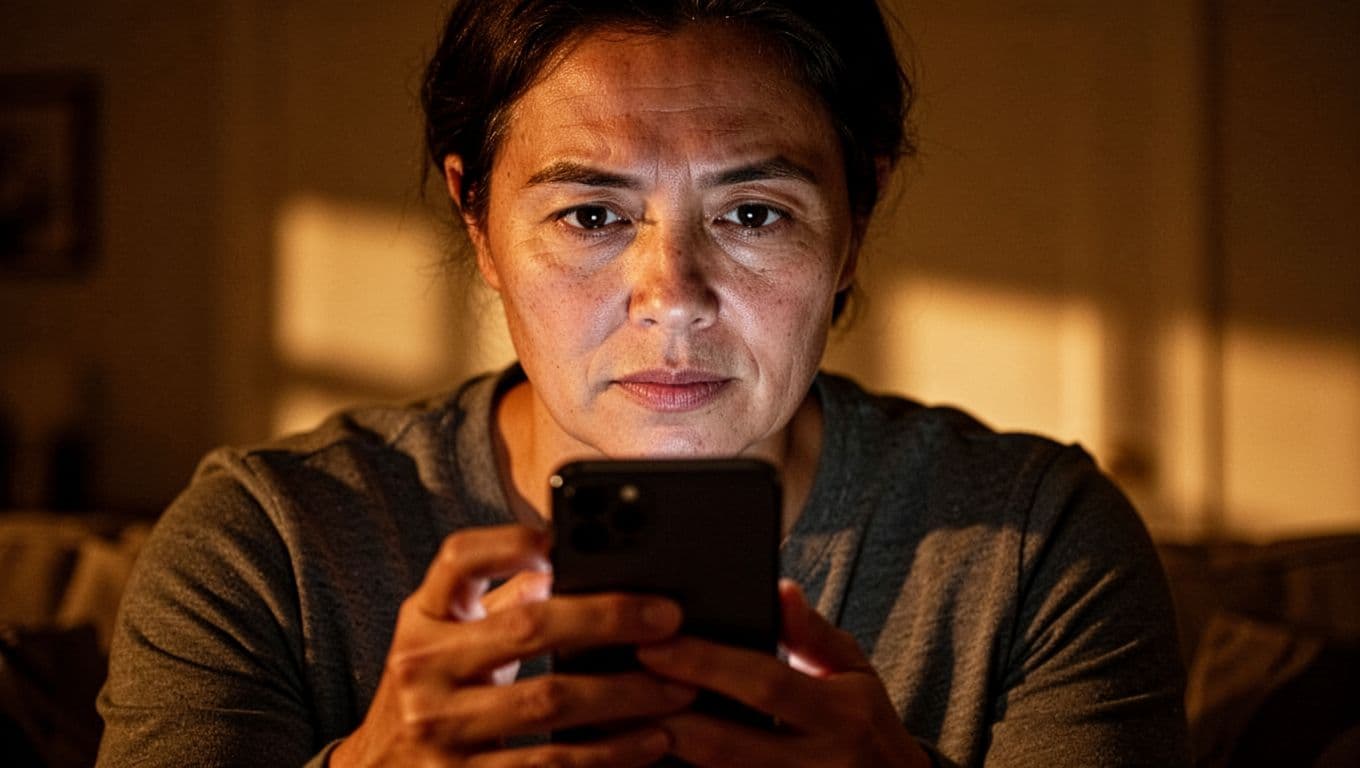
Small fraud often starts with a small footprint. A tiny charge, a failed login, or a strange transfer request can be the first crack in the wall. If you spot it early, you can stop a bigger mess before it spreads.
 ### Check transactions often, not just once a month
A monthly statement review is a start, but it can be too slow. Weekly checks are better, and daily alerts are even better if your bank offers them. The faster you look, the faster you can catch a problem before it snowballs.
Pay attention to tiny test charges, too. Fraudsters often try a small amount first to see if the card works. If that charge goes unnoticed, a larger theft may follow.
When you review your account, scan for:
- Small card charges you do not recognize
- Duplicate transactions
- Cash withdrawals you did not make
- Transfers that look out of place
- Merchant names that seem unfamiliar
A quick glance can save you money, time, and stress. For a helpful public guide on statement review, see how to spot red flags on bank statements.
Set up alerts for purchases, logins, and password changes
Alerts act like an early alarm system. They tell you when money moves, when someone tries to get in, or when account details change. That speed matters, because the sooner you know, the sooner you can react.
Turn on alerts for:
- Debit card charges
- New device logins
- Transfer requests
- Password changes
- Profile updates, like email or phone number changes
If a charge appears that you did not approve, you want to know right away, not three weeks later. The same is true for a login from a new device or a password reset you never requested. Quick alerts give you a head start.
The first warning sign is often small, but it rarely stays small for long.
Know the first steps to take if something looks wrong
Stay calm and move fast. Start by contacting your bank through the number on the back of your card or the official app. If needed, freeze the card or lock the account right away.
Then change the passwords for the affected account and any other account that shares the same login. Save screenshots, emails, text messages, and notes about what you saw. Those details can help the bank trace the issue and sort out what happened.
If the activity feels off, trust that instinct and act on it. A quick response is easier than untangling a fraud case after the damage grows.
Make a simple response plan before you need one
A clean response plan is like a flashlight in a power cut. You hope you never need it, but when trouble hits, it saves time and panic. If a card gets stolen, an account gets hacked, or your identity details leak, the first few minutes matter.
 ### Write down who to contact first
Keep a short paper list in a drawer, notebook, or wallet sleeve. Put the bank, credit card company, mobile carrier, and major email provider at the top. Add the official phone number, your login name, and any account PIN or password hint you might need.
That list can save you a full minute of searching when your hands are shaking and your screen is full of warning signs. In a real breach, speed matters more than perfect memory.
You can also include the fraud line for each institution and the direct number for your credit bureau contacts. If your phone is lost or your email is locked, that backup copy becomes your starting point. The FTC’s data breach guide also lays out why quick reporting matters.
Freeze cards, change passwords, and lock down recovery options
If a card is stolen or a login looks compromised, act in this order. First, freeze the card or lock the account inside the app. Next, change the password for the affected account, then update any other account that used the same password.
After that, check your recovery email and phone settings. Scammers often keep getting back in through old recovery routes, so remove any number or address you no longer use. Turn on two-factor authentication where you can, and pick app-based codes when possible.
A reset password helps only if the recovery path is also secure.
If identity details were exposed, place a fraud alert or credit freeze with the credit bureaus. That extra step can block new account openings while you sort out the damage. The FTC explains the process in its identity theft recovery steps.
Keep paper records and sensitive mail out of sight
Digital safety gets a lot of attention, but paper can still cause trouble. Old statements, offer letters, tax forms, and financial mail can all feed identity theft if they land in the wrong hands. Shred what you no longer need, especially anything with account numbers, signatures, or partial Social Security details.
Also keep incoming mail out of plain view. A full mailbox can hand a thief enough clues to piece together your name, bills, and banking habits. A locked mailbox, a quick pickup routine, and a shredder near your desk make that job easier.
A strong response plan protects you before the breach becomes bigger. It keeps your next move clear, even when the situation feels messy.
Conclusion
Protecting your finances from cybersecurity threats comes down to steady habits, not perfect ones. Strong, unique passwords, multi-factor authentication, careful clicking, updated devices, safe Wi-Fi, and regular account checks all work together to close the gaps that scammers look for.
Each step adds another board to the fence. One habit alone can help, but a few consistent habits make your money harder to reach and your accounts easier to defend. That is how you stay ahead of phishing texts, fake logins, and quiet fraud that starts small.
Keep it simple, keep it regular, and keep watching your accounts. A little attention each week is far easier than untangling a stolen password or a drained card later.
Save pin for later

- How to Find Long-Tail Keywords for Your Blog - June 29, 2026
- Pinterest SEO for Bloggers - June 27, 2026
- How to Do Keyword Research for Beginners - June 27, 2026