 Vivien Robert
Pinterest works more like a search engine than a scrapbook, and that means the right pin can send readers to your blog long after you publish it. If you want steadier clicks, the goal is to meet people when they’re already looking for ideas, then give them a pin that feels clear, useful, and worth saving.
That takes three things working together, Pinterest SEO, strong pin design, and a posting rhythm you can keep up. When those pieces line up, you build traffic that lasts instead of chasing one-time spikes, and a solid Pinterest traffic guide for bloggers can help you map the bigger picture before you start.
Understand How Pinterest Traffic Actually Works
Pinterest traffic makes more sense once you stop treating it like a social feed. People don’t open Pinterest to watch friends post updates. They open it to find an answer, a plan, or a fresh idea they can use right away.
That matters for bloggers. When your post matches what someone already wants, the path is short: search, scan, click, read. You are not interrupting their day, you are meeting them in the middle of a search.
 ### Why people search Pinterest with a purpose
Most Pinterest users arrive with a job to do. They want dinner ideas, a room refresh, a morning routine, a wedding checklist, or a quick fix for a problem that keeps nagging them. The platform feels useful because it gives them something practical to save or try later.
That kind of behavior is gold for blog traffic. A person searching “easy budget meals” or “how to organize a small closet” is already halfway to clicking a helpful blog post. They are not browsing at random, they are looking for guidance they can trust.
Pinterest also fits the way people think when they are planning. They collect ideas, compare options, and narrow things down before they act. That means a well-matched pin can catch attention at exactly the right moment, when the reader is open and ready.
For bloggers, the mindset shift is simple. Write for the person who is searching, not the person who is scrolling. A clear promise, a specific topic, and a useful result usually win more clicks than broad, pretty content that says very little.
Why pins can keep sending clicks for months
Pinterest content has a longer shelf life than most social posts. A post on another platform may fade in a day or two, but a strong pin can keep turning up in search results and home feeds long after it goes live.
That happens because Pinterest keeps sorting content by relevance, freshness, and quality. If your pin still matches a search term, still looks clear, and still gets engagement, it can keep working. In other words, the traffic does not vanish just because the calendar moved on.
One good pin can do repeated work if the topic, image, and keywords stay aligned with what people search for.
This is where consistency pays off. When you publish on a topic that people keep searching for, such as routines, recipes, self-improvement, or problem-solving posts, the pin has a better chance of staying useful. A strong keyword match can keep sending readers to the same article for a long time, especially when paired with Pinterest SEO that drives clicks.
Pinterest also keeps learning from what people do next. Recent guidance from Pinterest and social media analysts shows that relevance and engagement matter more than follower count, so the right pin can outperform a much bigger account if it answers the search well. For a deeper look at that search-first approach, see Pinterest’s 2026 strategy guidance for bloggers.
What kinds of blog posts do best on Pinterest
Some blog posts naturally fit Pinterest better than others. The best performers usually solve a clear problem or help the reader do something specific. That gives the platform something easy to understand and gives the reader a reason to click.
Posts that often do well include:
- How-to guides that walk readers through one clear task
- List posts that break a topic into quick, useful ideas
- Recipes that show a finished result people want to save
- Routines and schedules that help readers build better habits
- Tips and tutorials that answer a common question fast
- Printables and checklists that feel practical and easy to use
- Problem-solving posts that offer a direct fix for a common pain point
These formats work because they match how people use Pinterest. Someone sees a pin, recognizes their problem, and clicks for the full answer. That is why a post with a strong title like “15 Morning Routine Ideas for Busy Moms” often has more Pinterest potential than a vague lifestyle post with no clear promise.
If you want traffic, aim for clarity first. The more specific the topic, the easier it is for Pinterest to show your content to the right reader, and the easier it is for that reader to say yes.
Build Pinterest SEO Into Every Pin and Board
Pinterest SEO works best when you treat every part of your account like a search signal. That means your pin title, description, board name, profile text, and even the words shown on the image should all point to the same topic. When those pieces line up, Pinterest can understand your content faster and show it to the right reader.
The good news is that this does not require fancy keyword tricks. It calls for simple language, clear intent, and a sharp match between what people search for and what your pin promises.
 ### Find the words your readers are already typing
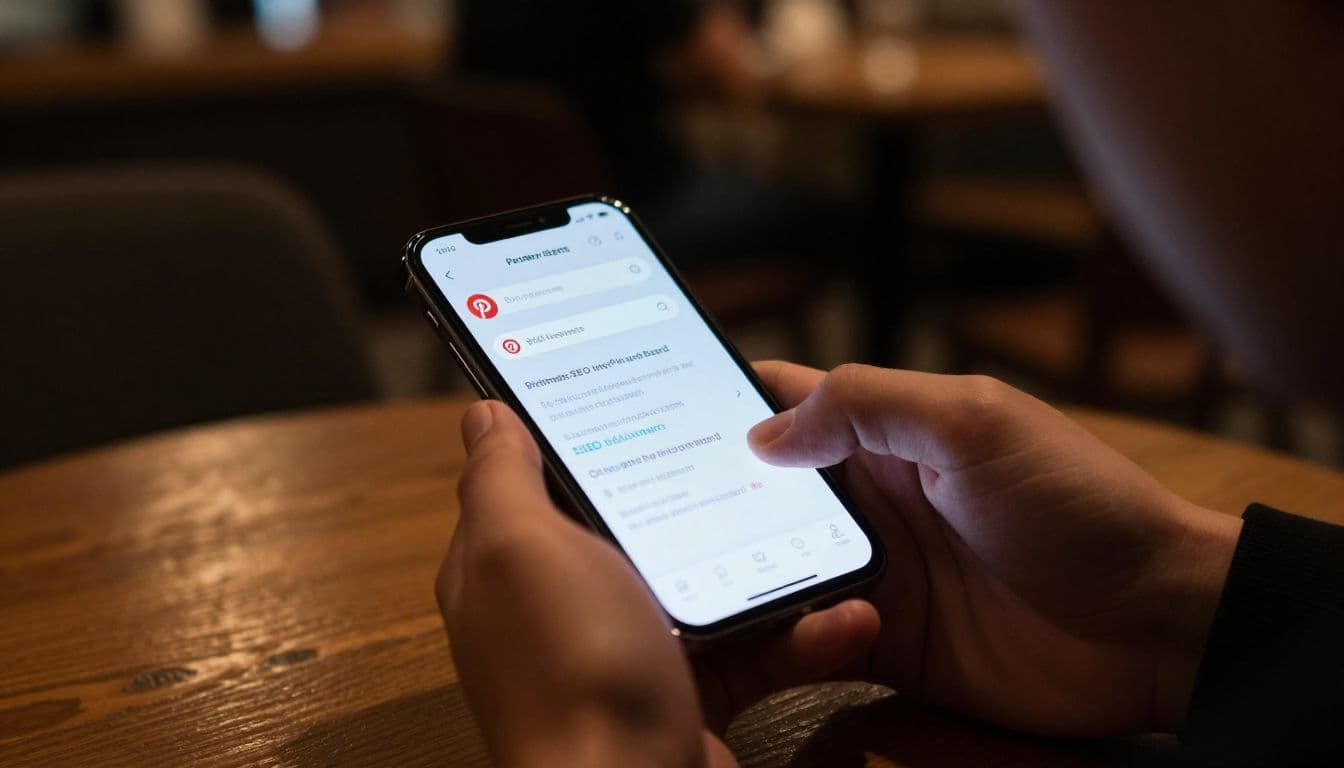
Start with Pinterest search itself. Type a broad phrase into the search bar, then pause and look at the autocomplete suggestions before you hit enter. Those suggestions show real searches people use, so they give you a direct look at what your audience wants.
Guided search helps too. The keyword chips that appear after you search can narrow your topic into more specific phrases. If you search “meal prep,” Pinterest may suggest “meal prep for weight loss” or “meal prep ideas for beginners.” Those smaller phrases are often easier to rank for because they match a more focused search.
Pinterest Trends can also show whether a topic is growing, steady, or seasonal. That helps you pick keywords that fit the time of year and the way people actually search. For a closer look at search behavior, Pinterest SEO hacks that still work in 2026 gives a helpful breakdown of how topic signals work across the platform.
A simple way to think about keywords is this: do not guess what sounds good, use the words your reader would type when they need help. If your post is about lower stress mornings, your audience may search for “easy morning routine,” “slow morning routine,” or “5am routine ideas,” not a broad phrase like “daily habits.” That small shift makes your pin easier to find.
You can also check what other strong pins in your niche keep repeating. If several top pins use the same phrase, that usually means Pinterest sees it as a useful topic. Pinterest keyword research tutorials can help if you want a more structured way to spot those terms.
Write pin titles and descriptions that sound human
A good pin title should tell people exactly what they get. Clear beats clever here. If someone can understand the value in one glance, they are more likely to click.
Use your main keyword near the front, then add a plain-English promise. For example:
- “Easy Morning Routine Ideas for Busy Days”
- “Simple Pinterest SEO Tips for Bloggers”
- “Budget Meal Prep Ideas for Beginners”
Each title sounds natural because it sounds like a real search result, not a sentence stuffed with keywords. That same rule applies to descriptions. Keep them short, useful, and easy to read. One or two related keywords is enough.
A pin description might say:
“Try these easy morning routine ideas to start your day with less stress. Use this list to build a simple schedule, stay focused, and make mornings feel calmer.”
That works because it uses the topic language without sounding forced. It also tells the reader what they will gain if they click.
Pinterest now reads visual clues too, so the words on your pin image matter. If your pin says “Morning Routine Ideas” and your description talks about “easy habits for busy mornings,” everything feels connected. The search engine gets a stronger match, and the reader gets a clear promise.
Stuffing too many keywords into one line can make a pin feel awkward and less trustworthy. Keep the wording natural, then let the topic repeat across the pin in small, smart ways.
Use board names and profile text to support search
Board titles matter more than many bloggers realize. A board named “Healthy Dinner Ideas” tells Pinterest far more than a cute title like “Food Inspo.” Search-friendly board names help the platform sort your content into the right topic bucket.
That same idea applies to your board descriptions. Use simple phrases that match common searches, and describe the kind of content someone will find there. If a board covers blog traffic, say that. If it holds self-improvement ideas, say that too. The goal is clarity, not flair.
Your profile name and bio should also carry a keyword or two. Pinterest uses those details to understand your account theme, so a profile like “Jane | Budget Meal Ideas” is easier to classify than a vague name with no topic hint. A bio that says you share “Pinterest tips, blog traffic ideas, and simple content strategies” gives the account even more context.
That helps because Pinterest wants to place your content in the right lane. If your profile says one thing, your boards say another, and your pins say something else, the signal gets weak. Keep the theme tight and consistent.
A useful rule is to repeat your main topic in different places without forcing it. Use the keyword in:
- Your profile name or bio
- A board title
- A pin title
- A pin description
- The visible text on the image
That kind of alignment helps Pinterest understand what you publish and who should see it. It also makes your account feel more organized to real people, which matters just as much.
For a practical example, a blog focused on self-improvement could use board names like “Daily Habits for Productivity,” “Confidence Tips for Women,” or “Morning Routine Ideas.” Those phrases are plain, searchable, and easy to connect with a reader’s intent. If the account also shares related lifestyle content, the profile bio can mention that mix in a short, keyword-rich sentence.
The result is a clean trail of clues. Pinterest sees the topic, the reader sees the value, and your pins have a much better shot at showing up in search.
Make Pins People Actually Want to Click
A strong Pinterest pin does one job fast. It stops the scroll, makes the promise clear, and gives the reader a reason to open the post. That means the best pins feel simple, sharp, and easy to understand at a glance, even on a small phone screen.
Choose a vertical layout that fits mobile screens
Pinterest is built for mobile first, so tall pins usually get more attention. A vertical pin takes up more room in the feed, which gives it a better chance to be seen before the next swipe.
The safest format is a clean 2:3 ratio, and Pinterest’s own creative best practices recommend 1000 by 1500 pixels. That size fits the screen well and avoids awkward cropping. If a pin is too tall, key details can get cut off, so keep the layout balanced.
 Crisp images matter just as much as size. Blurry visuals or busy backgrounds make a pin feel weak before the reader even reads the headline. Keep the focus on one clear image, one idea, and one message.
A good mobile-friendly pin usually has:
- A vertical frame that fills the feed well
- Sharp, bright images that hold up in thumbnail view
- Large text that stays readable without zooming
- One clear topic instead of several competing ideas
That simple structure helps the reader understand the pin in a second or two. It also makes the click feel easy, which is exactly what you want.
Use simple design choices that stand out fast
Pretty is not the goal. Clear is the goal. A pin should work like a storefront sign, not a magazine cover.
Use fonts that are easy to read, even on a phone held at arm’s length. Clean sans serif fonts usually work well because they stay legible at small sizes. Avoid thin lettering, heavy script, or anything that blurs into the background.
Brand colors help people recognize your content, but they should support the design, not fight it. Strong contrast between text and background is more important than flashy color pairs. If the title disappears into the image, the pin loses its pull.
White space matters too. It gives the eye a place to rest and helps the main message stand out. A crowded pin feels rushed, while a clean one feels trustworthy.
If a pin takes more than a second to understand, it’s probably too busy.
You can also keep your pin tied to one clear idea by matching the visual with the post’s promise. For example, a post about simple habits should not use a cluttered collage. A direct image and a clear headline work better, much like the advice in writing Pinterest posts that get clicks.
Create several pin versions for the same blog post
One blog post should usually have more than one pin design. Different readers notice different things, so testing more than one version gives you a better shot at clicks.
Change one thing at a time so you can see what works. Try different headlines, image styles, colors, and layouts. A bold headline may win on one pin, while a softer lifestyle image works better on another.
Here’s a simple way to test your pin set:
- Keep the same blog post link.
- Make 3 to 5 pin versions.
- Vary the headline wording.
- Swap the photo or background.
- Adjust the color contrast and text placement.
- Watch which version gets the most clicks and saves.
This approach gives you real data instead of guesses. It also helps you find the look your audience trusts most. Pinterest traffic often grows when you stop relying on one design and give the same post a few strong entry points.
A balanced mix of styles can also help your account look more natural. Some pins should feel bold, some should feel calm, and some should look practical. That variety keeps your content fresh while you figure out what readers click first. For more support on account growth and visual strategy, this blog marketing resource offers another useful angle on organic reach.
Publish in a Way That Keeps Pinterest Working for You
Pinterest rewards a steady rhythm. When you publish in small, regular batches, your account stays active and your content keeps moving through search and feeds. A burst of pins can look busy for a day, but a calm, repeatable schedule usually does more for long-term traffic.
That means you do not need to chase Pinterest with marathon posting sessions. You need a pattern you can keep on a normal week, even when life gets full. A few fresh pins each day, spaced out well, is far stronger than dumping everything at once and going silent.
 ### Pin new content regularly instead of posting in big clumps
A simple daily or near-daily habit works better than a noisy posting spree. When you spread pins across the week, each one gets a fair chance to breathe. That matters because Pinterest reads activity over time, not just volume in one short burst.
Start small if that feels easier. Three to five fresh pins a day is a practical target for many bloggers, and you can schedule them so they go out at different times. The point is to stay visible without making your account feel rushed.
A good rhythm can look like this:
- Share one pin in the morning.
- Publish another around midday.
- Add one more later in the evening if you have the content.
This pattern keeps your account active while you avoid burnout. It also gives Pinterest more chances to test your pins with different groups of users throughout the day. For more on timing and consistency, Pinterest’s best posting window guide is a useful reference.
Consistency beats intensity. A smaller plan you can repeat is better than a huge plan you quit after three days.
Scheduling helps a lot here. Use Pinterest’s own scheduler or a tool you already trust, then set a weekly content block to create and load pins ahead of time. That way, your blog promotion keeps moving even on busy days.
Mix your own content with helpful repins
A healthy Pinterest account does not need to post only its own blog links. A mix of original pins and useful repins can make your profile feel more natural and balanced. It also shows that your account is part of a topic, not just a traffic push.
Repins should still make sense for your niche. If your blog focuses on self-improvement, habits, relationships, or lifestyle topics, pin content that fits those themes. That keeps your boards useful and gives Pinterest a stronger sense of what your account is about.
Your own content should stay at the center. Repins work best when they support your main topics, fill in gaps, or point to ideas your readers would care about. That kind of mix builds trust because it feels curated instead of self-promotional.
A balanced board might include:
- Your blog posts on the main topic
- Related articles from other creators
- Visual ideas that inspire your audience
- Helpful checklists, quotes, or tips that match your niche
This approach also gives your boards a fuller feel. A board with only your own links can look thin, while a board with thoughtful additions looks active and useful. Pinterest tends to favor accounts that behave like real curators, not just one-note promoters.
If you want to keep your account on-theme, choose repins the same way you choose your own pins. Ask one simple question: would my reader find this useful? If the answer is yes, it probably belongs there.
Space out the same blog link so it stays fresh
You can pin the same blog post more than once, but give it space. If you post the same link back-to-back, it starts to look repetitive and loses some of its pull. When you wait and change the design, the post feels fresh again.
Different pin designs help the same article reach different people. One reader may click a bold headline pin, while another responds to a softer image or a more specific promise. That is why variety matters. It gives one blog post several entrances instead of one tired doorway.
A smart pattern is to rotate the same link after some time has passed, then change the image, title, or color palette. Keep the topic the same, but give it a new look. That simple reset can make the pin feel current without changing the article itself.
Use this kind of spacing as a rule of thumb:
- Post the first version of the pin.
- Let other content fill the feed in between.
- Return to the same link later with a new design.
- Keep the wording fresh and the visual angle different.
This matters because Pinterest likes fresh presentation. A new design gives the platform another signal to test, and it gives readers a reason to notice the post again. It also helps you avoid fatigue on your own account, which is just as important.
For a stronger posting plan, keep a small content bank ready. That way, you can rotate links, change graphics, and stay active without scrambling for ideas every day. If you want a simple way to keep that flow steady, a Pinterest traffic guide for bloggers can help you connect the dots between posting rhythm and long-term clicks.
The best publishing habit is the one that keeps going. Post a little, stay consistent, mix in useful content, and give each blog link room to work before you show it again.
Send Pinterest Visitors to the Right Blog Pages
A click is only useful when it lands on the right page. If a pin promises one thing and the blog post delivers another, readers leave fast. That mismatch hurts trust, weakens engagement, and makes future clicks less likely.
The goal is simple, each pin should point to one specific post that matches the topic, tone, and outcome shown on the pin. A vague homepage or broad category page usually creates extra friction. People came for an answer, so give them the exact page that answers it.
 ### Match the pin promise to the blog post
The best Pinterest traffic starts with a clean match between the pin and the post. If the pin says “easy morning routine ideas,” the reader should land on a page filled with easy morning routine ideas, not a general lifestyle roundup. That kind of alignment feels natural and keeps the reader moving.
Mismatched content creates a broken path. A person who clicks expecting a quick solution and gets a broad homepage usually has to search again, and most won’t bother. One good click can turn into a lost visit if the destination feels off.
A tighter match also helps search behavior on Pinterest. When the wording on the pin, the headline, and the article all point in the same direction, the reader gets a clear, steady thread from start to finish. That consistency builds trust before the first paragraph even loads.
Use the pin as a promise, then make the blog post keep that promise. If your pin advertises a checklist, the post should open with the checklist or a direct path to it. If it offers tips, the article should give tips right away, without making readers dig for the point.
Write blog headlines and intros that keep readers on the page
The landing page has to do more than match the pin. It also has to hold attention long enough for the reader to keep going. A strong headline, a fast opening, and short paragraphs make that easier, especially on mobile.
Start with a hook that confirms the reader is in the right place. Then give them the benefit early. A post about Pinterest traffic should tell readers what they will learn in the first few lines, not save the good part for later.
Mobile readers scan fast, so keep the first screen clean and easy to read. Short paragraphs, clear subheads, and simple language help the page feel welcoming instead of heavy. If the article looks like a wall of text, many visitors will back out before they reach the main point.
This is where a strong intro matters. It should feel like an open door, not a maze. If you want a good example of how search intent shapes the whole page, Pinterest traffic fixes that work can help you see how content direction affects results.
Use simple tracking to see which pins drive the most traffic
You do not need a complicated setup to learn what works. Basic tracking shows which pins earn clicks, which topics pull the most attention, and which designs make people want to tap. That data tells you where to put your energy next.
If one pin keeps sending traffic to a post, make more content like it. If another gets saves but almost no clicks, the design may be strong but the promise may be weak. Over time, those patterns show you what your audience responds to most.
Track a few things regularly:
- Click-throughs to see which pins actually send readers to your site
- Top-performing topics to spot the subjects your audience wants more often
- Title and design patterns to see which styles get the strongest response
- Landing page behavior to check whether readers stay or leave quickly
That review helps you improve the full path, not just the pin. If readers click and bounce, the issue may be the page itself, the headline, or the gap between promise and delivery. Pinterest can bring the visitor, but the blog has to keep them.
Simple tracking keeps your strategy grounded in facts. It shows you what deserves more attention and what needs a rewrite, a new angle, or a better destination. For a closer look at reading your Pinterest numbers, Pinterest’s 2026 analytics and growth guide offers another useful reference point.
Make the click-through path feel effortless
A good Pinterest path feels smooth from first glance to final scroll. The pin should be clear, the title should match, and the blog page should load into the exact topic the reader expected. Every extra step weakens the click.
Link each pin to a post that solves one problem well. Avoid sending people to a homepage unless that page is the best possible fit. A focused post gives readers one job, one answer, and one reason to stay.
Once they land, keep the page easy to follow. Lead with the main answer, break up the text, and guide readers toward the next useful step. Internal links can help here when they point to a related article that expands the same topic in a natural way.
A clean path looks like this:
- The pin makes one clear promise.
- The blog title repeats that promise in plain language.
- The opening paragraph confirms the reader clicked the right post.
- The rest of the article delivers the help without detours.
That flow matters because Pinterest traffic is only useful when it turns into real time on your site. The better the match, the more likely readers are to stay, read, and click again. When the path feels natural, the traffic starts to work harder for you.
Conclusion
 Pinterest traffic grows best when your system stays simple and repeatable. A clear keyword plan, a clean pin design, a steady posting rhythm, and a blog post that matches the pin all work together like gears in the same clock.
Keep your focus on the basics that repeat
You do not need a fresh tactic every week. You need a setup you can keep using, even when your schedule gets busy. Strong keywords help Pinterest understand your topic, and clear pin design gives people a reason to stop and click.
Consistency matters just as much. A few fresh pins, spaced out well, often beat a rushed burst of activity. Pinterest’s own marketing strategy guidance for bloggers points to the same pattern, search first, post steadily, and keep the topic match tight.
Let each good pin work for a long time
One useful pin can keep sending readers for months when the setup is right. That is why the goal is not one lucky spike, it is a slow, dependable flow of visits that builds over time. When your pin leads to the right blog page, readers stay longer and are more likely to click again.
If you keep showing up with the same clear approach, Pinterest starts to feel less unpredictable. The traffic may come in waves, but the right habits make those waves easier to trust. A single strong pin can become a lasting source of visitors when the whole path is done well.
Save pin for later

- How to Find Long-Tail Keywords for Your Blog - June 29, 2026
- Pinterest SEO for Bloggers - June 27, 2026
- How to Do Keyword Research for Beginners - June 27, 2026