 Onwe Damian Chukwuemeka
One new blogger hit publish on their first post in early 2026. It got zero views for days. Then they ran through a basic SEO checklist. Traffic climbed to 4,200 monthly visitors by month’s end.
Google’s latest updates push helpful, human-written content to the top. Algorithms now favor sites that show EEAT (Experience, Expertise, Authoritativeness, Trust). You skip these signals, and your post stays buried under AI spam. But follow a proven checklist, and ranking becomes straightforward, even as a beginner.
This shift rewards real value over tricks. Sources like Moz confirm high EEAT content wins steady traffic and handles updates well. Your posts need keywords that match search intent, titles that pull clicks, structure for easy scans, quality that builds trust, tech setups without errors, and final tweaks for promotion.
You’ll find this checklist simple to use. Pros get a reliable boost; newbies avoid common traps. It covers keyword research first, then title tweaks, content structure, quality checks with EEAT in mind, on-page tech fixes, and last-minute audits.
Ready to make your next post rank high? Start with step one: nail your keywords.
Find Keywords People Actually Search For Before Writing
People type specific terms into Google every day. Your job is to find those terms before you write a word. Target keywords with 100 to 1,000 monthly searches and a competition score under 30. These spots offer real traffic without brutal fights against big sites. Tools reveal this data fast, so you pick winners from the start.
Start your research with proven platforms. They pull search volume, difficulty scores, and competitor insights. Focus on long-tail phrases, often three or more words, because they match buyer needs better.
Use Tools to Spot Low-Hanging Fruit Keywords
Free and paid tools simplify keyword hunts. Pick ones with accurate volume data and easy filters. Set volume at a minimum of 100 searches per month. Cap keyword difficulty (KD) at 30 or lower. This combo delivers quick ranking chances for fresh blog posts.
Four strong options stand out. Each handles the basics well, but they shine in different areas. Check their free trials to test fit for your niche.

Here’s a quick comparison:
| Tool | Pros | Cons | Pricing Starts |
|---|---|---|---|
| Semrush | Precise KD scores; spots competitor gaps | Higher cost after trial | $129/month |
| Ahrefs | Strong backlink data; traffic estimates | Steep learning curve | $99/month |
| SE Ranking | Affordable; simple filters | Less data depth than leaders | $39/month |
| Google Keyword Planner | Free; direct Google data | Broad estimates only | Free |
Semrush works best for beginners. Enter a seed term like “dog training” in the Keyword Magic Tool. Filter for volume over 100, KD under 30, and three-plus words. Export 50 ideas. Or spy on rivals via organic research, then grab their low-KD terms you missed.
Ahrefs excels at backlink checks, so you see why some keywords stay easy. SE Ranking keeps costs low while you scale. Google Planner gives a free baseline, but pair it with paid tools for KD scores.
Consider this example list for a pet blog. These came from Semrush filters on “puppy care”:
| Keyword Phrase | Monthly Searches | KD Score |
|---|---|---|
| best puppy food for sensitive stomach | 320 | 22 |
| how to potty train puppy at night | 590 | 18 |
| cheap puppy toys that last | 210 | 26 |
| puppy teething remedies home | 450 | 14 |
Save these to a spreadsheet. Note trends like rising volume. For details on Semrush filters, see their low-competition keyword guide.
Match Keywords to What Readers Really Want
Keywords carry intent. People search for reasons: to learn, buy, or navigate. Match your post to that reason, or Google drops you. Mismatches tank rankings because they frustrate users.
Four main intent types guide you. Informational queries seek answers. Users ask “how to” or “what is.” Write guides or lists. Example: “How to potty train a puppy” wants step-by-step tips, not sales pitches.
Navigational searches hunt specific sites. Terms like “Financial Mercury blog” point to brands. Optimize landing pages here, but skip for new posts.
Commercial intent compares options. People type “best puppy food” or “top teething toys. ” They shop but haven’t bought. Use reviews, pros/cons, and buy links.
Transactional queries close sales. “Buy puppy food online” or “puppy toys cheap” signals ready buyers. Feature product pages or affiliate picks.
Ignore intent at your peril. A “best puppy food” post full of fluff ranks low in comparison to tables. Google spots poor fits via bounce rates and clicks away. Always preview SERPs. Ask: Does top content match my plan? If not, swap keywords.
Test with questions. What problem does this solve? Rewrite your outline to fit. This step turns good keywords into traffic machines.
Create Titles and Descriptions That Click and Rank
Your keywords mean nothing if titles and meta descriptions fail to pull clicks. These snippets show up first in search results. They decide if readers click or scroll past. Put your main keyword up front. Promise clear value. Keep lengths tight so nothing gets cut off. Do this right, and click-through rates climb fast.

Titles and descriptions work like mini ads. Google often rewrites poor ones, but strong versions stick. Test them in search previews. Users scan fast, so make yours stand out.
Nail Title Tag Length and Structure
Title tags form the clickable blue link. Aim for 30 to 60 characters. This fits most screens without ellipses. Start with your primary keyword. Add a benefit or number next. End with your brand if space allows.
For example, take “how to potty train puppy at night.” A weak title reads: “Puppy Potty Training.” It wastes space and bores users. Fix it: “Potty Train Puppy at Night: 5 Easy Steps (2026).” This hits 48 characters. Keyword leads. Benefit hooks. Year adds freshness.
Structure matters. Use pipes (|) or dashes (-) to separate parts. They improve readability. Avoid duplicates across pages. Each title must fit its keyword’s intent.
Here’s what works:
| Do This | Don’t Do This |
|---|---|
| Front-load the keyword | Stuff multiple keywords |
| Add numbers or benefits | Use all caps for emphasis |
| Keep under 60 characters | Exceed 70 characters |
| Match user intent | Write vague promises |
Google Search Console shows which titles underperform. Swap low-CTR ones first. Results follow in weeks. For more on boosting clicks, check Search Engine Land’s guide to titles and metas.
Write Meta Descriptions That Drive Action
Meta descriptions sit under the title. Target 140 to 160 characters. Include the keyword early so Google bolds it. Solve the user’s problem. End with a call to action.
Use your “puppy teething remedies at home” keyword. Bad version: “Tips for puppy teething.” Too short, no pull. Better: “Ease puppy teething at home with safe remedies. Proven tips, no vet needed. Get relief tonight.” At 152 characters, it matches intent, adds value, and urges a click.
Focus on benefits. Informational searches want steps. Commercial ones need comparisons. Always preview on mobile. Truncation hits there first.
Follow these rules for success:
| Do This | Don’t Do This |
|---|---|
| Lead with keyword and value | Repeat the title |
| Add a clear call to action | Keyword stuff |
| Stay unique per page | Go generic |
| Test for mobile fit | Ignore low-CTR pages |
Tools like Yoast or Rank Math preview these in your editor. Update them post-publish if needed. Users respond to specifics, so track changes in analytics. Strong metas turn impressions into visitors.
Structure Your Post with Headings That Guide Readers and Google
Readers skim posts fast. They hunt for answers in seconds. Clear headings act like signposts. They guide eyes to key points. Google reads them too. Search engines use headings to grasp your content’s flow and depth. This boosts rankings because structured posts match user needs better. You create one H1 for the main title. Follow with H2s for big sections. Add H3s for details under those. This setup helps both people and algorithms. Skip it, and your post feels like a wall of text. Bounce rates rise. Rankings drop.

Strong headings also snag featured spots in search. They turn your content into quick wins.
Why Headings Help You Rank in Snippets and Searches
Rich snippets expand search results. They add stars, images, or prices beyond plain links. Google pulls this data from structured markup on your page. Headings play a supporting role. They organize content so bots match it to snippet types easily.
Zero-click searches keep users on Google. Answers appear right there in boxes. Featured snippets dominate these. Google often grabs text from under your H2 or H3 headings. A question-style H2 like “How do I potty train a puppy?” pairs with a crisp answer paragraph. That combo fits perfectly for snippet pulls.
FAQ schema takes it further. This structured data marks question-answer pairs. Google uses it for rich FAQ snippets that expand on click. Add it via JSON-LD code. For example, wrap your H3 questions in schema. See Google’s FAQPage guidelines for exact setup. Headings signal the structure first. Schema confirms the format.
Both boost visibility. Snippets lift click rates by 8 to 30 percent in tests. Zero-clicks build authority signals even without direct traffic. However, Google prioritizes helpful matches. Force keywords into headings, and you risk skips.
Test your pages with Google’s Rich Results tool. Check Search Console for snippet performance. Pair clear H2s with a schema, and watch impressions grow. Readers stay longer. Google rewards that pattern.
Write Content That Proves Your Real-World Expertise
Google ranks posts that show real knowledge. You prove expertise through content that draws from your own work and solid sources. This builds EEAT signals: experience, expertise, authoritativeness, and trust. Readers stay longer. Algorithms notice. Your post climbs higher because it helps people solve problems.
Skip generic advice. Instead, share what you know from practice. Next, see how to add those points of proof.
Build Trust with Your Experience and Sources
EEAT starts with proof you know your topic. Add an author bio at the end or top. List your years in the field, key wins, or client results. Readers check it first. Google crawls it too.
Share case studies from your projects. Describe a client challenge, your fix, and the outcome with numbers. For example, “I boosted a site’s traffic by 150% in three months using these steps.” Screenshots or data charts back it up.
Use citations for facts. Link to studies or official pages. This shows research, not guesses. Google’s guidelines stress this for trust; see their advice on helpful content.
You prove expertise in five key ways:
- Write from firsthand tests. Detail the tools you used and results you saw.
- Name-drop credentials. Mention certifications or roles like “SEO consultant for 50+ brands.”
- Pull in fresh data. Quote recent reports with links to the originals.
- Add unique angles. Explain pitfalls others miss from your trials.
- Update old posts. Note changes like “Revised in 2026 with new algorithm shifts.”
These steps turn claims into evidence. Traffic follows.

Keep It Scannable and Engaging for Real Readers
People scan blogs in seconds. Short sentences help. Most run under 20 words. Active voice keeps energy high: “You fix errors” beats “Errors are fixed by you.”
Mix in visuals like charts or images. They break text walls. Questions pull readers in: What holds your post back? Answer right after.
Aim for readability scores around 60-70 on Flesch-Kincaid. Tools like the Hemingway App flag long sentences or passive spots. Fix them fast.
Try these tips for better flow:
- Start with benefits. Tell readers what they gain first.
- Use bold for key terms. Don’t overdo it.
- Add subheadings every 200 words. They guide eyes.
- Weave in examples. Real scenarios stick.
Test your draft aloud. Does it sound natural? Readers bounce from clunky prose. Polish until it feels smooth. Engagement rises; so do shares and ranks.
Handle Images, URLs, and Speed for Top Performance
Fast pages rank higher. Google uses Core Web Vitals to measure speed, like Largest Contentful Paint under 2.5 seconds. Slow loads kill traffic because users leave. You fix images first; they often cause 50 percent of delays. Next, craft clean URLs that match keywords and stay short. Then boost overall speed with simple tweaks. These steps cut load times in half for most blogs.
Start with images. Convert to WebP or AVIF formats; they shrink files by 25 to 50 percent without quality loss. Name files descriptively, like puppy-training-tips.webp. Add alt text that describes the scene, such as “puppy on training mat with owner.” Set width and height attributes to stop layout shifts. Lazy load images below the fold, but preload your hero image.
URLs help too. Use hyphens between words, keep under 60 characters, and include your main keyword. For example, financialmercury.com/potty-train-puppy-night beats financialmercury.com/post?id=123. Lowercase only. Avoid dates; they age content.

Test everything in Google PageSpeed Insights. Scores over 90 signal strength.
Quick Fixes to Make Your Page Load Lightning Fast
Blogs load slowly from unoptimized assets and extra scripts. You apply these boosters, and times drop fast. Focus on high-impact changes first. Tools like PageSpeed Insights or GTmetrix spot issues.
Here are five proven fixes for blogs:
- Compress images aggressively. Tools like TinyPNG or ShortPixel cut sizes by 70 percent. Aim for hero images under 200KB. Serve WebP via plugins like Imagify. This alone boosts the largest contentful paint.
- Turn on caching. Use WP Rocket or LiteSpeed Cache for full-page caching. It serves static HTML, skipping PHP runs. Time to first byte falls under 50 ms for repeat visitors.
- Add a CDN. Cloudflare or BunnyCDN delivers files from servers near users. Global load times improve by 30 to 60 percent. Free tiers work fine for starters.
- Lazy load off-screen elements. Plugins handle images, iframes, and videos. Pages render the top fold quicker, helping interaction to next paint.
- Limit plugins and minify code. Delete unused ones; they add JavaScript bloat. Autoptimize combines and shrinks CSS/JS files. Check database size too; clean revisions monthly.
Run tests before and after. For a WordPress-specific workflow, follow this blog speed optimization checklist. Users notice the difference. Bounce rates drop, and rankings climb.
Link Smartly and Promote After Publishing
You publish your post. Now make it work harder. Internal links spread authority across your site. They guide readers deeper and help Google index pages faster. Promotion brings eyes right away. Share smartly on social channels and email lists. These steps turn a new post into steady traffic. Results show up in weeks through analytics.

Add Internal Links That Guide Readers and Search Engines
Internal links connect your posts. They pass link juice to new content. Readers find related topics easily. Google sees your site’s structure clearly. Add three to five per post. Place them where they fit naturally.
Link from old posts to your new one. Update those older articles first. Scan for matching topics. For example, a puppy training post links to teething remedies. This boosts both pages. Backlinko reports traffic jumps of 25 percent from such updates.
Choose anchor text that describes the target. Use keywords from the linked page. Avoid exact repeats across your site. Tools like Surfer’s audit check this setup; see their post-optimization process.
You gain from smart placement:
- Context is mentioned. Link phrases like “potty training tips” to your guide.
- End-of-section calls. Suggest “next steps” with a related post.
- Sidebar or footer spots. Add recent posts there too.
Test links post-publish. Ensure they work on mobile. This keeps users engaged longer.
Promote on Social Media, Email, and Communities
Share your post fast. Post on Twitter, Facebook, Instagram, and LinkedIn. Time shares for peak hours. Repeat over weeks at different times. Lead with value, then add the link.
Email subscribers next. Use catchy subjects like “5 Steps to Potty Train Your Puppy Tonight.” Include a snippet and full link. Add posts to welcome sequences too.
Join forums and groups. Answer questions with your post as backup. Guest posts on niche blogs bring targeted readers.
Pinterest drives visuals well. Create pins with custom images. Drive website traffic from Pinterest by linking boards to posts. Tailor descriptions for clicks.
Track shares in Google Analytics. For more ideas, check 25 ways to promote posts.
These channels build momentum. Traffic compounds as shares spread.
Conclusion
This SEO checklist turns new blog posts into traffic winners. You start with targeted keywords, craft clickable titles, structure for scans, prove expertise, optimize tech basics, and promote smartly. Results match the intro story: steady visitors from helpful content that Google favors.
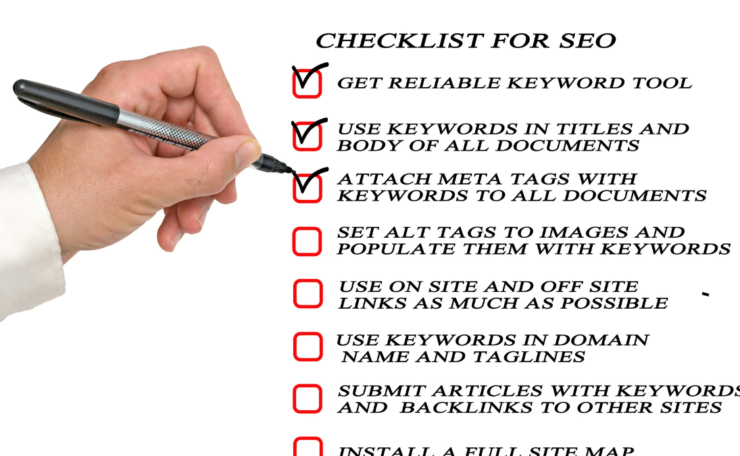
Print this checklist for every post. Check off each step before hitting publish.
| Step | Key Action |
|---|---|
| 1. Keywords | Use tools for 100-1,000 searches, KD under 30, and match intent. |
| 2. Titles & Metas | Front-load keywords; add benefits; 60-character titles, 160-character descriptions. |
| 3. Structure | H1 main title; H2/H3 headings; add schema for snippets. |
| 4. Content | Show EEAT with bios, cases, and citations; short sentences; and visuals. |
| 5. Tech | WebP images, keyword URLs, caching/CDN for fast loads. |
| 6. Links & Promo | 3-5 internals; share on social media, email, and Pinterest. |
Apply it to your next post. Track impressions, clicks, and rankings in Search Console.
Consistent SEO like this drives growth all through 2026. Your posts rank higher each time.
Save the pin for later


- How I Make Money on Pinterest Pinning in 2026 - June 23, 2026
- How to Research Pinterest Keywords for Blog Posts In 2026 - June 23, 2026
- How to Set Up Google Search Console for a Blog - June 23, 2026